Vizio Elevate 7.1.4 Pro Soundbar Review: Should You Buy This?
Want a home theater setup that feels like a real cinema? The Vizio Elevate 7.1.4 Pro might be your answer. This soundbar system brings a fresh twist to home audio.
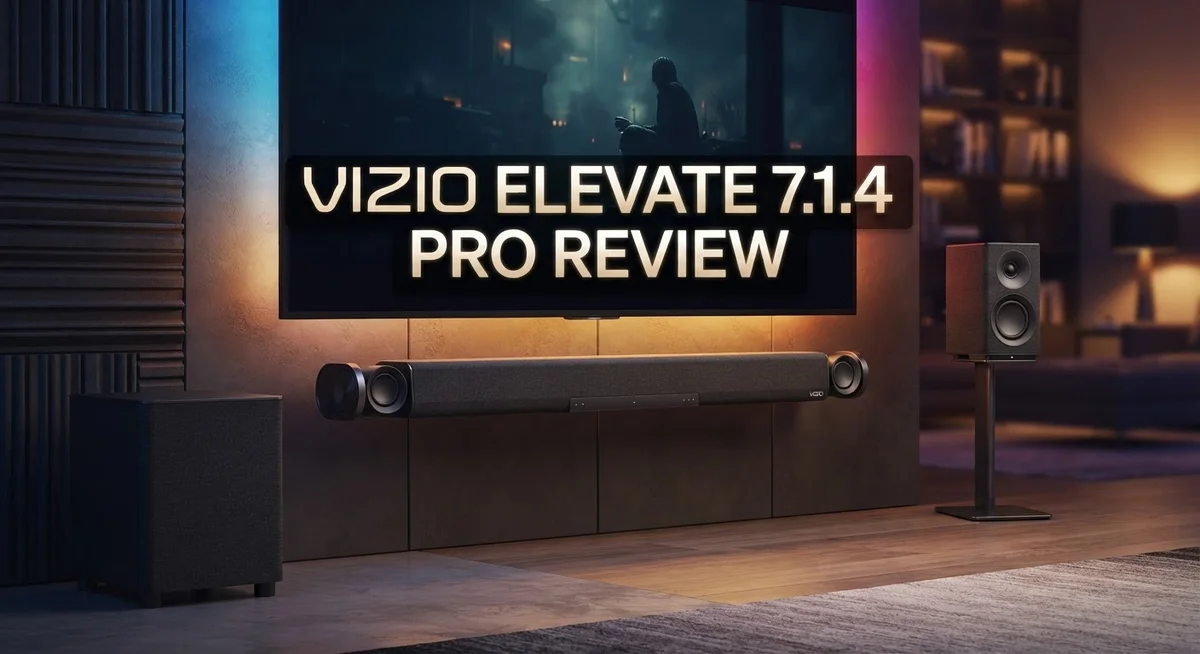
It comes with a 36 inch soundbar, four wireless surrounds, and a wireless subwoofer. That gives you a true 7.1.4 channel setup right in your living room.
The star feature is its auto-rotating height speakers. These six drivers physically shift position based on what you watch. They adjust for movies, music, or games without you lifting a finger.
This system supports both Dolby Atmos and DTS:X. That means you get immersive, 360 degree sound that wraps around your room.
Setup feels simple. You can pair everything through an app and adjust sound settings in seconds.
In this review, we will break down every feature of the Elevate 7.1.4 Pro. We will look at its performance, design, and how it stacks up against rivals like the Samsung Q990 and Sonos Arc. Let’s dive in and see if this soundbar earns a spot in your home.
In a Nutshell
Here is the quick rundown of what makes the Vizio Elevate 7.1.4 Pro stand out:
-
Adaptive Audio Magic: The height speakers physically rotate. They shift position based on whether you play a movie, show, or music track.
-
True 360° Sound Field: You get sound that wraps around the room. Bass feels deep and theater like, not thin or flat.
-
Effortless Control: The companion app lets you tweak audio settings fast. No manual guesswork or confusing menus involved.
-
Minor Trade Off: This system skips auto room correction. Competitors like the Samsung Q990 offer this feature instead.
-
Strong Contender in Its Class: It competes closely with the Sonos Arc and Sonos Beam Gen 2 setups. Each brand brings something different to the table.
-
Best For: Movie lovers and music fans who want a cinematic feel at home. It suits anyone who values flexible, room filling sound.
Overall, this soundbar system blends smart engineering with simple daily use. It earns its spot among top rated home theater upgrades this year.
Audio Configuration and Speaker Setup
Setting up the Vizio Elevate 7.1.4 Pro is straightforward. The system arrives with clear instructions. You place the 36 inch soundbar in front of your TV. Then you position the four wireless surrounds around your room.
The wireless subwoofer connects without cables. This means less clutter behind your furniture. Most users complete the entire setup in under 30 minutes. The app guides you through each step.
The real magic happens with the height speakers. These six drivers sit inside the soundbar. They physically rotate to match your content. When you watch movies with Dolby Atmos, the speakers angle upward. During music playback, they adjust differently. This automatic rotation happens without any input from you.
Positioning matters for best results. Place surrounds at ear level on side walls. Keep the subwoofer away from corners if possible. Corners can create bass buildup. The center of a wall works better for deeper, cleaner low end. The soundbar itself should sit on a stand or wall mount. Avoid placing it inside a cabinet where sound gets trapped.
The companion app makes adjustments painless. You can tweak treble, bass, and dialogue levels. Sound modes let you switch between movie, music, and game settings. The app responds quickly. Changes happen instantly when you tap the screen.
Dolby Atmos and DTS:X support means your content gets full spatial treatment. Not all streaming services offer these formats. Netflix, Disney+, and some Blu ray discs do. When you play compatible content, the height speakers engage automatically. You hear sounds from above. Rain falls around you. Helicopters pass overhead.
The system skips automatic room correction. This means you won’t get software that analyzes your space. You’ll handle adjustments manually through the app. For most living rooms, the default settings work well. Tweaking takes just a few minutes.
Connection is simple through HDMI or optical. WiFi links the surrounds and subwoofer. Your phone connects via Bluetooth or WiFi for app control. Everything stays synchronized without lag.

- Soundbar remote control sold separately
- Receive the latest product updates and adjust advanced soundbar settings by downloading the VIZIO mobile...
Last update on 2026-11-19 / Affiliate links / Images from Amazon Product Advertising API
Sound Quality and Immersive Performance
The Vizio Elevate 7.1.4 Pro delivers immersive audio that transforms how you experience movies and music. The system uses six height drivers with rotating speakers that adapt to your content in real time.
When you watch an action movie, these speakers pivot to match the on screen movement. A helicopter flies overhead, and the sound follows. This dynamic rotation creates a three dimensional soundscape that standard soundbars cannot match. The technology keeps audio locked to the visual action happening around you.
The 7.1.4 configuration means seven channels at ear level, one subwoofer for bass, and four height channels above you. This setup creates a complete sound bubble in your room. Dolby Atmos and DTS:X support unlock spatial audio from compatible streaming services and Blu ray discs. You hear rain falling from above, thunder rolling across the ceiling, and dialogue anchored to the screen.
Bass performance stands out as a major strength. The wireless subwoofer delivers theater quality low end without the rumble that muddles dialogue. Action sequences hit hard while voices stay clear. Music playback benefits too, with drums and bass lines that feel present but controlled.
Surround speakers handle ambient sounds and directional effects. A cricket chirping in the background, footsteps moving left to right, or crowd noise at a stadium all feel positioned correctly. The 360 degree sound field means you notice less about where speakers sit and more about the audio experience itself.
One limitation exists: the system lacks automatic room correction. You cannot run a calibration that measures your space and adjusts settings automatically. Manual tweaks through the app work well, but some users prefer the hands off approach that room correction provides.
For movie enthusiasts and music lovers seeking cinematic performance, this soundbar delivers. The rotating height speakers set it apart from competitors. Sound quality stays consistent across different content types. Whether streaming a thriller or enjoying a concert special, the Elevate 7.1.4 Pro handles every audio challenge with precision and impact.
Auto-Rotating Height Speakers and Technology
The auto-rotating height speakers represent the standout innovation in this system. Vizio engineered six height drivers that physically pivot to match your content. When you watch a helicopter scene, the speakers rotate to follow the action. This adaptive technology responds to what’s happening on your screen in real time.
How does this work? The system analyzes the audio signal from Dolby Atmos and DTS:X content. It determines where sound should come from. The height speakers then angle themselves to deliver sound from the correct position. This creates a three-dimensional audio experience that feels more natural than static speakers.
Traditional soundbars keep their height channels fixed in one spot. The Vizio approach eliminates this limitation. You get sound that moves with the action instead of staying locked in place. This makes overhead effects feel genuinely immersive rather than artificial.
The rotation mechanism is smooth and responsive. You won’t hear grinding or clicking noises during operation. The speakers move silently as content changes. This seamless adjustment happens without any input from you. The system handles everything automatically.
Setup for the height speakers remains simple. Vizio designed the mounting system to work in most living rooms. The wireless connection means no cables running across your ceiling. You position them above your listening area, and the system handles the rest.
The rotating speakers work best with content that supports Dolby Atmos or DTS:X. Streaming services like Netflix, Disney Plus, and Apple TV Plus offer plenty of compatible titles. Blu ray discs with Atmos soundtracks also shine with this technology.
One practical benefit emerges during mixed content viewing. When you switch from a movie to a music streaming app, the speakers adjust their angle. This optimization ensures each content type sounds its best. Music benefits from a wider, more open soundstage. Movies get precise directional accuracy.
The auto-rotating feature sets this system apart from competitors. Samsung and Sonos alternatives use fixed height channels. The Vizio approach brings a dynamic element that enhances immersion. This technology alone justifies consideration for anyone serious about home audio quality.
Top 3 Alternatives
Samsung HW-Q990C

- SAMSUNG USA AUTHORIZED - Includes 2 Year Extended Protection Plan in ADDITION to the Included FULL...
- Feel sound all around with 11 front-facing speakers, 1 subwoofer and 4 up-firing channels | For sound...
Last update on 2026-11-20 / Affiliate links / Images from Amazon Product Advertising API
The Samsung HW-Q990C delivers premium sound with its 11.1.4 channel configuration. This soundbar excels at creating an immersive audio environment through its advanced spatial processing. You get wireless rear speakers and upward-firing drivers that lift sound above your listening area.
The system features Samsung’s object tracking sound technology. This means audio moves with on-screen action, making movies feel more engaging. Setup is straightforward, and the soundbar integrates well with Samsung TVs through a single cable connection.
Sony HT-A5000

- With unique technology such as Vertical Surround Engine, S-Force Pro Front Surround and 360 Spatial Sound...
- Built-in Sound Field Optimization smartly calibrates the HT-A5000 soundbar to your room environment to...
Last update on 2026-11-19 / Affiliate links / Images from Amazon Product Advertising API
Sony’s HT-A5000 brings professional audio engineering to your home theater. This 7.1.2 channel system produces clear dialogue and dynamic effects across your room. The soundbar uses Sony’s proprietary processing to create height channels without extra speakers.
Vertical surround engine technology pushes sound upward for overhead effects. The system handles both streaming content and disc-based movies effectively. Connectivity options include HDMI eARC, optical, and Bluetooth for flexible setup in any living space.
LG SP11RA

- [LG WOWCAST] A totally new way to wirelessly connect your TV to your LG sound bar with Dolby Atmos
- [Lossless Multi-channel Audio Streaming] Experience the power of Dolby Atmos without any wires or...
Last update on 2026-11-20 / Affiliate links / Images from Amazon Product Advertising API
The LG SP11RA provides a 7.1.4 soundbar solution with dedicated height channels. This system matches the Vizio Elevate’s channel count, offering comparable immersion for movie lovers. The soundbar includes wireless subwoofer and rear speaker modules for complete surround coverage.
LG’s sound processing creates convincing overhead audio effects. The setup process takes minimal time, and the system responds well to voice commands through compatible smart assistants. This option works especially well if you already own LG television equipment in your home.
Installation, Setup, and App Control
Getting your Vizio Elevate 7.1.4 Pro up and running takes just a few minutes. The system ships with clear instructions that guide you through each step without confusion.
Start by positioning the main soundbar in front of your TV. The 36 inch soundbar fits most entertainment centers. Place the wireless subwoofer in a corner or along a wall for optimal bass response. The subwoofer connects to the soundbar automatically, so you skip any cable runs.
Next, position your four wireless surrounds in the corners of your room. These speakers sit at ear level and handle ambient sounds plus directional effects. The height speakers mount above ear level on your walls or shelves. This vertical placement creates that 360 degree immersive sound the system promises.
Once hardware placement is complete, download the Vizio companion app to your phone or tablet. The app connects to your soundbar through WiFi. From here, you can adjust sound settings with just a few taps. Volume control, audio mode selection, and speaker balance all happen through this interface. The app design keeps things simple and fast.
Connect your TV to the soundbar using HDMI or optical cable. HDMI gives you the best compatibility with modern TVs and supports all audio formats. Optical works if your TV lacks HDMI ARC ports. The system recognizes your connection type automatically.
One thing to note: the Vizio Elevate lacks automatic room correction. This means you won’t get software that analyzes your space and adjusts audio automatically. Instead, you handle fine tuning manually through the app. Most users find this straightforward since the system sounds great with minimal tweaking.
The entire setup process, from unpacking to first use, typically takes 20 to 30 minutes. No special tools or technical knowledge is needed. Once everything connects, your system starts delivering immersive audio right away. Watching movies or listening to music becomes noticeably more engaging from day one.
Connectivity and Format Support
The Vizio Elevate 7.1.4 Pro connects to your entertainment system through multiple pathways. You can use HDMI or optical cable to link your TV directly to the soundbar. This flexibility means you work with whatever your TV offers.
Wireless connectivity powers the entire ecosystem here. The four surround speakers connect wirelessly to the main soundbar unit. The subwoofer also communicates wirelessly, eliminating cable clutter around your room. This setup keeps your living space clean and organized.
The system supports Dolby Atmos and DTS:X formats natively. These immersive audio standards unlock the full potential of the auto-rotating height speakers. When you stream content encoded with these formats, the system responds dynamically. Your audio experience shifts based on what’s happening on screen.
Bluetooth connectivity lets you play music from your phone or tablet. You can stream from any device that supports Bluetooth audio. This means your favorite playlists work seamlessly with the soundbar. The connection remains stable across typical living room distances.
The companion app gives you control over audio settings without touching physical buttons. Sound adjustments happen quickly through the app interface. You can fine-tune bass, treble, and surround levels to match your preferences. The app keeps your settings saved between sessions.
One important note: the system lacks automatic room correction technology. You won’t find Audyssey or similar auto-calibration features here. Manual adjustments through the app become your primary tuning method. Most users find this process straightforward and intuitive.
The soundbar works with standard TV remotes through HDMI CEC. This means your TV remote can control volume and power functions. You don’t need multiple remotes cluttering your coffee table.
Compatibility extends to most streaming services and media players. Netflix, Disney Plus, and other platforms work without issues. Blu-ray players and gaming consoles integrate smoothly as well. The system handles whatever content you throw at it, from legacy stereo sources to cutting-edge immersive formats.
Pros and Cons
Pros
- Auto-rotating height speakers adapt to your content and create immersive 360° sound
- Theater-quality bass performance delivers extended low-end punch
- Setup takes just 20 to 30 minutes from unboxing to first use
- Wireless connectivity keeps your room clean and clutter-free
- The companion app lets you adjust sound settings quickly without physical buttons
Cons
- No automatic room correction means you’ll need to fine-tune settings manually
- Height speakers perform best with Dolby Atmos and DTS:X content only
- Limited to wireless surrounds, so you cannot use wired speaker connections
Who Should Buy It
The Vizio Elevate 7.1.4 Pro works best for people who want immersive surround sound without complicated setup. If you own a mid to large living room, this system fills your space with 360° audio that adapts as you watch.
Movie enthusiasts will love this soundbar most. The auto-rotating height speakers adjust their angle based on what you’re watching. Action films get dynamic overhead effects. Dialogue-heavy shows get clearer vocals. This intelligent design means you get optimized sound for every content type without manual tweaking.
Gamers benefit from the Dolby Atmos and DTS:X support. These formats create realistic sound positioning in games. Explosions come from above. Footsteps surround you. The theater-quality bass adds punch to intense gaming sessions.
People who value clean aesthetics should consider this system. Wireless surrounds eliminate cable clutter in your room. No visible wires run across your walls or floor. Everything connects through your network, keeping your space tidy.
This soundbar suits anyone tired of fiddling with audio settings. The companion app handles adjustments quickly. You tap a few buttons and move on. However, keep in mind that manual fine-tuning is necessary since the system lacks automatic room correction. If you want a “set it and forget it” experience, you’ll still need to spend time adjusting sound levels for your specific room.
The Vizio Elevate appeals to people with existing Vizio TVs. HDMI CEC compatibility means your TV remote controls the soundbar. Integration feels seamless if you already own their ecosystem.
Skip this system if you need wired speaker connections. All surrounds are wireless only. Skip it if your room is very small, as the 7.1.4 configuration works best in medium to large spaces.
This soundbar targets serious audio fans who want premium sound without professional installation. You get theater-quality performance with your own hands doing the setup. The result is immersive entertainment that matches high-end cinema experiences at home.
Final Verdict
The Vizio Elevate 7.1.4 Pro stands out as a smart choice for home theater fans. Its auto-rotating height speakers bring a unique touch that few soundbars offer. This feature alone makes it different from many rivals on the market.
When you compare it to the Samsung Q990D/F, the Elevate holds its own. Both systems deliver strong surround sound. But the Elevate’s rotating speakers give it an edge for mixed content libraries.
The Sonos Arc with ERA 300 satellites offers excellent sound too. Yet Sonos systems often need more components to match the Elevate’s height channel performance. The Sonos Beam Gen 2 is simpler but lacks the same immersive scale.
This soundbar earns its place among premium options. The blend of easy setup and theater quality bass makes it hard to ignore. Most users will find the sound quality matches what they expect from high end systems.
Who should buy this soundbar? Anyone who wants powerful surround sound without a complex setup process will love it. Movie lovers and gamers get the most value from its Atmos and DTS:X support.
People who already own Vizio TVs will find the experience even smoother. The system pairs naturally with existing Vizio ecosystems.
Who should skip it? If you need wired speaker options, look elsewhere. The lack of automatic room correction also means some manual tuning is required.
Overall, the Vizio Elevate 7.1.4 Pro delivers a complete home theater package. It brings flexibility, immersive sound, and simple controls together in one system. Few soundbars in this class manage to balance all three so well.
For anyone building a serious home theater setup, this soundbar deserves strong consideration. Its blend of performance and convenience makes it one of the more compelling options available today.
Frequently Asked Questions
Does the Vizio Elevate 7.1.4 Pro work with non-Vizio TVs?
Yes, it works with any TV that supports HDMI or optical audio. You don’t need a Vizio TV to enjoy this soundbar. However, Vizio TV owners get extra perks like smoother integration and simpler pairing.
What’s special about the auto-rotating height speakers?
The soundbar has 6 height drivers with speakers that rotate automatically. They adjust based on what you’re watching. A movie gets one sound profile, while a sports game gets another. This keeps the immersive sound feeling fresh and realistic.
Can I use wired speakers instead of wireless surrounds?
No. The Vizio Elevate 7.1.4 Pro only works with wireless surrounds. If you need wired speaker connections, you’ll need to look at other options. The wireless setup does keep your room clean and clutter-free though.
Do I need to manually adjust the sound settings?
Yes, there’s no automatic room correction built in. You’ll fine-tune settings through the companion app. The app makes adjustments quick and painless, so you won’t spend hours tweaking. Most people get their preferred sound in just a few minutes.
Which content types work best with this soundbar?
Dolby Atmos and DTS:X content shine on this system. Streaming services, movies, and games with these formats unlock the full 360° immersive experience. Standard stereo content still sounds great, but the height speakers perform best with these advanced audio formats.

Hi, I’m Joy! I’m a passionate tech enthusiast with years of experience testing and reviewing the latest gadgets and software. I started TechReviewed.blog because I believe everyone deserves access to honest, straightforward tech advice without the marketing fluff.