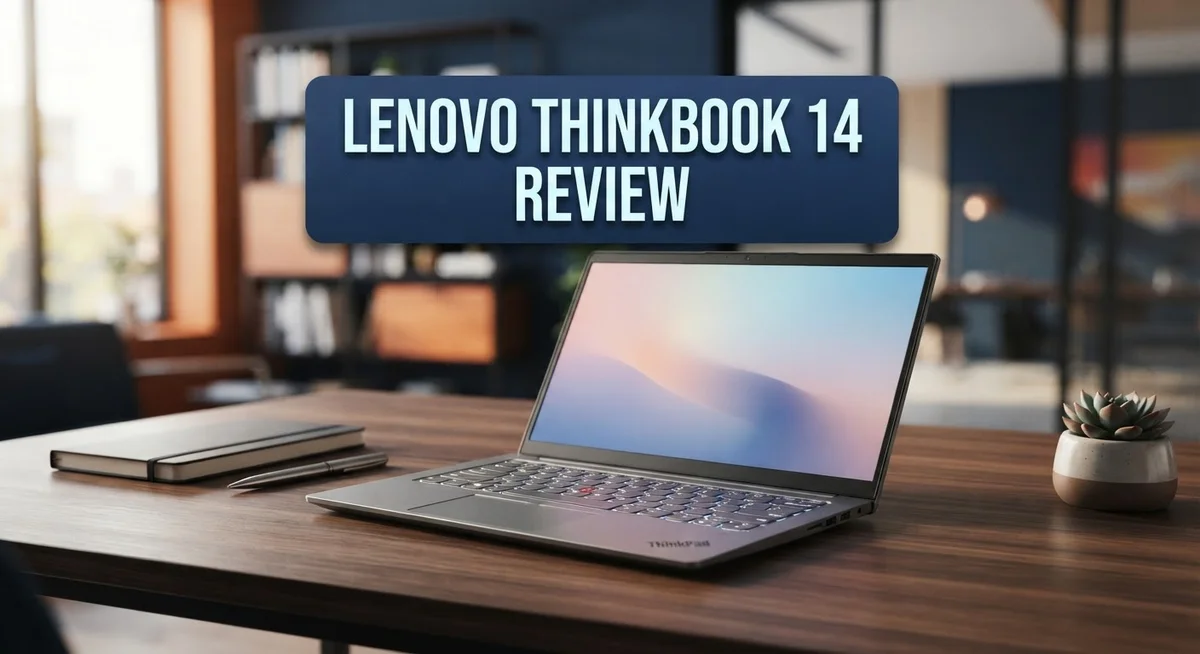
Lenovo ThinkBook 14 Review: Is It Worth Buying?
Looking for a reliable laptop for work or school? The Lenovo ThinkBook 14 might catch your eye.
This laptop comes with a 14″ display. It runs on Intel Core processors, including newer Intel Core Ultra options.
The ThinkBook 14 targets everyday users. Students, office workers, and professionals can all find something useful here.
This laptop offers strong upgrade options too. Unlike some ThinkPads, you can boost specs easily over time.
But no laptop is perfect. The ThinkBook 14 has some drawbacks worth knowing.
The display can feel a bit dim. The webcam quality leaves room for improvement too.
This review breaks down every detail. We cover specs, performance, design, and real world use.
By the end, you will know if this laptop fits your needs. Let’s explore what the Lenovo ThinkBook 14 truly offers.
In a Nutshell
- Fingerprint reader sits right on the power button. This makes login fast and secure.
- Skype certified audio means clear calls for work meetings. Sound quality stays crisp during video chats.
- Battery life varies by model. The 2-in-1 Gen 4 version lasts long, but some standard models drain in about 5.5 hours.
- The 2-in-1 hinge feels sturdy on convertible models. It holds steady in tablet mode or laptop mode.
- The webcam looks grainy in low light. This might disappoint users who take frequent video calls.
- Some design elements feel outdated next to newer rivals like the ASUS Vivobook 15 or HP 15s.
- Compared to the Lenovo IdeaPad Slim 3/5 or ThinkPad X9, this model still holds its own for daily tasks.
Key Features and Specifications
The Lenovo ThinkBook 14 packs practical features that work well for professionals and students alike. Let’s explore what makes this laptop tick under the hood.
Processing power comes from Intel Core processors. Newer models feature Intel Core Ultra chips, which handle everyday tasks smoothly. You get Windows 10 Pro as your operating system, giving you security features and business tools right out of the box.
The 14 inch display serves as your main window to work and entertainment. Keep in mind that this panel runs on the dimmer side compared to other laptops in its class. If you spend long hours staring at the screen, you might want to adjust brightness settings or work in well lit spaces.
Keyboard and input deserve special mention here. The full sized keyboard feels responsive and comfortable during long typing sessions. The fingerprint reader sits integrated into the power button, so unlocking your device happens in seconds without fumbling for passwords.
The audio system comes Skype certified. This means your video calls sound clear on both ends. Colleagues and friends will hear you without annoying background noise or echo issues.
Connectivity options shine on this model. You get abundant ports for connecting external drives, monitors, and peripherals. This beats many competitors that force you to buy adapters for everything.
The upgrade potential sets the ThinkBook 14 apart from similar laptops. You can swap out storage drives and add more RAM without voiding your warranty or breaking open the entire device. This flexibility saves money down the road when you need more speed or storage.
Battery endurance varies by model. Some versions deliver impressive runtimes that last through a full workday. Others tap out around 5.5 hours, so check the specific model before buying. Convertible 2 in 1 versions feature a sturdy hinge that flips smoothly between laptop and tent modes without wobbling or creaking.
These features combine to create a dependable workhorse for daily computing needs.

- 【AI-Powered Business Performance】 Equipped with Intel Core Ultra 9 185H processor, featuring...
- 【Immersive 14"FHD+ Visual Experience】 Designed with a 14" FHD display and 1920 x 1200 resolution, the...
Last update on 2026-09-19 / Affiliate links / Images from Amazon Product Advertising API
Design and Build Quality
The Lenovo ThinkBook 14 wraps itself in a practical, no-nonsense design that speaks to business users and students alike. The chassis feels solid under your hands, with materials that resist daily wear and tear without feeling premium or fragile.
The 14 inch screen sits in a slim bezel frame. This means more screen real estate without a bulky footprint. The design keeps the laptop portable enough for commutes or campus life.
Build quality shines through the hinge mechanism, especially on convertible models. The 2 in 1 hinge opens smoothly and locks firmly in place. You can fold it back into tent mode or tablet mode without worrying about flex or creaks. This durability matters when you use your laptop daily.
The keyboard deck feels substantial and doesn’t wobble when you type. Keys have a satisfying travel and responsive feedback. This matters for anyone who spends hours writing emails, reports, or code. The full sized keyboard fits comfortably without cramping your hands.
Port placement deserves mention here. Lenovo positioned connectors along the sides, so cables don’t block your view or get in the way. You get enough USB ports to connect external drives, mice, and other accessories without a hub.
The fingerprint reader integrates into the power button. This placement feels natural and speeds up login without extra steps. You press to power on and authenticate in one motion.
However, the overall aesthetic leans dated compared to newer competitors. The bezels appear thicker than modern laptops. The color options tend toward conservative grays and silvers. Some design touches feel borrowed from older generations rather than fresh innovations.
The webcam sits in the top bezel. While positioned correctly for video calls, the lens quality produces grainy footage in dim lighting. This affects work from home video meetings or online classes.
The ThinkBook 14 prioritizes function over flash. It builds a reliable frame that handles daily abuse. The design won’t turn heads at a coffee shop, but it won’t disappoint you either. For users who care more about what the laptop does than how it looks, this approach works well.
Performance and Processing Power
The Lenovo ThinkBook 14 runs on Intel Core processors that handle everyday computing tasks with solid reliability. Newer models feature Intel Core Ultra chips, which bring better efficiency and speed compared to earlier 10th Gen options. This means you get consistent performance for browsing, document editing, and video conferencing without lag or slowdowns.
Real world performance shows this laptop excels at productivity work. You can run multiple browser tabs, office applications, and communication tools simultaneously without noticeable stuttering. The processor keeps up with your workflow, whether you’re managing spreadsheets or editing presentations. However, demanding tasks like video rendering or heavy gaming will push the system to its limits. The ThinkBook 14 wasn’t built for extreme workloads.
The RAM and storage options vary across different configurations. Most models come with enough memory to handle standard business applications. You can upgrade components fairly easily, which sets this laptop apart from more sealed competitors. This flexibility means you’re not stuck with your initial specs if your needs change later.
Thermal management stays respectable during normal use. The laptop doesn’t get excessively hot during regular tasks, and fan noise remains minimal. You won’t hear constant whirring when you’re typing emails or browsing documents. This makes it suitable for quiet office environments and library settings.
Compared to rivals, the ThinkBook 14 delivers adequate processing power for its intended audience. It won’t outrun premium workstations, but it matches or beats similarly positioned competitors in the same category. The ASUS Vivobook 15 and HP 15s offer comparable performance levels.
Battery life directly impacts how long your laptop can work without charging. Some models deliver impressive endurance around 8 hours, while others manage only 5.5 hours depending on usage patterns. This variation matters if you spend long days away from outlets. The 2-in-1 convertible Gen 4 shows particularly strong battery performance, making it reliable for mobile professionals.
Overall, performance meets expectations for a business and student focused machine. You get dependable processing that handles your daily computing needs without unnecessary complexity or expense.
Top 3 Alternatives
Dell Inspiron 14

- FLEXIBLE WORK-PLAY BALANCE - The Inspiron 7440 laptop features x360 degree hinge allows Flex 'Laptop...
- ALL-DAY PERFORMANCE - Experience a whole new level of speed and power in a laptop powered by the latest...
Last update on 2026-09-19 / Affiliate links / Images from Amazon Product Advertising API
The Dell Inspiron 14 offers solid performance for everyday computing tasks. This laptop features a clean design and reliable build quality. You get a responsive keyboard and a smooth trackpad for comfortable work sessions.
The display provides good brightness and color accuracy. Battery life keeps you productive throughout the day. The processor handles multitasking without major slowdowns. Storage options give you enough space for documents, photos, and files.
HP Pavilion 14

- [Ultra Performance 10-Core Intel i7-1355U CPU] Powered by the 13th Gen Intel Core i7 processor, featuring...
- [16GB RAM + 1TB Storage (512GB SSD + 500GB External)] Enjoy smooth, responsive performance with 16GB of...
Last update on 2026-09-19 / Affiliate links / Images from Amazon Product Advertising API
HP’s Pavilion 14 brings a modern aesthetic to your desk. The screen delivers vibrant visuals for streaming and content creation. This model excels at balancing performance and portability.
The keyboard feels natural under your fingers. Audio quality sounds clear for video calls and entertainment. Processing power handles everyday applications smoothly. You’ll appreciate the lightweight design for carrying between locations.
ASUS VivoBook 14

- 【16GB RAM + 1TB Storage (512GB SSD + 500GB Ext)】Reams of high-bandwidth 16GB DDR4 RAM to smoothly run...
- 【14" FHD Display】Vivobook 14 delivers beautifully clear visuals with its three-sided slim-bezel...
Last update on 2026-09-19 / Affiliate links / Images from Amazon Product Advertising API
The ASUS VivoBook 14 stands out with its sleek appearance and lightweight construction. This laptop runs cool and quiet during normal use. The display offers sharp text and vivid colors for reading and browsing.
Performance remains steady for office work and light creative tasks. The battery lasts through extended work sessions. Storage capacity accommodates your files and applications comfortably. The overall package delivers good value for students and professionals alike.
Each option presents different strengths. The Dell Inspiron 14 emphasizes reliability. The HP Pavilion 14 focuses on visual experience. The ASUS VivoBook 14 prioritizes portability and efficiency. Your choice depends on which features matter most to your daily workflow.
Display, Audio, and Connectivity
The 14 inch display delivers a functional viewing experience for work and media consumption. You get a slim bezel frame that maximizes screen real estate without adding bulk to the laptop. The panel itself sits at a standard resolution that handles spreadsheets, documents, and web browsing without strain. One thing to note is that the display runs on the dimmer side. You may need to boost brightness in bright environments or sunny rooms. This characteristic becomes more noticeable if you spend hours outdoors or near windows.
Audio quality comes Skype certified, which means your video calls will sound clear to both you and the people on the other end. The speakers deliver adequate volume for conference calls and online meetings. Don’t expect theater like sound for music or movies, but for professional communication, the audio system performs its job reliably. The microphone picks up your voice without excessive background noise during calls.
Connectivity shines as a real strength on this model. The ThinkBook 14 includes abundant ports that let you connect multiple devices simultaneously. You’ll find USB ports, an HDMI output, and other standard connections. This generous port selection means you rarely need external hubs or adapters. The fingerprint reader integrates directly into the power button. This setup keeps your login secure while maintaining a clean, uncluttered design.
WiFi connectivity keeps you linked to networks without interruption. The wireless performance stays consistent during daily use. You can stream content, join video calls, and download files without typical connectivity hiccups.
The combination of these features creates a laptop built for getting things done. Your display won’t dazzle with brightness, but it won’t disappoint either. Your audio handles professional communication well. Your ports give you flexibility to connect whatever peripherals you need. Together, these elements support a productive computing experience that matches the ThinkBook 14’s focus on reliability and practicality.
Battery Life and Portability
The ThinkBook 14 strikes an interesting balance between staying powered up and remaining light enough to carry around. Battery performance varies significantly depending on which model you choose, so understanding what you get matters.
Newer ThinkBook 14 configurations, particularly the 2-in-1 Gen 4 models, deliver impressive battery endurance that keeps pace with full workdays. You can expect solid hours of continuous use before hunting for an outlet. However, some earlier versions fall short at around 5.5 hours, which means you’ll need to plan charging breaks during extended work sessions.
The 14 inch form factor works beautifully for portability. This size hits a sweet spot between screen real estate and weight. You can slip the ThinkBook 14 into most bags without feeling burdened, making it genuinely travel-friendly for professionals and students who move between classrooms or offices.
Portability extends beyond just size and weight. The laptop’s practical design means it doesn’t require special carrying cases or protective gear beyond what you’d normally use. The sturdy hinge on convertible models adds confidence when moving between locations, as you won’t worry about durability taking a hit from regular transport.
Power management becomes crucial when you’re away from your desk. The ThinkBook 14 handles typical productivity tasks efficiently, which means your battery stretches further during real work. Document editing, web browsing, and video calls consume power more gradually than demanding creative software or gaming.
The fingerprint reader integrated into the power button adds a practical security layer without slowing down your startup routine. You authenticate quickly and get to work faster.
Real world battery life depends heavily on your usage patterns. Heavy multitasking with many browser tabs open drains power faster than focused single task work. Screen brightness also plays a role. Keeping your display at moderate levels rather than maximum brightness extends your unplugged time significantly.
For business travelers and students who spend time moving between locations, the ThinkBook 14 offers dependable mobility without sacrificing the ports and connectivity you need for productive work sessions.
Pros and Cons
Pros
- Full sized keyboard feels great to type on for long work sessions
- Abundant ports give you flexibility to connect external devices without adapters
- Highly upgradeable components mean you can boost RAM or storage later
- Sturdy 2 in 1 hinge on convertible models holds up to daily use
- Impressive battery life on newer Gen 4 models keeps you working longer
Cons
- Weak performance compared to competitors in the same category
- Dim display panel makes extended viewing less comfortable than rivals
- Grainy webcam quality can impact video call clarity despite Skype certification
- Outdated design and features feel behind what other laptops offer today
Who Should Buy It
The Lenovo ThinkBook 14 works best for specific types of users. If you spend your days writing, coding, or managing spreadsheets, this laptop delivers what you need. The full sized keyboard feels excellent for long typing sessions, and the processor handles daily business tasks without lag.
Students will appreciate this machine. You get enough power for research, essays, and online classes. The 14 inch screen fits easily in a backpack, and the portability means you can work from the library, dorm, or coffee shop. The fingerprint reader keeps your files secure without complicated passwords.
Professionals who travel frequently benefit from the newer 2 in 1 Gen 4 models. These convertible versions offer impressive battery endurance, so you can work through a full day without hunting for an outlet. The sturdy hinge holds up to regular use in meetings and on the go.
Remote workers find value here too. The Skype certified audio ensures your video calls sound clear to colleagues. The abundant ports let you connect multiple monitors, external drives, and peripherals without adapters. This flexibility transforms the ThinkBook 14 into a complete workstation.
However, this laptop isn’t ideal for everyone. If you edit videos, render 3D models, or play demanding games, you’ll hit performance limits. The weak processing power compared to competitors means intensive tasks take longer. Content creators and designers should look elsewhere.
The dim display panel makes it less suitable for photo editing or color sensitive work. If you spend hours staring at your screen doing visual tasks, you’ll notice the brightness limitations compared to other options.
People who rely on video conferencing for their job might find the grainy webcam frustrating. While Skype certification helps audio quality, the camera itself doesn’t match what you get on competitor models.
The ThinkBook 14 shines for straightforward productivity. Choose it if you need a reliable machine for writing, spreadsheets, presentations, and web browsing. Skip it if you require high performance, exceptional display quality, or professional video features.
Final Verdict
The Lenovo ThinkBook 14 earns its place as a solid choice for everyday computing. It handles typical office tasks without trouble. Writing documents, browsing the web, and joining video calls all run smoothly.
This laptop won’t win any speed contests against premium rivals. But raw power isn’t its selling point. It focuses on practical, dependable performance instead.
Think about your daily needs before buying. If you spend hours typing reports or emails, this machine delivers comfort and reliability. The build quality feels solid without adding unnecessary bulk.
Compare it against alternatives like the Lenovo IdeaPad Slim 5 or ASUS Vivobook 15. Each offers different strengths depending on what matters most to you. The ThinkBook 14 competes well in its specific niche.
Some buyers want cutting edge specs and flashy features. This laptop doesn’t chase trends. It sticks to fundamentals that matter for productivity work.
Longevity plays a big role in its appeal. Upgradeable components mean you can extend its useful life. This makes it a smart pick for people who dislike replacing devices often.
The ThinkBook 14 also fits well into business environments. Companies looking for dependable machines for staff will find value here. IT teams appreciate the ease of maintenance and upgrades.
Should you buy the Lenovo ThinkBook 14? That depends entirely on your priorities. Choose it if you want a dependable workhorse built for daily tasks.
Skip it if you need top tier graphics performance or stunning visual quality. Creative professionals working with color critical projects should look elsewhere.
For most everyday users, though, this laptop checks the right boxes. It combines practical design with steady performance. That combination makes it worth serious consideration for anyone building a straightforward, no fuss work setup.
Frequently Asked Questions
Does the ThinkBook 14 work for video calls?
The laptop includes Skype-certified audio, which is a good foundation for calls. However, the webcam produces grainy video quality. If you spend hours on video conferencing daily, you might notice the image clarity isn’t sharp. Consider pairing it with an external webcam for professional meetings.
Can you upgrade the ThinkBook 14 later?
Yes. The ThinkBook 14 is highly upgradeable compared to similar models. You can add more RAM or swap out storage without major hassle. This flexibility means you can start with basic specs and boost performance later as your needs grow.
Is the display good for creative work?
Not really. The panel is dim and lacks vibrant colors. If you do photo editing, graphic design, or color-sensitive tasks, you’ll find the display limiting. The brightness makes it harder to see details in darker scenes too.
What makes the keyboard special?
The full-sized keyboard is one of the ThinkBook 14’s standout features. It’s a pleasure to type on for extended work sessions. The key travel and spacing feel natural, so you won’t experience fatigue during long typing marathons.
How long does the battery last?
Battery life varies by model. Older versions deliver around 5.5 hours per charge. The newer 2-in-1 Gen 4 models offer impressive battery stamina and keep working much longer. Check the specific model year to know what to expect.

Hi, I’m Joy! I’m a passionate tech enthusiast with years of experience testing and reviewing the latest gadgets and software. I started TechReviewed.blog because I believe everyone deserves access to honest, straightforward tech advice without the marketing fluff.