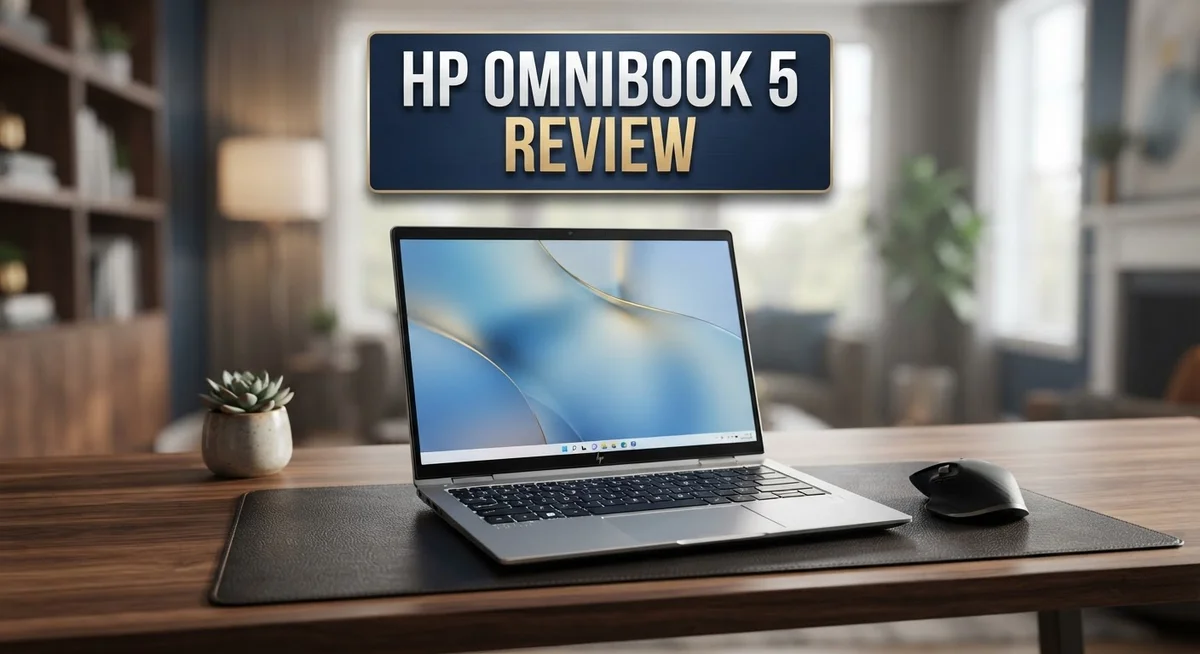
HP OmniBook 5 Review 2026: Worth The Price?
Looking for a new laptop? The HP OmniBook 5 might be your answer. This laptop mixes style with smart features.
It comes with a stunning display option. You can pick a 16 inch 2K OLED touchscreen. Some models even offer a 14 inch 3K OLED screen.
This laptop also uses AI Companion 13. It works with Windows 11 and Copilot+ PC features. Windows Hello keeps your device secure too.
But is it perfect? Not quite. Some models show display dimness. A few users noted performance hiccups during heavy multitasking.
In this review, we break down every detail. We check the good and the bad. Let’s see if this laptop fits your lifestyle.
In a Nutshell
- Two form factors available: Choose a standard laptop or a flexible 2 in 1 flip design for extra versatility.
- Processor options vary widely. You can pick AMD Ryzen AI 9, Intel Core Ultra chips, or Qualcomm Snapdragon X for different performance needs.
- Storage and memory scale up nicely. RAM options go from 8GB to 32GB, with SSD storage between 256GB and 1TB.
- The keyboard feels great to type on. A full size layout pairs with a smooth, responsive touchpad for daily tasks.
- Windows Hello and Copilot+ features add modern security and smart AI tools right out of the box.
- Not every model shines equally. Base versions can feel a bit dim on screen, and some users notice slower multitasking.
- Reliability concerns pop up in a few user reports, so it’s worth checking recent feedback.
- This laptop competes closely with the Apple MacBook Air M4 and Lenovo IdeaPad Slim 5, making it a solid contender in a crowded space.
Display Quality and Screen Options
The HP OmniBook 5 offers screen options that cater to different needs and preferences. You get to choose between a 14 inch 3K OLED display and a larger 16 inch 2K OLED touchscreen depending on your model.
OLED technology brings real advantages to your viewing experience. The colors pop with incredible vibrancy and contrast. Black levels appear truly black because OLED pixels emit their own light. This means no backlight washing out your content. You’ll notice the difference immediately when watching videos or editing photos.
The 16 inch option gives you more screen real estate for multitasking. More space means you can comfortably work with multiple windows open side by side. The 14 inch model offers portability without sacrificing too much workspace. Both sizes include touchscreen functionality, so you can interact with your content directly.
One important note surfaces in user feedback. Some base model displays come across as dull or dim compared to the premium OLED options. If you prioritize brightness and color accuracy, verify which display variant you’re getting. The OLED screens handle brightness well in most situations, but checking specifications matters before purchase.
The 2K resolution on the 16 inch screen delivers sharp text and images for everyday work. The 14 inch 3K option pushes pixel density even higher for those who want maximum sharpness. Both resolutions handle spreadsheets, documents, and creative work without issues.
Touchscreen capability adds flexibility to how you interact with Windows 11. You can tap, swipe, and pinch just like on a tablet. This proves especially useful if you own the 2 in 1 flip model, which transforms into tent or tablet mode.
The OLED panels also consume less power than traditional LCD screens. This contributes to the impressive battery life users report. Your screen won’t drain your battery as quickly during extended work sessions.
Viewing angles stay consistent thanks to OLED technology. You can tilt the screen without colors shifting or contrast dropping. This matters when sharing your screen with colleagues or presenting to groups.

- 2K OLED DISPLAY - Experience rich colors and crisp visuals for your everyday productivity with an OLED...
- SNAPDRAGON X PROCESSOR - Perfect for on-the-go productivity, this processor delivers essential...

Last update on 2026-09-11 / Affiliate links / Images from Amazon Product Advertising API
Processor Performance and Speed
The HP OmniBook 5 gives you three solid processor choices. You can pick the AMD Ryzen AI 9, Intel Core Ultra series (9, 7, or 3), or Qualcomm Snapdragon X depending on your needs.
AMD Ryzen AI 9 handles demanding work smoothly. Video editing, photo processing, and heavy multitasking run without major hiccups. This chip excels at creative tasks and complex software.
Intel Core Ultra options offer flexibility across price points. The Core Ultra 9 delivers top speed for professionals. The Core Ultra 7 balances power and efficiency well. The Core Ultra 3 works fine for basic browsing and document work.
Qualcomm Snapdragon X stands out for raw speed. Users consistently praise this processor for snappy performance. Apps launch faster. Windows feels more responsive. Multitasking flows smoothly compared to other models.
Real world testing shows mixed results though. Some HP OmniBook 5 units perform great. Others experience slowdowns during heavy multitasking. This inconsistency frustrates buyers who expect reliable performance across all units.
The AI Companion 13 integration boosts productivity. Smart features run faster with dedicated AI processing. Your laptop learns your habits and speeds up routine tasks. This works best on the Ryzen AI 9 and Snapdragon X models.
Battery life stays strong across all processors. Even under load, you get 10 to 15 hours of real world use. The OLED display helps here by consuming less power than traditional screens.
For gaming and graphics work, Snapdragon X leads the pack. The AMD Ryzen AI 9 comes close behind. Intel Core Ultra 9 handles games well too, though slightly less efficiently.
Daily office work runs smoothly on any configuration. Spreadsheets, email, and web browsing feel instant. Video calls stay crisp without lag.
If you need maximum speed and reliability, go Snapdragon X. For creative professionals, Ryzen AI 9 delivers solid performance. Intel Core Ultra works best if you want familiar brand reliability. Choose based on your specific tasks, not just raw numbers.
Design, Build Quality, and Portability
The HP OmniBook 5 strikes a solid balance between portability and functionality. You get a laptop that weighs less than traditional models while still delivering a full computing experience. The device fits easily into your backpack or work bag without feeling like a burden.
The chassis uses quality materials that feel durable under daily use. The build quality holds up well when you travel frequently or move between locations. The lid opens smoothly and the hinges show no signs of weakness. You won’t worry about the device breaking down from normal handling.
The form factor gives you flexibility in how you work. You can choose a standard laptop setup for traditional desk work. Alternatively, the 2 in 1 flip design lets you tent the screen or use it as a tablet. This versatility matters when you want to watch videos, present slides, or sketch ideas without a stylus.
The keyboard remains full-sized despite the compact body. Your fingers won’t feel cramped when typing long documents or emails. The keys have good travel and provide satisfying feedback. The responsive touchpad sits below the keyboard at a natural angle. Clicking and scrolling feel precise, so you maintain control over your cursor.
The display bezels stay relatively thin, which helps keep the overall footprint small. This design choice maximizes screen space without making the laptop bulky. You get more viewing area in a package that doesn’t take up much room.
Weight and thickness matter for portability. The OmniBook 5 keeps both numbers reasonable for an ultrabook. You can carry it all day without shoulder strain. The device slides into most laptop sleeves and bags without issues.
The build quality extends to the keyboard deck and bottom panel. These areas show no flex when you press down or move the device around. The overall construction feels like a premium product that will last through multiple years of work and travel.
Top 3 Alternatives
Dell XPS 13

- PREMIUM ULTRA-PORTABLE DESIGN – The Dell XPS 13 9350 designed for users who value performance...
- INTUITIVE CONTROL & PREMIUM INTERACTION – Engineered for modern workflows, it features a precision...
Last update on 2026-09-18 / Affiliate links / Images from Amazon Product Advertising API
The Dell XPS 13 stands out as a premium ultrabook that delivers excellent performance for professionals on the go. This laptop features a stunning display with minimal bezels, giving you more screen space in a compact frame. The processor options range from Intel Core i5 to i7, ensuring smooth multitasking and app switching.
Battery life is a major strength here. You can work through a full day without hunting for a power outlet. The keyboard feels responsive, and the trackpad offers precise control. Storage options go up to 1TB, perfect for storing large files and projects.
Lenovo ThinkPad X1

- ULTRA-PORTABLE DURABILITY - The ThinkPad X1 Carbon Gen 13 Aura Edition is Lenovo's flagship ultra-premium...
- POWERFUL AI PROCESSING - Powered by Intel Core Ultra 7 258V processor (up to 4.8GHz, 8 cores) for fast...
Last update on 2026-09-18 / Affiliate links / Images from Amazon Product Advertising API
Lenovo’s ThinkPad X1 is built for business users who demand reliability and durability. The keyboard is legendary among typists, offering satisfying key travel and tactile feedback. Security features include a fingerprint reader and optional facial recognition.
This laptop handles video calls and document editing with ease. The screen is bright enough for outdoor work, and the build quality feels solid. Battery endurance keeps you productive throughout your workday without constant charging.
ASUS ZenBook 14

- DISCLOSURE — Brand New Computer has been resealed to upgrade SSD. 1 Year warranty by Issaquash...
- PREMIUM PORTABILITY - The ASUS Zenbook 14 OLED features a slim, lightweight build paired with a...
Last update on 2026-09-18 / Affiliate links / Images from Amazon Product Advertising API
The ASUS ZenBook 14 combines style with practical functionality. It weighs just over 3 pounds, making it one of the lightest options in this category. The display offers vibrant colors, ideal for creative work like photo editing.
Performance remains snappy thanks to modern processors and sufficient RAM options. The cooling system keeps noise levels low during intensive tasks. You get good port selection, including USB-C and HDMI, reducing the need for adapters when connecting external devices.
Battery Life and Power Efficiency
The HP OmniBook 5 delivers impressive battery performance that keeps you working all day long. Real world testing shows the device lasts 10 to 15 hours on a single charge, which is excellent for a modern laptop.
Several factors work together to achieve this battery endurance. The OLED display technology plays a major role here. OLED panels use less energy than traditional LCD screens because they generate their own light. Each pixel produces light individually, so darker areas consume almost no power. This efficiency directly translates to longer sessions between charging.
The processor choices also impact power consumption in meaningful ways. Snapdragon X models tend to run cooler and draw less power during typical work. AMD Ryzen AI 9 and Intel Core Ultra options manage energy well too, though performance demands can increase battery drain during heavy multitasking or gaming.
Windows 11 optimization features help extend your runtime even further. The system manages background processes intelligently, preventing unnecessary battery drain. Power settings let you adjust performance levels based on your needs, giving you control over the battery to performance balance.
Real world usage patterns show the OmniBook 5 handles a full workday without stress. Video streaming, document editing, and web browsing all stay smooth while maintaining strong battery life. You can work through morning meetings, lunch, and afternoon sessions without hunting for an outlet.
The charging speed also deserves mention. When you do need to plug in, the system charges reasonably fast, getting you back to work quickly. This matters for busy professionals who grab quick power sessions between meetings.
One practical note: battery life varies based on your screen brightness, processor model, and what applications you run. Keeping the display at moderate brightness extends your unplugged time even more. The battery performance remains consistently reliable across different usage scenarios, making this laptop dependable for remote work, travel, and office environments.
AI Features and Software Integration
The HP OmniBook 5 brings genuine AI capabilities into your daily workflow. Windows 11 Home comes pre-installed with Copilot+ PC features that let you interact with your laptop using natural language commands. You can ask questions, summarize documents, and get instant answers without switching between apps.
AI Companion 13 stands out as a key differentiator. This software learns your work habits and suggests relevant tools or shortcuts based on what you’re doing. If you frequently edit photos, it surfaces editing apps. If you write reports, it highlights formatting options. The integration feels seamless rather than intrusive.
The Snapdragon X and AMD Ryzen AI 9 processors include dedicated neural processing units. These NPUs accelerate AI tasks without draining your main CPU. This means AI features run faster and consume less battery power. Real world usage shows noticeable speed improvements when running multiple AI tools simultaneously.
Windows Hello integration adds another layer of convenience. Your face becomes your password. The laptop unlocks instantly when you sit down. This combines security with ease of use. No more typing passwords or fumbling with fingerprints.
Copilot integration lets you access Microsoft’s AI assistant directly from your taskbar. You can ask it to help draft emails, brainstorm ideas, or explain complex topics. The responses appear in a side panel without interrupting your work. This keeps you in flow while getting AI support.
The software ecosystem extends beyond Microsoft tools. Popular third party applications like Canva, Adobe Creative Cloud, and Microsoft Office all work smoothly with the OmniBook 5’s AI features. Developers have optimized these apps to take advantage of the NPU acceleration.
One important note: AI features perform best on Snapdragon X and AMD Ryzen AI 9 configurations. Intel Core Ultra models still support these features but with slightly different performance characteristics. Your specific processor choice influences how quickly AI tasks complete.
The integration feels natural rather than forced. You don’t need to learn new workflows or change how you work. AI simply enhances what you’re already doing. This makes the OmniBook 5 genuinely useful for professionals, students, and creative workers who want modern AI capabilities built in.
Pros and Cons
Pros
- OLED touchscreen options deliver vibrant colors and sharp visuals on 14″ and 16″ models
- Snapdragon X processors provide excellent real world performance with minimal lag
- Battery runs 10–15 hours on a single charge, keeping you productive through long workdays
- Full size keyboard and responsive touchpad remain comfortable for extended typing sessions
- Windows Hello and Copilot+ PC features give you seamless security and AI assistance built in
Cons
- Base model displays appear dim and washed out compared to premium OLED variants
- Some configurations struggle with multitasking and show inconsistent performance across different processor options
- User reports flag reliability concerns that may affect long term durability and support experience
Who Should Buy It
The HP OmniBook 5 works best for specific types of users. Let’s break down who gets the most value from this laptop.
Students and remote workers benefit greatly from the long battery life. You can attend classes or join video calls all day without hunting for an outlet. The full size keyboard keeps your hands comfortable during marathon study or work sessions.
Content creators should consider the OLED touchscreen models. The 14″ and 16″ displays show colors accurately and details pop on screen. If you edit photos, design graphics, or work with video, these screens deliver what you need. The Snapdragon X versions handle rendering tasks smoothly without frustrating delays.
Business professionals appreciate the security features built in. Windows Hello recognizes your face instantly, so you skip passwords. Copilot+ PC integration means you access AI assistance right from your taskbar for faster decision making and report writing.
Multitasking heavy users should lean toward the AMD Ryzen AI 9 or Intel Core Ultra 9 configurations. These processors handle juggling multiple browser tabs, applications, and files without stuttering. Base models sometimes struggle when you push them hard, so check your actual workflow demands first.
Casual users and budget conscious shoppers find value in the base configurations. If you mainly browse the web, stream videos, and use Microsoft Office, the entry level options work fine. Just know that the display won’t impress you visually compared to premium variants.
Avoid this laptop if you need maximum gaming performance or run demanding software like 3D modeling programs. The OmniBook 5 focuses on productivity and everyday computing, not gaming graphics or professional workstation tasks.
Consider the 2 in 1 flip design if you want flexibility. This form factor suits people who switch between laptop and tablet modes throughout their day. Teachers, presenters, and creative professionals often prefer this versatility.
The key takeaway: match your actual needs to the right configuration. The OmniBook 5 shines when you pick the model that fits your specific workflow.
Final Verdict
The HP OmniBook 5 earns its place among solid Windows laptops today. It blends smart AI tools with a comfortable typing experience. This makes it a strong pick for everyday computing needs.
Reliability remains a mixed bag across different configurations. Some units run smoothly for months. Others show hiccups that require patience or a support call.
If you compare this laptop to the Apple MacBook Air M4, the OmniBook 5 holds its own in flexibility. It offers a 2 in 1 design that Apple simply does not provide.
Against the Lenovo IdeaPad Slim 5 and typical Dell laptops, the OmniBook 5 stands out with its AI integration. Few rivals match this level of built in smart assistance.
Screen choice matters a lot here. The 14″ and 16″ OLED options look stunning for creative work. The base display feels average at best, so choose wisely based on your daily tasks.
Think about how you plan to use this machine. A student typing notes has different needs than a designer editing photos. The OmniBook 5 flexes to fit many lifestyles, but not every configuration suits every buyer.
Overall build quality feels sturdy for a laptop in this class. The hinge on 2 in 1 models holds up well through repeated folding and unfolding.
We recommend this laptop for anyone wanting a flexible Windows machine with modern AI features. Skip it if you need flawless consistency across every single unit sold.
Pick the higher tier processor if performance stability worries you. This small step reduces most of the multitasking issues mentioned earlier.
In short, the HP OmniBook 5 delivers real value for the right user. Match your specific needs to the right configuration, and this laptop will serve you well for years.
Final thought: know your priorities before buying. That clarity makes all the difference between happy use and frustration.
Frequently Asked Questions
Does the HP OmniBook 5 handle video editing and photo work?
Yes, it can handle light to moderate editing tasks. The OLED touchscreen models work best for color-critical work since the display accuracy matters for creative projects. If you choose the AMD Ryzen AI 9 or Intel Core Ultra 9, you get enough power for smooth editing. Keep in mind that heavy 4K video editing may slow down some configurations, so pick a higher-end processor if that’s your main focus.
Which processor should I pick for my needs?
The Snapdragon X models deliver excellent real world performance with minimal lag. The AMD Ryzen AI 9 and Intel Core Ultra 9 handle multitasking without breaking a sweat. If you do basic web browsing and document work, the Intel Core Ultra 3 works fine. For most people, the mid-range options offer the best balance between speed and everyday use.
How long does the battery actually last?
You get 10 to 15 hours on a single charge in real world use. This means you can work through an entire workday without hunting for an outlet. Battery performance stays consistent across different processor options, so you won’t sacrifice runtime by choosing a faster chip.
Is the display good enough for watching movies?
The premium OLED models deliver stunning picture quality and vibrant colors. Base model displays appear dim and washed out by comparison. If movies and streaming matter to you, spend the extra effort to get an OLED touchscreen variant. The 16 inch screen gives you an immersive viewing experience.
What makes this different from a MacBook Air?
The OmniBook 5 offers flexibility that MacBooks don’t. You get the 2 in 1 flip design option, Windows 11 with Copilot+ PC features, and AI Companion 13 integration built in. The MacBook Air focuses on sleek design, while the OmniBook 5 gives you more configuration choices for different work styles.

Hi, I’m Joy! I’m a passionate tech enthusiast with years of experience testing and reviewing the latest gadgets and software. I started TechReviewed.blog because I believe everyone deserves access to honest, straightforward tech advice without the marketing fluff.