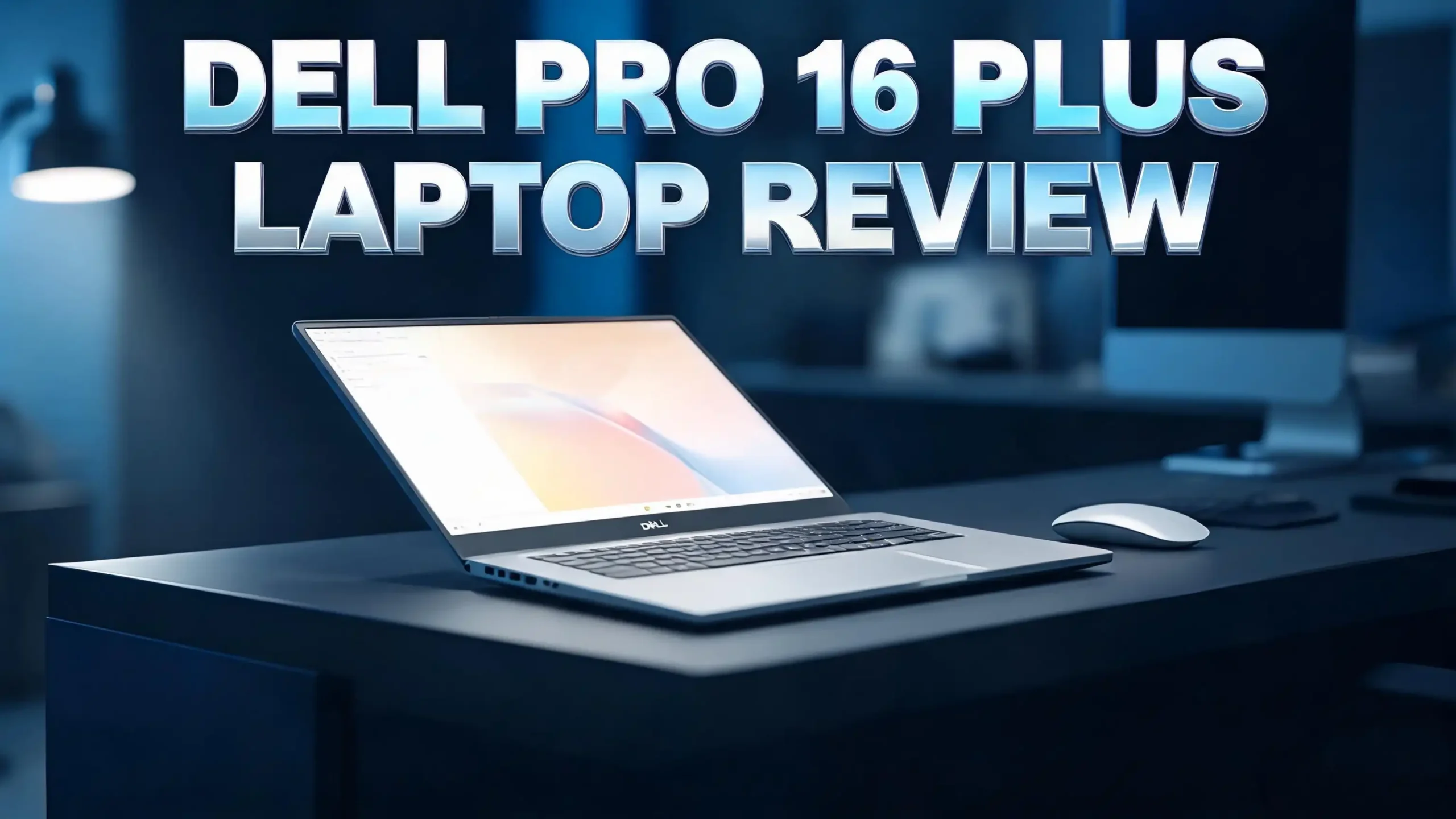
Dell Pro 16 Plus Laptop Review 2026: Worth Your Money?
The Dell Pro 16 Plus is one of the most talked about business laptops of 2026. Dell retired its old Latitude and Inspiron names and built a fresh Pro lineup from scratch.
This 16 inch machine sits right in the middle of that range. It promises strong battery life, a solid aluminium body, and modern Intel and AMD chip options.
But does it actually deliver? I dug into the specs, real world tests, and owner feedback to find out.
In this review, I break down the display, performance, battery, ports, and value. I also share who should buy it and who should skip it. Keep reading to get the full picture before you spend your money.
In a Nutshell
- The laptop uses an aluminium chassis that feels solid and professional. It weighs about 1.85 kg and stays slim at 21.35 mm thick.
- You can pick from Intel Lunar Lake V-series, Intel U-series, or AMD Ryzen AI chips. The V-series models focus on battery life over raw speed.
- The 16 inch display runs at 1920 x 1200 with a 16:10 ratio. It hits 300 nits and sticks to a 60 Hz refresh rate.
- Battery life lands around 8 to 10 hours during light office work. The 55 Wh battery is small but the chip is efficient.
- Port choice is strong. You get two Thunderbolt 4 ports, two USB-A ports, HDMI, audio, and microSD.
- The biggest downsides are the 60 Hz screen, the soldered RAM, and limited external monitor support on V-series chips.
What Is the Dell Pro 16 Plus?
The Dell Pro 16 Plus is a business focused laptop built for office workers, IT teams, and mobile professionals. Dell launched it as part of a clean brand reset. The company dropped the Latitude name and grouped its work laptops under the simple Dell Pro banner.
This model sits above the standard Dell Pro but below the Dell Pro Premium. It targets people who want a reliable daily driver. Think email, spreadsheets, video calls, and remote desktop work.
The laptop ships with Windows 11 Pro, which is the right call for managed work environments. You get BitLocker, Hyper-V, and Group Policy support out of the box. Dell also adds vPro support on many configurations for easier fleet management.
The “Plus” tag means it offers more power and features than the base Dell Pro. It is not a workstation, though. For that, Dell sells the Pro Max line. The Pro 16 Plus aims to balance portability, battery, and everyday speed in one package.
No products found.
Design and Build Quality
The Dell Pro 16 Plus keeps things clean and understated. The aluminium chassis feels solid in the hand and looks professional on a desk. The silver finish stays simple without feeling dull. This is not a flashy laptop, and that suits its business role perfectly.
At 1.85 kg, it is reasonably easy to carry for a 16 inch machine. The body measures 21.35 mm at its thickest point. It is not ultrabook thin, but it slides into a bag without trouble.
The lid and keyboard deck resist flex well. The hinge feels firm and holds the screen at any angle. Build quality is reassuring for a laptop you plan to use daily for years.
Dell also added practical security touches. You get a fingerprint reader plus an IR webcam for Windows Hello face login. Both work fast and give you flexible sign in options. The overall design says “tool for work” rather than “showpiece,” and that is exactly the point.
Display Quality and Screen Experience
The 16 inch display uses an IPS panel at 1920 x 1200 resolution. The 16:10 aspect ratio gives you more vertical space than older 16:9 screens. That extra room helps a lot with documents, spreadsheets, and web pages.
Brightness tops out at 300 nits. This works fine for indoor offices and home use. It can struggle in bright sunlight or next to large windows, though. The anti glare coating helps cut down reflections during daily work.
The screen runs at 60 Hz. This feels a little dated in 2026. Many rivals now offer 120 Hz panels at similar prices. For office work, 60 Hz is perfectly smooth and fine. But scrolling and animations look less fluid than on faster screens.
Colour accuracy is good enough for business tasks but not for color critical creative work. Viewing angles stay wide, so sharing your screen with a coworker is easy. If you come from an OLED or high resolution panel, you will notice the step down. For everyday productivity, the display does its job without complaint.
Performance and Real World Speed
Performance depends heavily on which chip you choose. My review focus is the Intel Core Ultra 7 268V Lunar Lake model. It has 8 cores and boosts up to 5.0 GHz, but it skips hyper-threading. So you get 8 threads total.
In Cinebench R23, it scored a strong 1,833 single core result. This means snappy day to day speed for opening apps, browsing, and office tasks. The multi core score landed at 7,747, which is decent but not amazing.
The chip aims for efficiency over raw power. Its base power sits at just 17 W. If you need heavy multi threaded muscle, the Core Ultra 7 255H or AMD Ryzen AI versions pull far ahead. Tests show AMD chips can run 50 to 60 percent faster in multi core jobs.
The PCMark 10 score of 7,494 confirms strong productivity performance. For Teams calls, remote sessions, and dozens of browser tabs, it never felt slow. Where you notice limits is in code compiling, heavy virtual machines, or video editing. For those, pick an H-series or AMD model.
Graphics and Gaming Potential
The Lunar Lake model uses Intel Arc Graphics 140V. This is the best integrated GPU Intel has built so far. It packs 8 Xe2 cores running up to 2,000 MHz. While it cannot replace a dedicated card, it punches above its weight.
In 3DMark Time Spy, the Arc 140V scored around 4,200. That beats most AMD Radeon integrated graphics. It handles light gaming at lower settings with ease. Older and less demanding titles run smoothly at reduced detail.
The GPU shines in productivity and media tasks. It plays 4K video without any strain. It also speeds up hardware accelerated video encoding and some creative apps. This makes it useful beyond gaming.
For serious gamers, this is not the right laptop. But for a business machine, the graphics power is a welcome bonus. You can relax with a casual game during a break. You can also lean on the GPU for light photo and video work. Just keep your expectations realistic for a thin and light office laptop.
Top 3 Alternatives for Dell Pro 16 Plus
If the Dell Pro 16 Plus is not the right fit, these three options are worth a look. Each offers a strong mix of build, power, and value for business users.

- 【CPU】Next-Gen AI Performance – Elevate your professional workflow with the AMD Ryzen AI 5 PRO...
- 【Display】Boost your productivity with a stunning 16-inch WUXGA (1920 x 1200) display that offers more...
Last update on 2026-10-22 / Affiliate links / Images from Amazon Product Advertising API
The Dell Pro 16 Plus PB16255 swaps the Intel chip for an AMD Ryzen AI PRO processor. It delivers better multi core performance and supports more external monitors. This is a smart pick if you need extra power and a multi display desk setup.

- POWERFUL PERFORMANCE: The Dell Pro Plus 16 business laptop is powered by an Intel Ultra 7-265U Processor...
- STORAGE: 512GB SSD PCIe, RAM: 16GB DDR5 MEMORY; FHD Webcam, Backlit Keyboard. The Dell Pro Plus 16 offers...
Last update on 2026-10-22 / Affiliate links / Images from Amazon Product Advertising API
The Dell Pro 16 Plus PB16250 with Intel and 16GB RAM offers a lower entry price. It keeps the same solid build and FHD webcam. This works well for buyers who want the Dell Pro experience on a tighter budget.

- With 16 GB of memory, users can run multiple programs concurrently without experiencing any performance...
- 16" display with 1920 x 1200 resolution delivers stunning clarity for movies, games, and photos, offering...
Last update on 2026-10-22 / Affiliate links / Images from Amazon Product Advertising API
The third option gives you another Intel Core Ultra 7 configuration with strong everyday speed. It suits users who want reliable office performance without paying for top tier specs.
Battery Life and Charging
The Dell Pro 16 Plus uses a 55 Wh battery. This is small for a 16 inch laptop. Last year’s Inspiron 16 Plus offered up to 90 Wh. The consumer Dell 16 Plus uses a 64 Wh cell. So the battery size is a fair concern on paper.
The good news is that the Lunar Lake chip is very efficient. Intel built the V-series for long battery life. In real office work, the laptop hit 8 to 10 hours on a single charge. That covers a full work day with ease.
Under heavier loads, battery life drops to 5 to 6 hours. That is still respectable for demanding tasks. Light users will rarely reach for the charger before lunch.
Charging happens through a 65 W USB-C adapter. The charger is compact and light. You can also charge through either Thunderbolt 4 port, which adds flexibility at your desk. A larger battery option would have been nice. The efficient chip paired with a 90 Wh cell could deliver outstanding endurance.
Keyboard and Trackpad Experience
The backlit keyboard is comfortable for long typing sessions. Key travel feels good and the layout stays familiar. Dell added a numeric keypad, which is great for spreadsheet and data entry work. It does push the main keys slightly left, so it takes a short adjustment period. Most users settle in within a day or two.
The Copilot key sits near the right function row. I rarely press it on purpose, but it stays out of the way. It is not intrusive enough to annoy during normal typing.
The trackpad is large and responsive. It handles Windows 11 gestures well, including three finger swipes and pinch to zoom. Tracking stays accurate and smooth during daily use. It is reliable but not quite MacBook level, like most business trackpads.
One nice touch is the consistent click across the whole surface. Cheaper laptops often only click well in the lower half. Here, the click feels even no matter where you press. For a work machine, both the keyboard and trackpad earn solid marks. They handle long days of typing and navigation without frustration.
Ports and Connectivity
Port selection is a real strength here. The Dell Pro 16 Plus gives you two USB4 ports with Thunderbolt 4, two USB-A ports, a full size HDMI output, a 3.5 mm audio jack, and a microSD card slot. That is a generous spread for a modern laptop.
The two USB-A ports stand out. Many new laptops dropped them entirely. For IT work and everyday peripherals, native USB-A saves you from carrying dongles. You can plug in drives, mice, and accessories right away.
The Thunderbolt 4 ports support DisplayPort 2.1, power delivery, and 40 Gbps data transfer. Both can charge the laptop, so you can plug in from either side. This flexibility is genuinely handy at a busy desk.
Some configurations add an RJ45 Ethernet port for a wired connection. This appears on U-series and standard Core models, not the V-series chip. Wireless is covered by Wi-Fi 7 and Bluetooth on all models. Overall, the connectivity here beats most rivals in its class.
External Monitor Support
This is the area where buyers must pay close attention. The V-series Lunar Lake model only supports 3 displays total, including the laptop screen. So you can run the built in panel plus two external monitors at most.
For most people, this is fine. A single external screen or even two will cover typical office needs. But if you run a multi monitor setup with three or more externals, this is a real limit. It is a direct result of the Lunar Lake architecture having fewer display outputs.
The fix is to choose a different chip. The Dell Premium models with Core Ultra 7 255H or 9 285H support four monitors. The AMD Ryzen AI configurations also offer wider display support. So the limit is not the laptop body itself. It is the V-series silicon inside.
My advice is simple. Check your monitor needs before you buy. If you only use one or two screens, the V-series is great. If your desk has a wall of displays, pick the H-series or AMD version instead. This single detail can make or break the laptop for power users.
Webcam, Audio, and Video Calls
The Dell Pro 16 Plus comes with a 1080p webcam plus an IR sensor for Windows Hello. The Full HD camera produces a clear, sharp image. It looks far better than older 720p webcams. For Teams and Zoom calls, you appear crisp and professional.
The IR sensor enables fast face login. It works in a range of lighting conditions and unlocks the laptop in a second. Paired with the fingerprint reader, you get two quick and secure sign in methods.
Audio comes from stereo speakers and dual microphones. The speakers handle voice calls and video clearly. They get loud enough for a quiet room. Bass is limited, as expected on a slim laptop. For music, you will want headphones or external speakers.
The dual microphones pick up your voice well during calls. Windows Studio Effects use the NPU to clean up audio and video. These features run without slowing the system down. For a laptop built around remote work and meetings, the call quality package is strong and well thought out.
Software and Windows 11 Pro
The laptop ships with Windows 11 Pro, the correct choice for business use. You get BitLocker encryption, Remote Desktop hosting, Hyper-V virtualisation, and Group Policy support. For managed IT environments, Windows 11 Pro is almost a requirement.
Dell adds its usual software suite. Dell Optimizer is the most useful tool. It lets you tweak power profiles, network priority, and audio settings. Dell SupportAssist handles driver updates and diagnostics. It can be a little pushy with notifications, but it keeps your drivers fresh.
There is also Dell Display Manager for setting up multi monitor layouts. The Copilot+ PC features run on the 48 TOPS NPU. Right now, the practical benefits of the NPU stay limited. Live captions and Windows Studio Effects use it well, but most AI tools still rely on the cloud.
One small gripe is the long initial setup. Between Windows, Dell utilities, and account prompts, it took 30 to 40 minutes to feel ready. This is common across brands. IT teams will likely use a clean image to skip the hassle. For solo buyers, just set aside some time on day one.
Storage and Memory Options
The reviewed model came with a 512 GB PCIe 4.0 NVMe SSD. Speed is excellent. Sequential reads hit nearly 6 GB/s. Apps open fast and large files copy quickly. Day to day storage performance is never a bottleneck.
The capacity is the weak spot. 512 GB feels tight for a work laptop in 2026. If you run virtual machines or keep large files locally, you will fill it fast. A 1 TB option as standard would suit this price point better. Some configurations do offer larger drives, so check before buying.
Memory is where buyers must think ahead. The Lunar Lake models use 32 GB LPDDR5X soldered onto the chip package. You cannot upgrade or replace the RAM at all. This is baked into the Lunar Lake design, not a Dell choice.
For most users, 32 GB is plenty for years of office work. But if you expect to need more, you are stuck. The AMD and U-series models may offer different memory setups. Buy the right amount of RAM up front, since you cannot add more later on this V-series version.
Price and Value for Money
The Dell Pro 16 Plus starts around $1,309 for base configurations on Dell’s site. The AMD Ryzen versions begin near $1,659. The V-series Lunar Lake models with 32 GB RAM push prices higher, often landing between $1,400 and $1,700 depending on the spec.
Dell runs frequent sales. It is worth watching for promotions rather than paying full price. Business resellers and Amazon listings sometimes offer better deals on specific configurations.
For the money, you get a solid build, strong ports, good battery life, and 32 GB of RAM as standard. That is a fair package for a business laptop. The value depends on matching the chip to your needs.
If you want long battery life and quiet efficiency, the V-series makes sense. If you want raw multi core power and more monitor support, the H-series or AMD models give you more for a similar price. The key is buying the right version. Pay for what your workload actually demands, and the value holds up well.
Pros and Cons of the Dell Pro 16 Plus
Here is a quick rundown of the main strengths and weaknesses.
Pros:
- Solid aluminium build that feels durable and professional for daily work.
- Excellent port selection including two USB-A ports and two Thunderbolt 4 ports.
- Comfortable keyboard with a handy numeric keypad for data entry.
- 32 GB RAM standard on many models, which is generous for business use.
- Strong battery life of 8 to 10 hours on the efficient Lunar Lake chip.
Cons:
- The 60 Hz display feels dated next to 120 Hz rivals.
- RAM is soldered and cannot be upgraded on V-series models.
- The 512 GB SSD is slightly small for the price.
- Limited external monitor support on Lunar Lake chips.
- Modest multi core performance compared to AMD and H-series options.
Who Should Buy the Dell Pro 16 Plus?
This laptop suits a clear type of buyer. If you are an office worker, IT professional, or mobile employee, it fits well. The mix of good battery life, strong ports, and a comfortable keyboard makes daily work smooth.
It is ideal for email, spreadsheets, web browsing, and video calls. The 1080p webcam and Windows Hello login make remote work easy. The 32 GB of RAM keeps dozens of tabs and apps running without slowdown.
You should pick the V-series Lunar Lake model if battery life matters most to you. It runs cool, quiet, and all day on a charge. It is perfect for people who often work away from a power outlet.
You should look elsewhere if you need heavy multi core power or three plus monitors. Coders, video editors, and power users should choose the AMD Ryzen AI or Core Ultra 7 255H versions. Gamers should buy a dedicated gaming laptop. For general business productivity with great battery life, though, the Dell Pro 16 Plus is a smart and dependable choice.
Final Verdict
The Dell Pro 16 Plus is a competent business laptop that gets the basics right. It offers a solid build, generous ports, a comfortable keyboard, and reliable battery life. The 32 GB of RAM and Windows 11 Pro make it ready for serious work out of the box.
It is not perfect. The 60 Hz display, soldered RAM, and tight 512 GB storage hold it back a little. The V-series monitor limit can frustrate multi screen users. Multi core performance trails the AMD and H-series options too.
Still, for the right buyer, it shines. If you value efficiency, all day battery, and clean reliability over raw speed, this laptop delivers. Just match the chip to your workload. Buy the V-series for battery, or AMD and H-series for power. Overall, the Dell Pro 16 Plus earns a confident recommendation as a dependable everyday work machine.
Frequently Asked Questions
Is the Dell Pro 16 Plus good for business use?
Yes, it is built for business. It runs Windows 11 Pro with BitLocker, Hyper-V, and Group Policy support. Many models add vPro for easy IT management. The strong ports, comfortable keyboard, and secure login make it a great fit for office and remote work.
How long does the battery last on the Dell Pro 16 Plus?
The 55 Wh battery lasts around 8 to 10 hours during light office work. Under heavy loads, it drops to 5 to 6 hours. The efficient Lunar Lake chip helps it get through a full work day on a single charge.
Can you upgrade the RAM on the Dell Pro 16 Plus?
No, you cannot upgrade the RAM on the Lunar Lake V-series models. The 32 GB of LPDDR5X memory is soldered onto the chip package. You must choose the right amount of RAM when you buy, since it cannot be changed later.
Does the Dell Pro 16 Plus support multiple monitors?
The V-series model supports 3 displays total, including the laptop screen. So you can use two external monitors. For four or more displays, choose the AMD Ryzen AI or Core Ultra 7 255H versions instead.
What processors are available in the Dell Pro 16 Plus?
You can choose Intel Lunar Lake V-series, Intel U-series, or AMD Ryzen AI chips. The V-series focuses on battery life and efficiency. The H-series and AMD options offer stronger multi core performance for demanding tasks.
Is the Dell Pro 16 Plus worth the price in 2026?
It offers fair value for a business laptop. You get a solid build, 32 GB RAM, great ports, and good battery life. The value holds up well if you pick the right chip for your workload and shop during one of Dell’s frequent sales.

Hi, I’m Joy! I’m a passionate tech enthusiast with years of experience testing and reviewing the latest gadgets and software. I started TechReviewed.blog because I believe everyone deserves access to honest, straightforward tech advice without the marketing fluff.