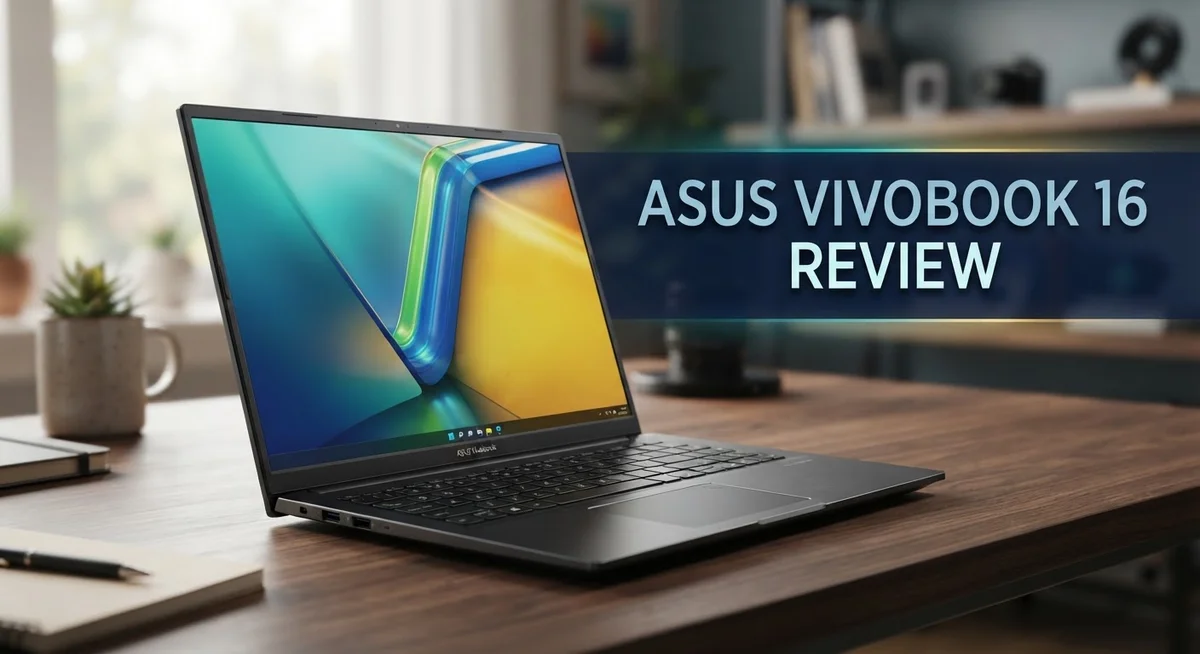
ASUS Vivobook 16 Review 2026: Is It Worth The Hype?
Looking for a laptop that fits your daily grind? The Asus Vivobook 16 might catch your eye. It packs a big 16 inch screen into a simple design.
This laptop targets everyday users. Students, office workers, and casual creators will feel right at home here. It handles basic coding, video editing, and productivity tasks with ease.
Under the hood, you get options up to Intel Core 9 or Snapdragon X processors. RAM goes up to 24GB on OLED models. Storage reaches up to 1TB on fast PCIe SSDs.
But is this laptop perfect for everyone? Not quite. The display runs dim and colors look washed out at times.
This review breaks down every detail. We cover the good, the bad, and everything you need to know before you decide.
In a Nutshell
Here’s a quick summary of what this laptop brings to your table.
- Big and Bright Screen: The 16 inch display gives you more room to work. But keep in mind, it can look dim in bright rooms.
- Smooth Everyday Performance: This laptop handles basic coding, video editing, and daily productivity tasks with ease. It’s a solid pick for regular users.
- All Day Battery Backup: You get 6+ hours of video playback on a single charge. This means less time near power outlets.
- Comfortable Typing Experience: The keyboard feels comfortable for long typing sessions. Some models, though, have a slightly squishy feel.
- Flexible and Smooth Touchpad: The touchpad feels smooth and responsive. It adds to the overall comfortable user experience.
- Not for Color Critical Work: Colors can look a bit washed out. So, this may not suit designers or photo editors who need accurate colors.
In short, the Asus Vivobook 16 works great for everyday tasks. But it may fall short for color sensitive or professional creative work.
Key Features and Specifications
The Asus Vivobook 16 packs impressive hardware that handles modern computing tasks. You get up to 24GB of RAM on OLED models, which means multitasking feels smooth and responsive. Standard configurations come with 16GB, plenty for everyday work.
Storage options reach 1TB with PCIe 4.0 SSD technology. This means your files load fast, and applications launch without delay. You won’t experience the sluggish performance that slower drives create.
Connectivity stays current with WiFi 6 and 6E support. Your internet speeds feel snappy, whether you’re streaming or uploading large files. The laptop keeps pace with modern networks.
The display deserves attention here. Your 16 inch screen gives you real estate for multitasking. You can open multiple windows side by side without constant resizing. The extra space makes video editing and coding more comfortable.
One standout feature is the 180 degree lay flat hinge. This means the screen folds completely back, almost flat against the keyboard. Perfect for presentations, collaborative work, or just a different viewing angle.
The keyboard and touchpad work well together. Your fingers glide across the touchpad smoothly, and typing sessions feel natural. Long hours at the keyboard won’t leave your hands tired.
Windows 11 Pro comes preloaded, giving you professional features right out of the box. You get better security tools and advanced settings compared to Home editions.
Battery performance stands out too. You can expect 6+ hours of video playback on a single charge. Real world use often stretches this further, depending on your tasks.
The processor options matter here. Intel Core 9 Series 2 or Snapdragon X processors handle coding, video editing, and productivity software without breaking a sweat. These aren’t gaming beasts, but they excel at what this laptop was built for.
This combination of features creates a well rounded package for professionals and students alike.

- Power On Tap Make light work of any task with ASUS Vivobook 16, your stylish everyday companion. Powered...
- Clearly Superior Display Enjoy a vivid visual upgrade with the 16” WUXGA (1920 x 1200) display...
Last update on 2026-10-22 / Affiliate links / Images from Amazon Product Advertising API
Design and Build Quality
The Asus Vivobook 16 features a modern aluminum chassis that feels solid in your hands. The build quality reflects careful attention to durability without unnecessary weight.
The 180 degree lay flat hinge stands out as a practical design choice. You can fold the screen all the way back for presentations or tent mode for video calls. This flexibility makes the laptop work in different situations.
The laptop measures 16 inches diagonally, making it a genuinely large screen experience. The bezels stay relatively thin, so you get more usable space without a bulky frame. The display panel sits proud and centered, giving the laptop a balanced look.
The keyboard deck feels spacious and well organized. Keys have a comfortable travel distance that works well for extended typing sessions. The spacing between keys follows standard layouts, so you won’t feel cramped during long work periods.
The touchpad sits below the keyboard with plenty of room for gestures. The surface feels smooth and responsive to your fingers. Multi touch commands register accurately, making navigation quick and intuitive.
The port placement shows thoughtful engineering. Connections sit on both sides, so you can access cables without awkward positioning. This matters when you’re working at a desk or in tight spaces.
Weight distribution feels even across the chassis. Pick it up and the laptop doesn’t feel unbalanced or flimsy. The bottom panel stays firmly in place without creaks or movement.
The overall aesthetic leans toward professional simplicity. You won’t find flashy colors or aggressive gaming design elements. Instead, the Vivobook 16 presents a clean, understated appearance that fits office environments and casual settings equally well.
The build materials resist fingerprints reasonably well. Daily use won’t leave your laptop looking smudged or dirty after a few hours. This practical consideration matters if you move between locations frequently.
Performance and Processing Power
The Asus Vivobook 16 brings serious processing muscle to your desk. You get up to Intel Core 9 (Series 2) processors or Snapdragon X options. This means real power for demanding work without compromises.
RAM configurations go up to 24GB on OLED models. The standard setup includes 16GB, which handles multitasking smoothly. You can run many applications at once without slowdowns. Video editing becomes faster. Coding projects run without lag. Your workflow stays uninterrupted.
Storage reaches up to 1TB with PCIe 4.0 SSD technology. This means your files load instantly. Boot times stay quick. Large project files transfer fast between folders. You get plenty of space for your entire digital life.
The processor choices matter most here. Intel Core 9 delivers exceptional speed for heavy lifting tasks. Snapdragon X brings excellent efficiency if you prioritize battery life. Both options crush everyday computing needs. Rendering videos takes less time. Complex spreadsheets open instantly. Photo editing feels responsive.
WiFi 6 and 6E support keeps you connected at top speeds. Downloads finish faster. Video calls stay crystal clear. Online gaming runs without lag. Your internet experience matches modern standards.
Windows 11 Pro comes preloaded on this machine. You get professional features right away. Security tools work in the background. System management becomes easier for power users.
The combination of these components creates a genuinely capable machine for professionals and students. You won’t experience stuttering during normal work. Switching between applications feels instant. Heavy software loads quickly. The processor and RAM work together seamlessly.
This laptop handles basic coding without breaking a sweat. Video editing projects move forward smoothly. Productivity software runs without hiccups. You can trust this machine with your most important work. The performance stays consistent throughout your entire day. No slowdowns appear when you need speed most.
Top 3 Alternatives
Dell Inspiron 16

- 💻 Powered Performance: Featuring the Intel 10-Core Core 7 150U processor (up to 5.4GHz), this Dell...
- 🖥️ Expansive 16 inch Touchscreen: The FHD+ 1920x1200 WVA IPS panel with ComfortView Plus reduces eye...
Last update on 2026-10-22 / Affiliate links / Images from Amazon Product Advertising API
The Dell Inspiron 16 offers solid performance for everyday tasks and content creation. You get a spacious 16-inch display that makes working with multiple windows easier. The processor options range from mid-tier to higher-end chips, so you can choose based on your needs.
Battery life on this model runs decent for a laptop of this size. The keyboard feels responsive and comfortable during long typing sessions. Dell includes useful ports for connecting external devices without adapters.
HP Pavilion 16

- [Upgraded Memory & Storage & OS] Upgraded to 32GB DDR5 SDRAM 4800 MHz 1TB PCI-E NVMe,Solid State Drive...
- [Processor and Graphics] Intel Core 7 150U 10-Core Processor (Up to 5.4 GHz with Intel Turbo Boost...
Last update on 2026-10-22 / Affiliate links / Images from Amazon Product Advertising API
HP’s Pavilion 16 brings a modern design with excellent build quality. The screen delivers vibrant colors, making it great for photo editing or streaming content. You’ll find the trackpad large and precise for smooth navigation.
The cooling system keeps temperatures in check during intensive work. HP packed this model with enough RAM options to handle multitasking without slowdowns. The speaker quality stands out compared to similar laptops in this category.
Lenovo IdeaPad 16

- ⚡ Reliable Performance for Everyday Use: Powered by the Intel Processor N150 and 8GB LPDDR5 memory...
- 🖥️ 15.6" Full HD Display with Eye Comfort: Enjoy sharp visuals on the 15.6-inch FHD display with a...
Last update on 2026-10-22 / Affiliate links / Images from Amazon Product Advertising API
Lenovo’s IdeaPad 16 combines affordability with practical features. The display brightness adapts well to different lighting conditions. You get reliable performance for office work, streaming, and light gaming.
The keyboard layout feels natural and reduces typing fatigue. Lenovo included useful software that helps manage power consumption effectively. The storage options give you flexibility to pick the capacity that fits your workflow.
Each of these alternatives provides a solid 16-inch experience. Your choice depends on which features matter most to you—whether that’s Dell’s port selection, HP’s display quality, or Lenovo’s value proposition.
Display Quality and Visual Experience
The 16 inch display gives you plenty of screen real estate for work and entertainment. Colors appear somewhat washed out, which means the visual experience falls short of what premium laptops offer. The brightness level presents a real challenge in bright environments, so you’ll notice the screen dims noticeably when you’re working near windows or outdoors.
This display works best in controlled lighting conditions. Indoor office spaces suit it fine, but direct sunlight creates visibility problems. The OLED models bring better contrast and deeper blacks compared to standard LCD versions, making them superior for visual tasks.
Color accuracy takes a hit on this screen. If you do photo editing or graphic design work, you’ll notice colors don’t pop the way they should. The washed out appearance stems from the panel’s limited color gamut. Professional designers and photographers should consider this a significant limitation.
The 16 inch size itself deserves praise though. You get genuine screen space for multitasking and content consumption. Videos play smoothly, and having multiple windows open feels natural. The large display makes spreadsheets and documents easier to read without zooming in constantly.
Viewing angles perform reasonably well across the board. You can tilt the screen back thanks to the 180 degree hinge, which adds flexibility to how you position the laptop. Side viewing angles remain stable enough for sharing your screen with colleagues.
Brightness remains the biggest visual drawback. The display simply doesn’t shine in sunny rooms or brightly lit spaces. For everyday productivity tasks in normal lighting, the screen performs adequately. Video playback looks decent, though colors lack the vibrancy you’d find on higher end displays.
The OLED option significantly improves the visual experience if brightness and color matter to your work. Standard LCD models suit basic productivity better than anything visually demanding. Consider your typical work environment when deciding between these options.
Battery Life and Portability
The Asus Vivobook 16 delivers impressive battery performance for a laptop in this size category. You get over 6 hours of video playback on a single charge. This means you can work through a full morning or afternoon without hunting for an outlet.
The battery holds up well during typical productivity tasks. Web browsing, document editing, and video calls consume less power than intensive applications. Real world usage often stretches beyond the official estimates when you’re doing lighter work.
Portability matters when you carry a 16 inch screen around. The Vivobook 16 weighs enough to feel substantial but not so heavy that it becomes a burden. You can slip it into a bag and move between rooms or locations without fatigue. The even weight distribution across the chassis prevents it from feeling awkward or unbalanced.
The 180 degree lay flat hinge adds practical value for portable use. You can open the screen fully and lay it flat on a table. This flexibility helps in cramped spaces like airplane seats or coffee shop tables. The design gives you more positioning options than traditional hinges allow.
Carrying the laptop daily is reasonable for most people. The aluminum chassis resists damage better than plastic alternatives. Your bag won’t show dents as easily when this machine shifts inside. The professional appearance holds up after months of regular transport.
Battery life and portability work together here. You don’t need to carry a power adapter for every short trip. The combination means fewer cables in your bag and more freedom in your schedule. If you travel between offices or work from different locations, this laptop adapts well to your needs.
The 16 inch size does impose limits though. This isn’t an ultraportable device. You won’t mistake it for a ultralight laptop. It occupies real space in your bag and on your desk. For stationary work or brief commutes, the size works fine.
Keyboard and Touchpad Experience
The keyboard on the Asus Vivobook 16 offers a surprisingly pleasant typing experience for daily work. Keys respond with decent travel distance. Your fingers land softly without jarring feedback. Most users find the layout intuitive and easy to navigate.
However, some keyboard variants feel slightly squishy under your fingertips. This depends on which Vivobook 16 model you purchase. The key switches don’t provide the crisp, mechanical feel that power users might prefer. For casual typing, emails, and document editing, the keyboard performs admirably.
The touchpad stands out as a genuine strength of this laptop. The surface feels smooth and responsive to your finger movements. Multi gesture support works reliably across Windows applications. Scrolling feels natural without stuttering or lag. Tapping and clicking register accurately every time.
The touchpad size matches the 16 inch screen nicely. You get plenty of space to move your cursor around without cramping your hand. Precision clicking works well for detailed tasks. The glass coating resists fingerprints reasonably, keeping the surface clean longer.
One practical feature worth mentioning: the keyboard doesn’t interfere with the touchpad during normal use. Your palm rests comfortably without accidentally triggering clicks. This matters when you’re working for hours at a stretch.
The backlit keys help you type in dim lighting conditions. The illumination distributes evenly across all keys. You can adjust brightness to your preference, which reduces eye strain during evening work sessions.
Overall, the keyboard and touchpad combination works well for productivity tasks, coding sessions, and content creation. Neither component feels premium or cutting edge, but both deliver solid performance for the intended user base. Students and professionals who spend their day typing will appreciate the comfortable experience. The touchpad especially deserves recognition as a standout feature that handles everyday computing smoothly.
Pros and Cons
Pros
- Large 16 inch screen gives you plenty of space for work and entertainment
- Battery life stretches beyond 6 hours during video playback and productivity tasks
- Smooth touchpad that matches the screen size perfectly
- Comfortable typing experience with backlit keys for low light use
- Powerful processors (up to Intel Core 9 or Snapdragon X) handle basic coding and video editing well
Cons
- Display dims significantly in bright rooms and sunny environments
- Colors appear washed out, making it poor for photo editing or design work
- Some keyboard models feel squishy and lack firm feedback
- OLED upgrade needed if brightness and color accuracy matter to your workflow
Who Should Buy It
The Asus Vivobook 16 works best for people who need a large screen for daily work. Students benefit from the extra space when writing papers, researching topics, or attending online classes. The 16 inch display lets you see more content without constant scrolling.
Professionals in content creation find real value here. If you edit videos, work with spreadsheets, or manage multiple windows at once, the screen real estate makes your job easier. The processor options handle basic editing tasks smoothly without freezing or lag.
Programmers and developers appreciate the spacious keyboard and touchpad. Long coding sessions feel less cramped on a 16 inch machine compared to smaller laptops. The backlit keys help when you work in dimly lit spaces or late at night.
Remote workers who move between home and office benefit from the battery life. You can work for over 6 hours on a single charge during typical productivity tasks. The 180 degree lay flat hinge adapts to different desk setups and video call angles.
This laptop is NOT the right choice for certain users. If you do photo editing, graphic design, or color critical work, skip this model. The dim display and washed out colors make professional design work frustrating. You need either a brighter screen or the OLED upgrade for accurate color work.
Travel photographers and designers should look elsewhere. The display limitations become a real problem when color accuracy matters to your paycheck.
Casual users who watch videos, browse the web, and use email will be happy here. The screen size makes streaming and content consumption enjoyable. The smooth touchpad and comfortable keyboard handle everyday tasks without complaints.
People who work primarily in bright rooms or sunny spaces should consider other options. The dim screen becomes a significant limitation in those environments. You may find yourself squinting or adjusting your workspace constantly.
Final Verdict
The Asus Vivobook 16 earns its spot as a solid everyday laptop. It handles most tasks without breaking a sweat. The large screen and comfortable typing setup make daily work feel easy.
This laptop shines brightest for people who value screen space and battery life over pixel perfect colors. If your work involves spreadsheets, emails, or basic content creation, you will feel right at home here.
The 180 degree lay flat hinge adds real flexibility. You can share your screen with someone across the table or adjust your viewing angle during meetings. This small design choice makes a big difference for collaboration.
WiFi 6E support means faster and more stable connections. This matters if you stream video calls or upload large files often. Your internet experience stays smooth even in busy network environments.
Windows 11 Pro gives you extra security features and business tools. This makes the laptop a practical pick for small business owners and freelancers who need reliable software support.
Storage options up to 1TB give you enough room for documents, projects, and media files. You won’t need to juggle external drives for most daily tasks.
However, this laptop does have clear limits. Skip it if your work depends on accurate colors or sharp detail in bright settings. The display simply cannot compete with premium alternatives in that department.
Compare it against the Asus Vivobook Pro 16X if color accuracy matters more to you. That model offers better display quality for creative work.
In short, the Vivobook 16 delivers strong value for general use, remote work, and light creative tasks. It is not the right fit for color critical professionals. Know your needs, and this laptop will serve you well for years.
Frequently Asked Questions
Can I use the Asus Vivobook 16 for photo editing and graphic design?
The Vivobook 16 has some real limits here. The display dims in bright rooms and colors look washed out. If you work with photos or graphics, this laptop won’t give you the color accuracy you need. The standard display just isn’t built for color critical work.
You can still use it for basic editing tasks. But professionals should look at the Asus Vivobook Pro 16X instead. That model offers better display quality for creative work.
Is the keyboard comfortable for long typing sessions?
Yes, the keyboard feels comfortable for most people. The backlit keys help when you work in low light. The spacious layout matches the large screen well.
One thing to note: Some keyboard models feel squishy and lack firm feedback. This depends on which version you buy. Test it before you commit if keyboard feel matters to you.
How long does the battery last?
You can get 6 or more hours of video playback on a single charge. This makes it solid for remote workers and people who move between home and office.
Real battery life depends on what you do. Video editing drains the battery faster than web browsing. Brightness settings also affect how long the charge lasts.
Will this laptop handle coding and video editing?
Yes. The processors go up to Intel Core 9 or Snapdragon X. These chips handle basic coding and light video editing without problems.
The spacious keyboard and touchpad make coding more enjoyable. Developers appreciate the large screen for multiple windows. Just remember the display quality won’t help if you’re editing video for color accuracy.
What makes the 180 degree lay flat hinge useful?
This hinge lets you open the screen completely flat. It’s great for presentations, group work, or sharing your screen. The flat position also makes the laptop easier to clean and access ports.

Hi, I’m Joy! I’m a passionate tech enthusiast with years of experience testing and reviewing the latest gadgets and software. I started TechReviewed.blog because I believe everyone deserves access to honest, straightforward tech advice without the marketing fluff.