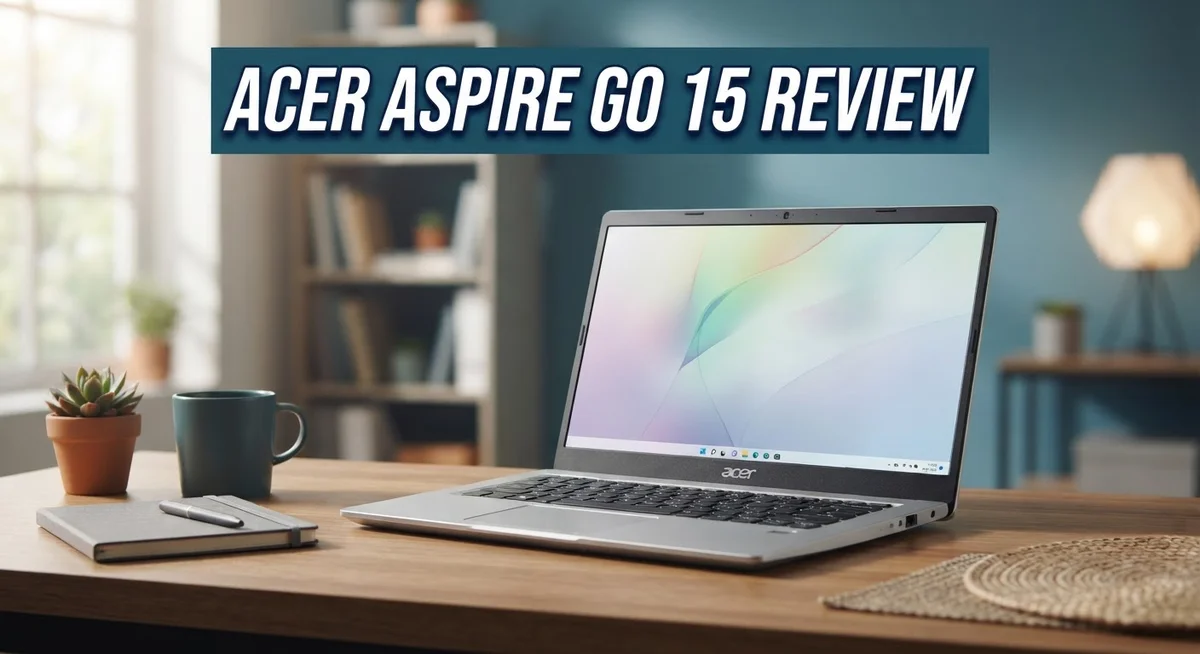
Acer Aspire Go 15 Review 2026: Should You Buy This?
Looking for a simple laptop that handles daily tasks without fuss? The Acer Aspire Go 15 might catch your eye.
This laptop targets everyday users. Students, home workers, and casual browsers fit its profile well.
It packs a 15.6″ Full HD IPS touchscreen into a familiar body. The display stays sharp and comfortable for long sessions.
But this laptop is not perfect. Battery life falls short of expectations. The base memory option feels tight for heavier tasks too.
Still, curiosity leads many buyers here. This review breaks down every detail you need.
We will look at performance, display quality, battery health, and build design. You will also see how it stacks up against rivals like the HP Chromebook Plus and other budget laptops.
By the end, you will know if the Acer Aspire Go 15 deserves a spot on your desk.
In a Nutshell
Here is the quick summary of what this laptop offers:
- Flexible memory options ranging from 8GB to 32GB DDR5 give you room to grow if the base model feels tight.
- The internals stay accessible, so upgrading RAM or swapping storage later is simple and beginner friendly.
- Battery life falls short compared to rivals, so heavy users may need to stay near a charger.
- Some units show a thermal hotspot near the SSD, which can affect performance during longer sessions.
- Windows 11 Home ships in S Mode, so you might need to switch modes for certain apps.
- It competes closely with the HP Chromebook Plus 15.6″ and other budget Windows laptops in its class.
- This laptop suits students, home users, and light professionals who want a no fuss daily driver.
- If you skip heavy gaming or video editing, the Acer Aspire Go 15 handles routine tasks smoothly.
Overall, it works best as a simple, dependable machine for everyday computing rather than power hungry workloads.
Key Features and Specifications
The Acer Aspire Go 15 brings a straightforward mix of hardware that handles everyday computing without overwhelming you. Let’s dig into what makes this machine tick.
The 15.6″ Full HD IPS touchscreen delivers sharp visuals at 1920×1080 resolution. The matte finish reduces glare, which means less strain during long work sessions. The 60Hz refresh rate keeps scrolling smooth for general tasks like browsing and document editing.
You get three processor options depending on your configuration: Intel Core i3-N305, Core i5-1334U, or Core i3-N355. These chips handle office work, video calls, and light multitasking without hiccups. They won’t dominate gaming or video editing, but they excel at what this laptop was built for.
Memory flexibility stands out here. You can choose between 8GB and 32GB of DDR5 or LPDDR5 RAM. The base model starts lean, but stepping up gives you genuine breathing room for multiple browser tabs and background apps. Better still, the internals stay accessible, so you can upgrade later if needed.
Storage scales from 128GB to 1TB SSD options. The solid state drive boots Windows 11 and loads apps quickly. However, some users report thermal issues near the SSD during extended use, which can slow performance temporarily.
Intel UHD Graphics handles everyday visuals without trouble. Light photo editing, streaming, and web apps run smoothly. Don’t expect gaming performance, though.
Connectivity includes Wi-Fi 6 and 6E support, keeping you linked to fast networks. USB-C ports add modern charging and data transfer options.
The keyboard feels stable under your fingers during typing, though critics note the keys lack the premium feel of higher-end machines. The touchscreen adds flexibility for casual interactions.
Windows 11 Home ships in S Mode, which limits app installation to the Microsoft Store. You can switch out of S Mode free, but it requires a restart and a quick setup change.
Overall, the Acer Aspire Go 15 packs practical specs that match its mission: delivering a no-nonsense laptop for work, school, and everyday internet use.

- Exceptional Performance and Productivity: Experience smooth and responsive performance powered by an...
- Copilot in Windows - your AI Assistant: Do more, quicker than ever across multiple applications with the...

Last update on 2026-10-23 / Affiliate links / Images from Amazon Product Advertising API
Design and Build Quality
The Acer Aspire Go 15 wraps its components in a chassis that prioritizes function over flashy aesthetics. The lid uses a matte finish that resists fingerprints well, keeping the laptop looking clean during daily use.
The 15.6 inch screen sits flush within thin bezels. This design choice gives you more usable space without making the overall footprint too large. The touchscreen panel feels responsive when you tap or swipe across it.
Build materials lean toward plastic throughout the body. This keeps weight down for portability, though some users might prefer metal reinforcement. The bottom panel removes easily with standard screws, which means you can access the internals without special tools or frustration.
Hinges on this model hold the screen firmly in place. They don’t wobble or feel loose even after repeated opening and closing. The screen opens to a comfortable viewing angle without strain on the hinge mechanism.
The keyboard deck sits flat and stable. Keys feel firm under your fingers during typing sessions. The trackpad offers decent size for navigation, though it lacks the smoothness found on premium laptops.
Ports line the sides in practical locations. You get USB-C connectors for charging and data transfer, plus standard USB-A ports for older peripherals. The headphone jack remains available if you prefer wired audio.
Weight distribution feels balanced when you carry the laptop. The device tips the scales at a reasonable level for a 15 inch machine, making it suitable for students or commuters who move between locations.
The chassis shows no flex or creaking when you grip it normally. Pressure on the keyboard deck doesn’t produce unwanted movement. This solid feel builds confidence that the laptop will survive typical bumps and jostles in a backpack.
Ventilation grilles sit along the sides and bottom. These allow airflow to reach the internal cooling system. The design keeps hot components from building up excessive heat during extended work sessions.
Overall, the Acer Aspire Go 15 presents a straightforward, no nonsense approach to laptop construction. You get a device built for practicality rather than luxury, with accessible internals and sturdy everyday durability.
Performance and Processing Power
The Acer Aspire Go 15 delivers solid performance for everyday computing tasks. You get three processor options to choose from depending on your configuration needs. The Intel Core i3-N305, Core i5-1334U, and Core i3-N355 handle office work, web browsing, and multitasking without lag.
RAM flexibility matters here. You can configure the laptop with 8GB, 16GB, or up to 32GB of DDR5 or LPDDR5 memory. More RAM helps when you juggle multiple browser tabs or run several applications at once. The base 8GB model works fine for light users, but stepping up to 16GB gives you breathing room for heavier workloads.
The Intel UHD Graphics integrated into these processors manages everyday visuals well. You won’t experience stuttering during video playback or casual photo editing. However, demanding games and professional 3D rendering fall outside this laptop’s wheelhouse. The graphics handle what most people actually do on their computers.
Storage performance is where things get interesting. The SSD options range from 128GB to 1TB, and read-write speeds are quick for daily use. One caveat exists here: some units develop a thermal hotspot near the SSD during extended use sessions. This can throttle performance slightly when you’re pushing the laptop hard for hours on end.
Multitasking performance stays consistent throughout the day. Switching between applications feels smooth, and you won’t notice delays opening files or launching programs. The processor lineup handles spreadsheets, documents, and streaming video without breaking a sweat.
Real-world usage shows the Go 15 excels at what it’s built for. You get responsive performance for productivity and entertainment. The combination of processor options and RAM configurations means you can pick exactly what fits your needs. Don’t expect this laptop to break speed records or handle professional video production, but for everyday computing, it delivers what you need without unnecessary complexity.
Top 3 Alternatives
ASUS VivoBook 15

- [Next Gen AI Powerhouse] Experience the future of computing with the Intel Core i9-13900H processor...
- [Enhanced Thermal Management] Stop worrying about thermal throttling during intense tasks. This exclusive...
Last update on 2026-10-23 / Affiliate links / Images from Amazon Product Advertising API
The ASUS VivoBook 15 offers solid performance for everyday tasks. This laptop delivers smooth multitasking with its reliable processor and generous RAM. The display provides vibrant colors that make content creation enjoyable.
Battery life extends through a full workday without needing a charge. The keyboard feels comfortable for long typing sessions. Storage options give you enough space for documents, photos, and files.
HP Pavilion 15

- Efficient Performance for Everyday Computing Powered by Intel N150 processor (4-core, 4-thread, up to...
- Portable 14-Inch HD Display with Micro-Edge Design Work and learn comfortably on the 14-inch diagonal HD...
Last update on 2026-10-23 / Affiliate links / Images from Amazon Product Advertising API
The HP Pavilion 15 stands out with its sleek design and lightweight build. You get a responsive touchpad that works smoothly for navigation. The screen brightness adapts well to different lighting conditions.
This laptop handles everyday applications without lag or stuttering. The cooling system keeps temperatures manageable during extended use. Audio quality is surprisingly good for video calls and entertainment.
Lenovo IdeaPad 3

- POWERFUL OCTA-CORE PERFORMANCE: Powered by the MediaTek Kompanio 540 octa-core processor (2x Arm...
- STUNNING 14" TOUCHSCREEN DISPLAY: Enjoy vivid visuals on the 14" WUXGA (1920x1200) IPS touchscreen with...
Last update on 2026-10-23 / Affiliate links / Images from Amazon Product Advertising API
The Lenovo IdeaPad 3 provides excellent value for budget-conscious shoppers. It runs most programs efficiently without constant slowdowns. The build quality feels sturdy despite its affordable positioning.
The keyboard layout is intuitive and responsive for regular typing. Graphics performance handles casual gaming and video editing basics. Connectivity options include multiple USB ports and an HDMI output for external displays.
All three alternatives offer practical solutions for students and professionals. Each delivers reliable performance for web browsing, document editing, and streaming. Choose based on your specific needs for design preference, battery endurance, or budget constraints. These laptops provide genuine alternatives if you want options beyond the standard market choice.
Display and Touchscreen Experience
The touchscreen on the Acer Aspire Go 15 transforms how you interact with your laptop. The 15.6 inch display uses IPS technology, which means colors stay accurate even when you view the screen from different angles. You won’t see the washed out look that cheaper panels sometimes have.
Responsiveness matters when you touch the screen. The touchscreen reacts quickly to your taps and swipes. You can scroll through web pages, zoom into documents, or navigate Windows 11 without any lag. The touch experience feels natural and intuitive during daily use.
The matte finish on this display serves a real purpose. Glossy screens catch reflections and create glare, especially near windows or bright lights. This matte coating eliminates those annoying reflections while keeping the image sharp. You get better visibility in different lighting conditions without straining your eyes.
Brightness and contrast perform well for a laptop in this category. The screen displays vibrant colors for streaming videos or editing photos. Text appears crisp and clear, making long reading sessions comfortable. Office work like spreadsheets and documents looks professional on this panel.
The bezels around the screen are thin, which means more screen real estate in a compact form factor. You get a larger viewing area without the laptop feeling oversized. The 1920×1080 resolution delivers enough pixels for sharp text and images at this screen size.
One thing to note: the 60Hz refresh rate is standard for this class of laptop. You won’t see the ultra smooth scrolling that high refresh displays offer, but everyday tasks don’t require it. The screen keeps up with normal web browsing, video playback, and document work without any stuttering.
Touch accuracy remains consistent across the entire screen surface. Whether you tap in the corners or the center, the response stays reliable. This consistency makes the touchscreen useful for productivity apps, note taking, and creative work. The combination of IPS technology, matte finish, and responsive touch creates a display that works hard for your daily computing needs.
Battery Life and Portability
The Acer Aspire Go 15 presents a mixed picture when it comes to how long the battery lasts on a single charge. Real-world testing shows the battery drains faster than you might expect from a laptop in this class. Most users report getting between 5 to 7 hours of mixed use, which includes web browsing, document editing, and video streaming.
Heavy workloads drain the battery more quickly. If you run multiple applications at once or engage in video editing, expect the charge to drop within 4 to 5 hours. The integrated Intel UHD Graphics handle casual tasks well, but they do consume power when you push the system harder.
The 15.6 inch screen plays a role in battery consumption. Larger displays require more energy to illuminate, even with the matte finish that reduces glare. Keeping brightness at moderate levels helps extend runtime noticeably. Dimming the screen to 50 percent brightness can add an extra hour or two to your session.
Portability is where this laptop truly shines. The Go 15 weighs around 3.75 pounds, making it light enough to carry in a backpack without strain. The balanced weight distribution means your arms won’t tire when you hold it for short periods. The compact footprint fits easily into most laptop bags and travel cases.
The plastic construction actually helps keep the weight down. While materials feel less premium than metal chassis, they contribute to the overall portability factor. You can move this laptop between rooms, take it to coffee shops, or pack it for trips without hesitation.
For stationary work, the battery life won’t disappoint you much. If you plan desk-based computing with occasional movement around your home or office, the Go 15 handles this well. However, if you need all-day battery life away from power outlets, you should consider carrying the charger. The USB-C charging port charges reasonably fast, so topping up during lunch breaks becomes practical.
Pros and Cons
Pros
- Full HD IPS touchscreen with matte finish reduces glare during extended work sessions
- Keyboard remains stable and responsive for daily typing tasks
- Internal components are easy to access, so you can upgrade RAM or storage yourself
- Handles office work, web browsing, and multitasking without lag
- DDR5 memory options scale from 8GB to 32GB depending on your needs
Cons
- Base models ship with only 8GB RAM, which feels tight for heavy multitasking
- Battery drains faster than competitors, especially under load or with the large screen running
- Intel UHD Graphics and entry-level processors hit a performance ceiling for demanding apps
- SSD can develop thermal hotspots during sustained file transfers or heavy use
Who Should Buy It
The Acer Aspire Go 15 fits best with students and office workers who need a reliable machine for everyday tasks. If you spend most of your day in Google Docs, email, and web browsing, this laptop handles it well without breaking a sweat.
Remote workers benefit from the touchscreen and stable keyboard. You get a responsive typing experience for long work sessions. The 15.6 inch display gives you plenty of screen space for spreadsheets and video calls. The matte finish reduces glare during video meetings, which matters when you’re on camera all day.
Content creators working with light projects find value here too. Photo editing, basic video work, and graphic design run smoothly on the mid tier configurations. The larger screen helps when you’re juggling multiple windows. Just avoid heavy rendering tasks or 4K video editing, as the Intel UHD Graphics has limits.
Teachers and trainers appreciate the touchscreen for interactive presentations. You can annotate directly on the screen during lessons. The keyboard stability means you won’t struggle when typing notes between classes.
Home users who want a second laptop for casual browsing and streaming will find this machine adequate. The display quality shines for movies and shows. Battery life works fine for stationary use at a desk or on your couch.
However, skip this laptop if you need gaming performance or run demanding software like CAD programs. The processors hit a ceiling with resource heavy applications. Video professionals should look elsewhere too, as rendering times will frustrate you.
People who upgrade their own hardware appreciate the accessible internals. You can swap RAM or storage yourself without special tools. This saves money on upgrades down the road.
If you move between rooms constantly and need all day battery life, consider alternatives. The power drain accelerates with heavy use and the large display. For stationary workflows, this limitation barely matters.
The Acer Aspire Go 15 shines as a practical workhorse for productivity focused users who value screen real estate and keyboard comfort over raw performance.
Final Verdict
The Acer Aspire Go 15 delivers a solid experience for everyday computing needs. It handles common tasks without frustration.
This laptop works best as a companion device. It supports work, study, and casual entertainment with ease.
Upgradeable internals make this machine stand out from sealed competitors. You control the future performance of your device.
The matte display quality surprises many users. Screen glare becomes a non-issue during long sessions near windows or bright lights.
Some limitations do exist and buyers should understand them. Battery performance under heavy use remains a genuine concern.
The keyboard feels adequate but not exceptional. Typing comfort exists, though refinement is missing compared to premium models.
Performance ceilings become obvious with demanding software. Video editing, 3D rendering, or gaming will frustrate users quickly.
Thermal management around the SSD raises questions for long term reliability. Users running intensive tasks should monitor temperatures carefully.
Comparing this laptop against competitors reveals a familiar story. The HP Chromebook Plus 15.6″ offers similar screen size with different software ecosystem constraints.
Ryzen based alternatives sometimes provide better raw performance. However, they often sacrifice the touchscreen feature found here.
Lenovo budget options compete closely in build quality. The choice often comes down to specific feature priorities rather than clear winners.
This laptop suits practical buyers who value function over flash. It won’t impress tech enthusiasts, but it won’t disappoint everyday users either.
Windows 11 Home in S Mode does limit software flexibility initially. Users can switch out of S Mode if needed for broader app support.
Overall, the Acer Aspire Go 15 earns its place among practical computing choices. It delivers dependable performance for specific user groups without unnecessary complexity.
Consider your daily computing habits before deciding. If your tasks match the strengths listed here, this laptop serves you well.
Skip it only if your needs exceed what entry level hardware can offer. Otherwise, this remains a sensible pick for straightforward computing tasks.
Frequently Asked Questions
Can I upgrade the RAM and storage on the Acer Aspire Go 15?
Yes, you can. The Acer Aspire Go 15 has accessible internals that make upgrades straightforward. You can swap out the SSD or add more RAM without needing special tools or technical expertise. This feature sets it apart from many competitors with sealed designs.
What processor options does this laptop offer?
The Acer Aspire Go 15 comes with three processor choices: Intel Core i3 N305, Core i5 1334U, or Core i3 N355. These vary by model and configuration. All options handle everyday computing tasks well, though they do have limits with demanding software like video editing or CAD programs.
How long does the battery last?
Battery life is a weak point for this machine. Expect shorter runtime than similar laptops, especially when the display is active or you’re running multiple applications. The large 15.6 inch screen contributes to faster drain. If you need all day battery performance, this may not be your best choice.
Is the touchscreen worth having?
The touchscreen adds practical value for specific users. Teachers and trainers find it helpful for presentations. Remote workers appreciate the extra interaction option. The 15.6 inch Full HD IPS display itself offers good color accuracy and a matte finish that reduces glare. For casual browsing and office work, the touchscreen feels like a genuine bonus rather than a gimmick.
Who should avoid this laptop?
Skip the Acer Aspire Go 15 if you need gaming performance or run demanding software. Gamers and professional content creators will hit performance ceilings quickly. Also, thermal issues around the SSD storage may concern users who run intensive tasks for long periods.

Hi, I’m Joy! I’m a passionate tech enthusiast with years of experience testing and reviewing the latest gadgets and software. I started TechReviewed.blog because I believe everyone deserves access to honest, straightforward tech advice without the marketing fluff.