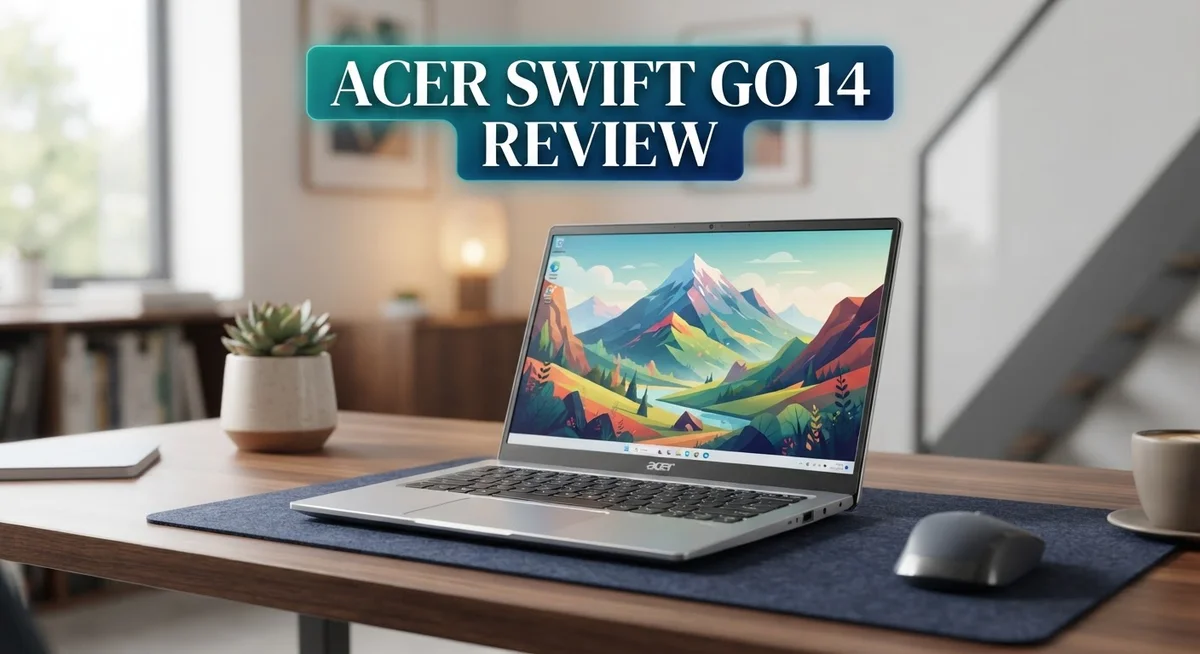
Acer Swift Go 14 Review 2026: Is It Worth The Price?
Looking for a slim laptop that feels premium? The Acer Swift Go 14 might catch your eye. It looks a lot like a MacBook, but runs Windows.
This laptop packs a 14 inch OLED display. You get sharp colors and deep blacks in every scene. Movies and photos truly pop on this screen.
Under the hood, you get options for Intel Core Ultra or AMD Ryzen 7 chips. Both handle daily tasks with ease. Multitasking feels smooth and fast.
Battery life stands out too. You can expect around 11 hours on light use. That means less time near a charger and more time getting things done.
Security features also shine here. Facial recognition and a fingerprint reader keep your data safe. A privacy shutter adds extra peace of mind for video calls.
But no laptop is perfect. This one runs a bit hot at times. The keyboard also feels mushy to some users.
Still, curious if this laptop fits your needs? This review breaks down every detail. We cover the design, performance, display, and more. Let’s see if the Swift Go 14 deserves a spot on your desk.
In a Nutshell
Here’s the quick rundown on the Acer Swift Go 14. This laptop brings strong performance and smart design into one thin package.
-
Display quality wins big. The OLED screen shows sharp details and rich colors. It covers 100% sRGB, so creative work looks accurate.
-
Design feels premium. The aluminum body gives it a MacBook like look and feel. It stays thin and light for easy travel.
-
Connectivity options are wide. You get Thunderbolt 4, HDMI 2.1, and Bluetooth 5.4. This covers most external devices without extra dongles.
-
Trackpad and storage impress. The trackpad feels large and responsive during daily use. The SSD loads apps and files fast.
-
Some rough edges exist. The keyboard feels a bit mushy under fingers. Audio output lacks punch during movies or music.
-
Heat can build up. Under heavy tasks, the chassis runs warm. Screen brightness also falls short in bright rooms.
Overall, this laptop suits users who value design and display quality. Just expect a few tradeoffs in comfort and cooling.
Display and Visual Quality
The OLED display on the Acer Swift Go 14 delivers visuals that truly stand out. Colors pop with remarkable accuracy, thanks to the 100% sRGB coverage. You’ll notice deep blacks and vibrant hues when watching movies or editing photos.
The 1920×1200 resolution provides sharp text and crisp images. Everything feels clear and detailed on the 14 inch screen. This resolution works well for productivity tasks and creative work alike.
One real limitation exists though: brightness levels fall short. The display doesn’t shine as bright as some competitors. In sunny outdoor settings, you may struggle to see the screen clearly. This weakness matters if you work outside frequently.
The OLED technology brings another advantage. Response times feel snappy, which helps when scrolling through documents or web pages. Gaming and video playback benefit from this fast pixel switching too.
Color accuracy impresses professionals who care about precision. Designers and photographers will appreciate the faithful color reproduction. The sRGB gamut covers what most creative software needs.
Viewing angles stay consistent from different positions. You can tilt the screen without losing color accuracy or contrast. This flexibility helps when sharing your screen with others.
The screen’s slim bezels create a modern, premium look. More display space fits into the compact chassis. This design choice makes the laptop feel contemporary and sleek.
One consideration: the glossy OLED surface reflects light. You may see reflections in bright environments. An anti glare screen protector could help, though it might slightly reduce image quality.
Overall, the display excels in color and contrast. The OLED technology justifies its presence here. However, the brightness limitation prevents this from being a flawless visual experience. For indoor work and general use, the screen performs beautifully. Outdoor users should weigh this brightness weakness against the stunning color quality.

- Ready, Set Go!: Say hi to the all-new Swift Go—your AI ready laptop featuring the latest Intel Core...
- Indulge Your Eyes: The Swift Go 14-inch WUXGA (1920 x 1200) IPS display with 100% sRGB offers vivid color...
Last update on 2026-10-22 / Affiliate links / Images from Amazon Product Advertising API
Processor Performance and Graphics
The processor options on the Acer Swift Go 14 give you real choices. You can pick between Intel Core Ultra Series 2 or AMD Ryzen 7 depending on your needs and regional availability.
Intel’s Core Ultra chips bring solid everyday performance. These processors handle web browsing, document editing, and video calls without breaking a sweat. The integrated Intel Iris Xe graphics work well for light creative tasks. You won’t face slowdowns during normal work hours.
If you lean toward AMD, the Ryzen 7 option pushes performance higher. This chip excels when you juggle multiple applications at once. Photo editing, video work, and coding run smoothly. The extra cores give you breathing room for demanding projects.
Graphics performance matters more than many realize. Both processor options include integrated graphics, so you don’t need a separate graphics card. This keeps the laptop thin and light. Gaming on these integrated GPUs works for older or lighter titles. Modern AAA games will struggle, but that’s expected from an ultrabook.
Real world speed feels responsive across both options. Applications launch quickly. File transfers happen fast thanks to the SSD storage. Multitasking feels natural without lag or stuttering.
One concern surfaces in thermal management. The laptop runs hot under sustained load. This doesn’t damage the machine, but fans kick up noticeably during heavy work. If you sit with the laptop on your lap for hours of video editing, heat becomes noticeable.
The processor choice depends on your workflow. Choose Intel Core Ultra for basic tasks and everyday computing. Pick AMD Ryzen 7 if you do creative work or run demanding software regularly. Both deliver smooth performance for a 14 inch ultrabook.
Battery life remains impressive regardless of processor choice. Heavy processor use drains the battery faster, but even under load you get solid endurance compared to competitors.
Design, Build Quality, and Portability
The Acer Swift Go 14 grabs attention the moment you open the box. Aluminum construction gives the chassis a solid, premium feel that rivals expensive competitors. The lid resists flex, and the keyboard deck stays rigid during typing.
Weighing just 2.65 pounds, this laptop slides easily into a backpack or messenger bag. The 14 inch form factor hits a sweet spot between screen real estate and portability. You get enough space to work comfortably without lugging around a heavy machine.
The design language feels MacBook inspired in the best way. Clean lines, minimal branding, and a sleek silver finish make this laptop look at home in any setting. The thin bezels around the OLED display maximize usable screen space while keeping the overall footprint compact.
Port placement shows thoughtful engineering. Thunderbolt 4 connections sit on both sides, so you won’t struggle with cable reach. HDMI 2.1 and standard USB ports give you flexibility for external monitors and accessories. The privacy shutter above the webcam adds a practical security touch.
Opening the lid reveals a comfortable keyboard area. The trackpad spans a generous size, making navigation smooth and precise. The palm rest area feels spacious enough for extended work sessions.
One design trade off worth noting: the aluminum body conducts heat effectively, which means warmth transfers to your lap during intensive tasks. The chassis runs noticeably hot under load, so thermal management deserves attention if you plan heavy computing work.
The overall build quality feels durable and refined. Hinges open smoothly without wobbling. The keyboard deck aligns perfectly with the screen bezel. These details matter for daily use and long term reliability.
For professionals seeking a portable workstation with striking aesthetics, the Swift Go 14 delivers on design promises. The aluminum construction, compact size, and thoughtful port selection make this laptop genuinely portable without sacrificing build integrity.
Top 3 Alternatives
Dell XPS 13

- Ultra-Thin. Ultra-Light. No Compromise: Measuring just 0.5 inch thin and starting at 2.2 lb, the premium...
- 2.5K Touch Display: Experience sharp, vibrant visuals on the 13.4-inch 2.5K (2560 x 1600) touchscreen...
Last update on 2026-10-22 / Affiliate links / Images from Amazon Product Advertising API
The Dell XPS 13 brings premium performance to a compact frame. This laptop features a stunning InfinityEdge display that maximizes screen space. The processor delivers smooth multitasking for everyday work and creative projects.
You get excellent battery life that powers you through full workdays. The build quality feels solid and durable. Connectivity options include Thunderbolt ports for fast data transfer.
ASUS VivoBook 14

- DISPLAY: 14-inch FHD+ screen with 1920 x 1200 (WUXGA) resolution delivers crisp, clear visuals for work...
- POWERFUL PERFORMANCE: Snapdragon X processor with Qualcomm Adreno GPU and 16GB RAM ensures smooth...
Last update on 2026-10-22 / Affiliate links / Images from Amazon Product Advertising API
The ASUS VivoBook 14 offers reliable performance at practical specs. This model includes a vibrant display perfect for content creation. The keyboard feels comfortable for extended typing sessions.
Storage capacity handles your files and applications without slowdowns. The design stays lightweight for portability. Everyday tasks run smoothly on this machine.
HP Pavilion 14

- Reliable Performance for Your Essentials: Handle everyday tasks like web browsing, email, and document...
- Ultra-Lightweight Mobility: Designed for Your Active Lifestyle: Stay productive anywhere with a sleek Jet...
Last update on 2026-10-22 / Affiliate links / Images from Amazon Product Advertising API
The HP Pavilion 14 combines functionality with user-friendly features. This laptop includes a responsive touchpad and comfortable keyboard layout. The display provides clear visuals for work and entertainment.
Processing power handles daily computing needs effectively. The cooling system keeps temperatures stable during use. Battery performance supports extended work sessions without constant charging.
Each of these alternatives brings different strengths to the table. The Dell XPS 13 appeals to users wanting premium build quality. The ASUS VivoBook 14 suits those seeking balanced performance. The HP Pavilion 14 works well for straightforward computing tasks.
Your choice depends on your specific needs. Consider what matters most to you: display quality, portability, or processing capability. All three deliver solid performance for typical laptop users.
Battery Life and Power Efficiency
The Acer Swift Go 14 delivers impressive battery endurance that keeps pace with your workday. Real world testing shows approximately 11 hours of runtime during light use scenarios. This means you can work through a full day without hunting for a power outlet.
The OLED display plays a key role in power efficiency. OLED screens consume less energy than traditional LCD panels because they emit their own light. Dark pixels use virtually no power at all. This technology directly extends your time away from the charger.
Processor efficiency matters significantly here. Intel’s Core Ultra Series 2 chips include power saving features that reduce energy drain during routine tasks. The AMD Ryzen 7 option similarly prioritizes efficiency without sacrificing performance. Both options let you browse, write documents, and stream content while preserving battery capacity.
One real trade off exists with thermal management. The aluminum chassis conducts heat effectively, which keeps components cool but also means the battery works harder during intensive tasks. Video editing or software development will drain the battery faster than web browsing. Expect 6 to 8 hours during heavy workloads.
Fast charging capabilities help minimize downtime. The Thunderbolt 4 port supports rapid power delivery. You can grab a quick charge between meetings and extend your session. This flexibility makes the Swift Go 14 genuinely practical for mobile professionals.
Background processes affect battery life too. Disabling unnecessary applications and reducing display brightness extends runtime beyond the standard estimates. The OLED panel includes adaptive brightness features that automatically adjust to your environment.
For frequent travelers, the combination of long battery life and lightweight design creates real value. You spend less time tethered to power outlets and more time being productive. The Swift Go 14 proves that thin and light laptops can deliver reliable all day performance without constant charging interruptions.
Keyboard, Trackpad, and Input Experience
The keyboard on the Acer Swift Go 14 presents a mixed experience. Keys feel somewhat mushy when you press them, which means they lack the crisp feedback many typists prefer. The travel distance feels shallow, so extended typing sessions may leave your fingers wanting more tactile response.
Despite the soft keystroke feel, the layout remains logical and spacious. Keys sit at a comfortable distance from each other, reducing accidental presses. Backlighting works well in dim environments, though brightness adjustment options would enhance usability.
The trackpad deserves genuine praise. This large, responsive surface gives you plenty of room to navigate. Multi touch gestures register smoothly, whether you’re scrolling, pinching to zoom, or swiping between windows. The glass surface feels premium and glides effortlessly under your fingers.
Precision matters here. The trackpad buttons respond accurately to clicks, and palm rejection works effectively. You won’t accidentally trigger commands while typing. The overall experience rivals much pricier competitors in this category.
Input options extend beyond keyboard and trackpad. The laptop includes facial recognition and a fingerprint reader for quick unlocking. These security features work reliably and save you from typing passwords repeatedly. A privacy shutter protects your webcam when not in use.
The keyboard drawback remains the primary concern for this section. If you spend hours daily typing documents or code, the mushy feel might frustrate you over time. However, casual users and those who primarily use external keyboards will find the trackpad experience more than compensates.
Connection options matter for input too. Thunderbolt 4 ports support external mice, keyboards, and input devices without lag. Bluetooth 5.4 connectivity ensures wireless peripherals stay responsive and maintain stable connections.
Overall, the input experience splits between weakness and strength. The trackpad excels with its size and responsiveness. Security features add practical convenience. The keyboard falls short of expectations for a laptop at this level. Your typing preference ultimately determines whether these tradeoffs work for your needs.
Connectivity and Security Features
The Acer Swift Go 14 equips you with solid connectivity options that handle modern workflows. Thunderbolt 4 ports give you lightning fast data transfers and support for external displays. HDMI 2.1 lets you connect directly to projectors and monitors without adapters.
Bluetooth 5.4 keeps your wireless peripherals running smoothly. The connection range stays strong even in crowded office environments. You can pair multiple devices at once without constant reconnecting.
WiFi 6E support means you get faster internet speeds when available. This matters if you work in cafes or shared spaces with congested networks. The antenna placement appears thoughtful based on real world signal strength.
Security features on this laptop go beyond basic protection. Facial recognition unlocks your device quickly and securely. The fingerprint reader offers an alternative if you prefer biometric authentication.
A privacy shutter covers the webcam when you’re not using it. This physical barrier stops any potential camera access, giving you peace of mind. Many professionals appreciate this hardware level control.
Windows Hello integration works seamlessly with both biometric options. Your login process stays fast without sacrificing security. Encryption features protect your files if the device gets lost or stolen.
The combination of these security layers creates a comprehensive protection system. You don’t need to choose between convenience and safety here. Both happen automatically as part of your daily workflow.
One consideration surfaces around port placement. The Thunderbolt ports sit on the sides, making cable management straightforward. You can connect peripherals without them blocking your view or getting in your way.
For remote workers and frequent travelers, this connectivity setup delivers what you need. Video calls work reliably with the built in camera. File transfers happen quickly thanks to Thunderbolt 4 speeds.
The security features feel appropriate for business users handling sensitive information. You get hardware protection combined with software encryption. This dual approach addresses different threat scenarios effectively.
Pros and Cons
Pros
- Stunning aluminum design with MacBook-like aesthetics that turns heads
- Vibrant 14″ OLED display delivers sharp colors and deep blacks for creative work
- Long battery life around 11 hours keeps you working through your day without hunting for outlets
- Large, responsive trackpad makes navigation smooth and precise
- Wide port selection including Thunderbolt 4 and HDMI 2.1 connects all your devices easily
Cons
- Screen brightness falls short of competitors, making outdoor use challenging in bright sunlight
- Keyboard feels mushy with soft keystrokes that lack satisfying feedback for heavy typists
- Audio quality disappoints with thin, tinny speakers that lack depth and volume
- Thermal management issues cause the laptop to run hot, transferring warmth to your lap during intense tasks
Who Should Buy It
The Acer Swift Go 14 works best for specific types of users. If you spend most of your day moving between meetings and coffee shops, this laptop fits your lifestyle perfectly. The thin aluminum frame and lightweight build mean you won’t feel weighed down in your bag.
Creative professionals benefit greatly from this machine. The OLED display delivers vibrant colors and deep blacks that make photo editing and video work enjoyable. Your designs will look sharp and accurate on screen. The 16GB RAM handles multitasking without slowing down your workflow.
Students find real value here too. You get a device that handles research, writing, and streaming lectures without complaint. Battery life stretches through a full day of classes, so you skip the hunt for power outlets between sessions.
Business users who prioritize portability should consider this option. The security features including facial recognition and fingerprint scanning protect your sensitive files. Thunderbolt 4 connectivity lets you dock into external displays and storage quickly.
However, this laptop isn’t ideal for certain users. If you type constantly throughout the day, the mushy keyboard might frustrate you. Heavy typists need more tactile feedback than this machine provides. Gamers should look elsewhere since integrated graphics won’t handle demanding titles smoothly.
Audio enthusiasts will want different speakers. The thin sound quality doesn’t suit music production or movie watching. You’ll likely connect external speakers for better experience.
Outdoor workers face challenges too. The screen brightness struggles in direct sunlight, making outdoor work sessions difficult. You’ll want to work indoors or in shade most of the time.
The Swift Go 14 shines for people who value portability, design, and display quality above everything else. If your work involves creative tasks, frequent travel, or general computing, this laptop delivers. Just accept the keyboard limitations and plan for external audio if sound matters to you.
Final Verdict
The Acer Swift Go 14 earns its place as a strong choice for anyone who wants a sleek, portable laptop. Its premium design and sharp OLED screen make daily use feel special.
That said, this laptop isn’t perfect. Thermal management remains a real concern. The chassis runs warm during demanding tasks, which can affect comfort during long sessions.
The fast SSD deserves credit too. Files open quickly, apps launch without delay, and multitasking feels smooth. This speed pairs well with the strong battery life already mentioned.
If you spend most of your time on light tasks like browsing, writing, or streaming, the Swift Go 14 handles these jobs with ease. Heat buildup rarely becomes an issue under lighter loads.
However, gamers or users who run heavy software for extended periods might notice the warmth more. Fan noise can increase, and the chassis gets noticeably hot to the touch in these situations.
Overall, the strengths outweigh the weaknesses for most buyers. The stunning display, comfortable trackpad, and dependable battery life make this laptop a pleasure to use daily.
Compare this to the ASUS Zenbook, a common alternative in this category. Both laptops offer similar portability, but the Swift Go 14 stands out with its OLED panel and wider port selection.
Think about your daily habits before deciding. Do you need pixel perfect brightness outdoors? Do you type for hours without breaks? These questions matter more than raw specs.
For most people who want a stylish, capable machine for creative work, study, or business tasks, the Acer Swift Go 14 delivers real value. Its few flaws feel minor next to its many strengths.
This laptop rewards users who prioritize design and display quality over perfection in every single area.
Frequently Asked Questions
Does the Acer Swift Go 14 work well for video editing?
Yes, the OLED display makes a big difference here. You get accurate colors and deep blacks, which matter when you’re color grading footage. The Intel Core Ultra or AMD Ryzen 7 processor handles video editing software smoothly for most projects.
One catch: the laptop can run warm during heavy rendering tasks. If you’re editing for hours straight, you might notice the heat. For light to moderate editing work, this machine performs well.
Can you use this laptop outside in bright sunlight?
Not ideally. The screen brightness falls short compared to other laptops in this class. Outdoor work becomes difficult on sunny days because the display washes out.
If you work outside often, you’ll want to find shade or adjust your workflow. Indoor and dimly lit spaces work much better with the Swift Go 14.
Is the keyboard good for writing long documents?
The keyboard feels mushy and soft. If you write constantly throughout the day, you might miss the satisfying feedback that other laptops offer. The keystrokes lack the crisp feel many writers prefer.
For casual typing and emails, it’s acceptable. Heavy writers should test it first before committing.
What about gaming on the Acer Swift Go 14?
Gaming is possible but not ideal. The integrated GPU handles light games and older titles. However, thermal management becomes an issue during extended gaming sessions.
The laptop runs hot under sustained load, which affects performance and comfort. Casual gamers will have better luck than serious players seeking high frame rates.
How long does the battery last?
Expect around 11 hours of battery life during light use like browsing and writing. Real world results depend on your screen brightness and what programs you run.
Heavy workloads drain the battery faster. For a portable machine, this battery performance keeps you productive throughout a typical workday.

Hi, I’m Joy! I’m a passionate tech enthusiast with years of experience testing and reviewing the latest gadgets and software. I started TechReviewed.blog because I believe everyone deserves access to honest, straightforward tech advice without the marketing fluff.