ASUS Zenbook A14 Review 2026: Is It Worth Trying?
Are you looking for a laptop that lasts all day and still feels light in your bag? The Asus Zenbook A14 might be your answer.
This laptop packs a punch. It runs on the new Snapdragon X1 Elite chip. It also offers up to 32GB of RAM for smooth multitasking.
Weighing close to 1kg, the Zenbook A14 is one of the lightest laptops in its class. It even rivals the MacBook Air in portability.
The star feature here is battery life. Asus claims 33+ hours on a single charge. That means you can work, stream, and browse without hunting for an outlet.
Is it perfect? Not quite. The storage speed is decent but not cutting edge. Still, everyday performance stays smooth and reliable.
In this review, we will break down every feature. You will learn if the Zenbook A14 fits your lifestyle and work needs.
In a Nutshell
Here is a quick snapshot of what the Asus Zenbook A14 brings to the table.
- Chip power: It runs on a Snapdragon X1 Elite or X Plus processor. This chip handles daily tasks with ease.
- Memory and storage: You get up to 32GB RAM and 1TB SSD space. This combo suits multitaskers and heavy users.
- Smart connectivity: Two USB-C 4.0 ports, a fast USB-A port, and HDMI 2.1 cover most connection needs.
- Built for Windows 11: This laptop ships as a Copilot+ PC. You get smart AI features baked into the OS.
- Premium build: The Ceraluminum chassis feels solid. The keyboard also gives a satisfying typing experience.
- Small drawbacks: The SSD speed feels a bit middling. Some early units also felt less premium at first touch.
Compared to rivals like the Lenovo Yoga Pro 9i or ThinkPad E14, the Zenbook A14 holds its own. It does not lead every spec chart. But it delivers a well rounded package for most users who want a light and long lasting machine.
Design and Build Quality
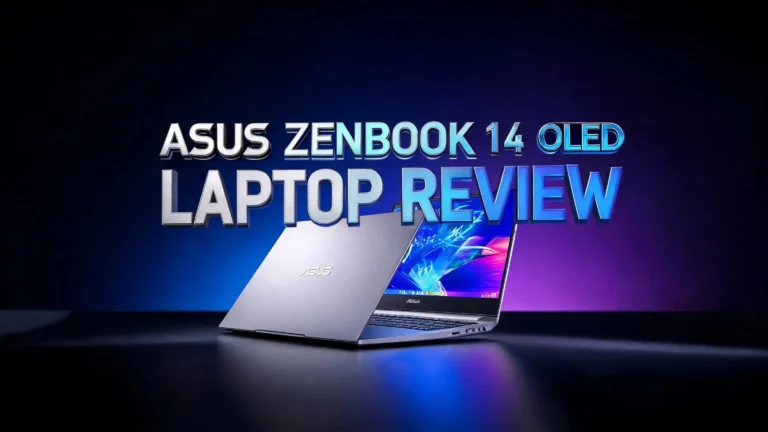
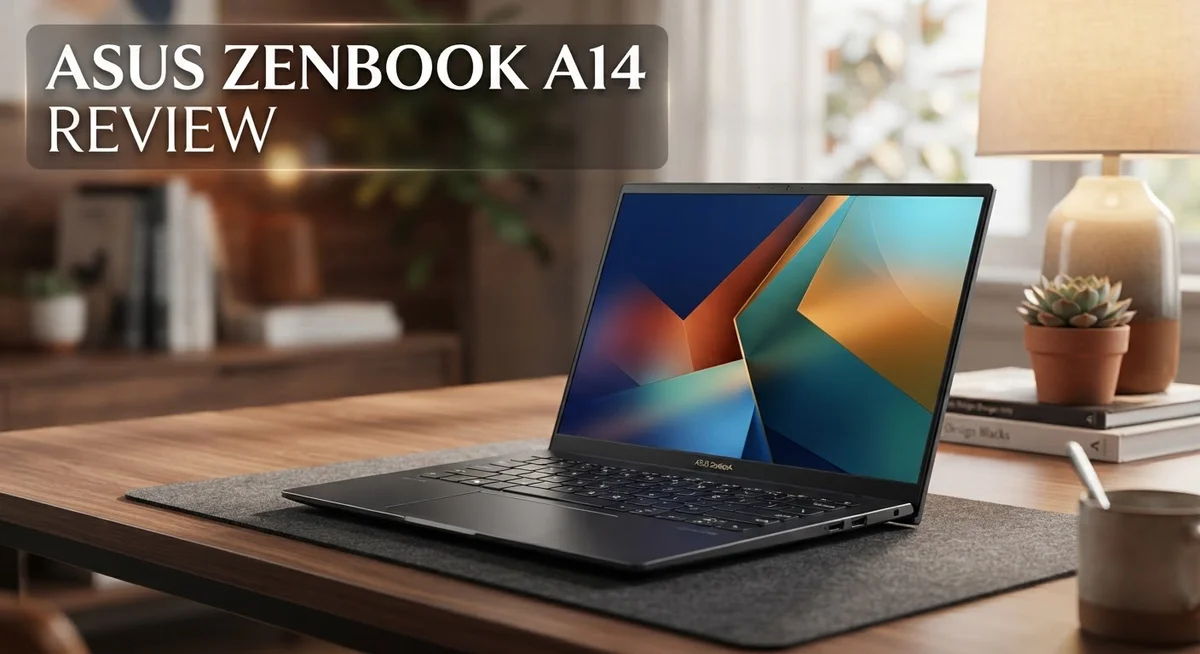
The Asus Zenbook A14 impresses right from the moment you lift it. Weighing just under 1kg, this laptop feels almost weightless compared to traditional notebooks. You can slip it into a backpack without thinking twice, making it perfect for people who move around a lot.
The chassis uses Ceraluminum, a premium material that ASUS developed to balance strength and lightness. This isn’t just marketing speak. The build quality feels genuinely solid when you hold it, and the finish resists fingerprints better than standard aluminum.
The keyboard deserves a special mention. Keys respond with a satisfying click, and the travel distance feels natural. Typing for long hours doesn’t leave your fingers tired. The trackpad is spacious and responsive too, so you won’t miss a mouse during everyday work.
One thing to note: early users mentioned the initial finish felt cheaper than expected. However, this appears to be a first impression issue rather than a durability concern. The laptop still holds up well over time.
The screen bezel is minimal, which means you get more display area without a bulky frame. The 14 inch OLED panel sits flush against the edges, giving the whole device a modern, sleek appearance. This design choice also contributes to the compact footprint.
Port placement is thoughtful. The two USB-C 4.0 ports sit on the sides where you actually need them, not tucked away awkwardly. The USB-A port and HDMI 2.1 connector add practical flexibility for connecting older devices and external displays.
The lid opens smoothly without wobbling, and the hinge mechanism feels durable. Build quality here matches what you’d expect from a premium laptop. The overall design balances thin and light construction with genuine durability.
This laptop doesn’t sacrifice build quality for portability. ASUS managed to create something that feels premium, weighs almost nothing, and can handle daily use without breaking a sweat. The design philosophy is clear: make a laptop that travels with you, not against you.

- Defying Gravity - Weighing just 980g, the ASUS Zenbook A14 is the lightest 14” Copilot+ AI...
- Experience the Exceptional Ceraluminum with the Zenbook A14 - A cutting-edge fusion of ceramic and...
Last update on 2026-10-23 / Affiliate links / Images from Amazon Product Advertising API
Display and Visual Experience
The 14 inch OLED display is where the Zenbook A14 truly shines. This screen delivers colors that pop off the panel with genuine vibrancy. You get deep blacks and bright whites without any washed out feeling.
OLED technology means each pixel produces its own light. This gives you perfect contrast ratios that LCD screens simply cannot match. Blacks appear truly black, not dark gray. The brightness levels stay consistent across the entire screen, even when you view it from different angles.
The 2K resolution provides sharp text and crisp images. You won’t see pixelation when reading documents or browsing websites. Photos look detailed and professional. Videos feel immersive on this compact 14 inch canvas.
Color accuracy matters for creative work. The OLED panel handles this job well. Designers and photographers will appreciate how colors remain true to life. The display covers a wide color gamut, so you get accurate reds, greens, and blues.
Minimal bezels frame the screen, which means you get more usable display space. The edges feel sleek and modern. There’s no wasted plastic around the edges. This design choice also contributes to the laptop’s overall lightweight profile.
Brightness performance stands out. The screen reaches high nit levels, making it easy to work outdoors or in bright rooms. Sunlight washout is minimal. You can actually see your content clearly even with windows behind you.
Refresh rates are smooth for everyday tasks. Scrolling through web pages feels fluid. Gaming or video editing won’t show stuttering or lag. The panel responds quickly to your inputs.
One consideration: OLED displays can develop burn in over extended periods. However, modern panels like this one include protections against that issue. Using the laptop normally won’t cause problems.
Battery impact is worth mentioning. OLED displays do consume power, but the Zenbook A14 still delivers exceptional battery life. The efficiency here is genuinely impressive. You get stunning visuals without sacrificing your all day work sessions.
The display experience sets this laptop apart from competitors with standard LCD screens. If you spend hours staring at your screen, this OLED panel makes a real difference.
Performance and Processing Power
The Snapdragon X1 Elite and X Plus processors power this laptop. These chips deliver solid performance for everyday computing tasks. You can browse, work, and multitask without lag or stuttering.
Real world performance feels balanced. The processor handles document editing, video calls, and web browsing smoothly. You won’t experience slowdowns during normal use. The chip integrates AI features through Windows 11’s Copilot+ PC designation, so you get modern computing capabilities built in.
RAM options go up to 32GB, which means you have plenty of memory for demanding applications. Whether you run multiple browser tabs or use creative software, the system keeps up. The LPDDR5x memory standard ensures fast data access speeds.
Storage comes with a trade off. You get either 512GB or 1TB of SSD space. The Gen4 SSD is reliable but doesn’t represent the latest storage technology. File transfers and app loading happen quickly, though not at the absolute fastest speeds available. For most users, this performance level works fine.
Thermal management stays efficient. The lightweight design means ASUS engineered cooling carefully. The processor doesn’t throttle under typical workloads. You won’t hear excessive fan noise during everyday tasks.
Gaming performance sits in the middle range. The integrated graphics handle casual games and older titles. You won’t play demanding AAA games at high settings. This laptop targets productivity and everyday use rather than gaming.
Compared to competitors, the Zenbook A14 holds its ground. It matches the ThinkPad E14 Gen 7 in general performance. The Yoga Pro 9i offers similar chip options. The key difference lies in how this ASUS balances power with ultra lightweight construction.
Battery life impacts performance perception. The 33+ hour battery means you rarely worry about charging. You can use full performance without draining the battery quickly. This combination of capable processing and exceptional endurance makes the Zenbook A14 practical for mobile professionals and students who need reliability throughout their day.
Top 3 Alternatives
Dell XPS 13

- MADE FOR COLLEGE LIFE – Weighing only 2.2 lbs, the Dell XPS 13 slips easily into a backpack for...
- SHARP 13.4" 120HZ TOUCHSCREEN – Enjoy a vivid 2.5K touchscreen with up to 120Hz refresh rate for...
Last update on 2026-10-23 / Affiliate links / Images from Amazon Product Advertising API
The Dell XPS 13 stands out as a premium ultrabook option. This laptop delivers excellent performance for everyday tasks and creative work. You get a stunning display that makes videos and photos look sharp and vibrant.
The build quality feels solid and premium. It weighs very little, so carrying it around is easy. The keyboard works smoothly, and the trackpad responds quickly to your touch.
Battery life lasts through a full workday without needing a charge. The processor handles multitasking without slowing down. Storage options give you plenty of space for files and applications.
HP Pavilion Aero

- AMD Ryzen 7 8840U (up to 5.1 GHz max boost clock, 16 MB L3 cache, 8 cores, 16 threads)
- 13.3" diagonal, 2K (1920 x 1200), IPS, micro-edge, anti-glare, 400 nits, 100% sRGB
Last update on 2026-10-23 / Affiliate links / Images from Amazon Product Advertising API
The HP Pavilion Aero offers great value for budget-conscious buyers. This laptop is lightweight and portable, making it perfect for travel. The display is bright and clear for watching content or working.
Performance is solid for browsing, email, and document editing. The keyboard feels comfortable for long typing sessions. You’ll appreciate the decent battery life that keeps you working throughout the day.
The design looks modern and sleek in several color options. Ports include USB connections for your accessories and devices.
Lenovo ThinkPad E14

- ROBUST & RELIABLE DESIGN - The device is built to meet MIL-STD 810H standards, ensuring durability and...
- POWERFUL PERFORMANCE - Packs an AMD Ryzen 5 7535U Processor (6 Cores 12 Threads, up to 4.55GHz) and...
Last update on 2026-10-23 / Affiliate links / Images from Amazon Product Advertising API
The Lenovo ThinkPad E14 focuses on reliability and durability. This laptop is built tough to handle daily use in offices and classrooms. The keyboard is legendary for its comfortable feel during extended typing.
Performance handles productivity software and web applications efficiently. The display provides good color accuracy for work tasks. Security features protect your data and privacy.
Battery life supports a full workday of regular use. The design is professional and understated. Ports offer good connectivity options for peripherals and external drives.
Battery Life and Portability
The Asus Zenbook A14 excels in two areas that matter most to mobile workers: how long it runs and how easy it is to carry.
Battery endurance reaches an impressive 33+ hours on a single charge. This means you can work through multiple days without hunting for an outlet. The Snapdragon X1 Elite and X Plus processors consume less power than traditional chips, which directly extends your usage time. Real users report that the battery easily handles a full workday plus evening browsing.
The display plays a role too. OLED screens use less power during normal tasks compared to older LCD technology. Darker content drains the battery slower, so your usage patterns matter. Whether you’re writing documents or streaming video, the power management adapts intelligently.
Weight and portability define the Zenbook A14 experience. At roughly 1kg, this laptop ranks among the lightest in the Zenbook lineup. Lifting it feels almost surprising—it weighs less than most notebooks you’d carry by hand. The premium Ceraluminum chassis keeps things rigid without adding bulk. Your shoulder won’t feel the strain during commutes or travel.
The 14 inch OLED display balances screen real estate with portability perfectly. You get enough space for comfortable work without the heft of larger models. Minimal bezels mean more usable display area in a compact frame.
Practical carrying matters too. The slim profile slides easily into bags and backpacks. The smooth lid closes securely without wobbling, protecting the screen during transport. Port placement on the sides doesn’t interfere with your grip or bag placement.
This combination of extended battery life and ultralight design makes the Zenbook A14 genuinely mobile. You can work from coffee shops, libraries, or outdoor spaces without constant charging anxiety. The laptop responds to how people actually work today—moving between locations frequently.
Compared to heavier competitors like the Lenovo Yoga Pro 9i or ThinkPad E14, the Zenbook A14 offers freedom of movement. You’re not tethered to desks or power outlets. This portability advantage becomes obvious after just a few days of use.
Connectivity and Ports
The Asus Zenbook A14 gives you solid connectivity options that cover most daily needs. You get two USB-C 4.0 ports that handle both charging and data transfer at fast speeds. These ports support Thunderbolt technology, which means you can connect external displays, storage drives, and other high-bandwidth devices without bottlenecks.
On the traditional side, there’s a USB-A 10Gbps port for backward compatibility. This matters if you still use older peripherals or need to connect devices without adapters. You won’t feel forced to buy dongles for standard USB equipment.
The HDMI 2.1 output lets you connect to external monitors or projectors directly. This is useful for presentations, extended desktop work, or connecting to a TV. You get video output without relying on USB-C adapters in most situations.
WiFi 7 connectivity keeps you fast on wireless networks. The speeds are noticeably quicker than older WiFi standards, especially in congested areas. Bluetooth support handles wireless mice, headphones, and other accessories smoothly.
One thing to note: the port selection feels practical rather than excessive. You won’t find as many ports as larger laptops, but this is a trade off for the ultralight design. The two USB-C ports do heavy lifting, so you might occasionally need adapters for specific devices.
The placement of ports matters too. All connectivity sits on the sides, which means cables don’t interfere with your keyboard or trackpad. This design choice makes the laptop more comfortable to use when connected to external devices.
For mobile workers, this port arrangement strikes a good balance. You get enough connectivity for productivity without adding bulk or weight. The combination of USB-C, USB-A, and HDMI covers most scenarios you’ll encounter in offices, coffee shops, or travel situations. If you use many specialized peripherals, you might want to check compatibility beforehand, but standard business and creative tools connect without issues.
Pros and Cons
Pros
- Battery life reaches 33+ hours, keeping you working all day without hunting for outlets
- Weighs around 1kg, making it one of the lightest Zenbooks ever made for true portability
- 14 inch OLED display delivers vibrant colors and deep blacks that LCD screens cannot match
- Premium Ceraluminum chassis feels solid and professional in your hands
- Keyboard typing experience satisfies users who spend hours writing and coding
Cons
- Gen4 SSD storage performs adequately but lags behind newer Gen5 options in raw speed
- Performance sits in the middle range, reliable for everyday work but not pushing performance boundaries
- Initial chassis finish felt cheap to some users despite the premium materials used overall
Who Should Buy It
The Zenbook A14 speaks to a specific group of people. If you spend most of your day moving between meetings, coffee shops, and home offices, this laptop fits your lifestyle perfectly.
Remote workers and digital nomads benefit most from this machine. The 33+ hour battery life means you can work for days without searching for a charger. Combined with the 1kg weight, you pack less and move more. No more choosing between your laptop and other essentials when you travel.
Content creators who value mobility find real value here too. The OLED display shows colors accurately for photo editing and video review work. The Snapdragon X1 Elite handles everyday creative tasks smoothly. You get professional color reproduction without hauling a 2kg workstation around.
Students and researchers appreciate the balance this laptop offers. Long battery life covers full days of classes and library sessions. The lightweight design means carrying it to campus becomes effortless. The keyboard feels satisfying for essay writing and note taking. WiFi 7 keeps you connected in dorm rooms and study spaces.
Business professionals who attend multiple meetings daily gain from the portability and all day endurance. The Ceraluminum chassis looks premium in client presentations. USB-A and HDMI ports handle connecting to projectors and displays at conference rooms. You handle work calls and spreadsheets without performance hiccups.
Casual users who want a reliable everyday laptop also fit well here. You get solid performance for browsing, streaming, and office work. The display quality makes entertainment more enjoyable than typical laptop screens.
Skip this laptop if you need cutting edge gaming performance or intensive video rendering. The Gen4 SSD and mid range processing power don’t push performance boundaries. Heavy software developers and 3D artists should look at more powerful competitors.
The Zenbook A14 targets people who value freedom of movement and all day endurance over raw power. If your work involves changing locations frequently and you want a laptop that doesn’t slow you down, this machine delivers exactly what you need.
Final Verdict
The Asus Zenbook A14 proves itself as a smart choice for people who value mobility. It brings together long battery life, a light frame, and a stunning OLED screen in one package.
The Snapdragon X Elite chip powers this laptop with quiet efficiency. It handles everyday tasks smoothly without draining the battery fast.
This machine also runs as a Copilot+ PC. That means you get built in AI features that help with writing, searching, and daily productivity tasks.
Two USB-C 4.0 ports round out the connectivity picture. They support fast charging and quick data transfer for accessories and external drives.
Some users noted the initial finish felt less premium than expected. This is a minor concern, but it shows the laptop isn’t flawless straight out of the box.
When you compare it to rivals, the picture becomes clearer. The Lenovo ThinkPad E14 Gen 7 offers stronger business features, while the Lenovo Yoga Pro 9i pushes higher raw performance.
If you want a bigger screen, the Asus Zenbook A16 gives more real estate without losing the same design language. Gamers or creators needing serious power should look at the Razer Blade 16 or ROG Zephyrus G16 instead.
For most people though, the Zenbook A14 hits a sweet spot. It balances portability, display quality, and battery life better than most laptops in its class.
This laptop suits people who move often and need reliability. It fits remote work, study sessions, and daily business use without complaint.
If raw power tops your list, look elsewhere. But if freedom and endurance matter more, the Zenbook A14 delivers exactly that.
In short, this laptop earns its place among the best lightweight options this year. It rewards users who want a dependable machine that keeps up with a busy, mobile lifestyle.
Frequently Asked Questions
Does the Asus Zenbook A14 handle video editing and content creation?
Yes, it can handle basic to moderate editing tasks. The Snapdragon X Elite chip processes video smoothly for everyday work. However, heavy rendering and 4K timeline editing will feel slower compared to desktop workstations or high-end gaming laptops.
This machine shines for creators who edit on the go and don’t need extreme processing power. If you work with 1080p or light 4K projects, you’ll get solid results. For professional-grade rendering farms, look elsewhere.
How long does the battery really last in real world use?
The 33+ hour battery rating reflects mixed usage like browsing, emails, and light work. In actual daily use, expect 15 to 20 hours of continuous work before needing a charge. Video playback and intensive tasks drain the battery faster.
The key takeaway: you can work an entire day without searching for an outlet. This is where the Zenbook A14 truly excels compared to traditional laptops.
Can I upgrade the RAM or storage after purchase?
No, both RAM and storage are soldered directly to the motherboard. You cannot upgrade these components yourself. Choose your configuration carefully at purchase time, as what you buy is what you keep.
The base 16GB RAM handles most everyday tasks well. If you multitask heavily or run virtual machines, jump to 32GB from the start.
Is this laptop good for gaming?
It’s not a gaming machine. The Snapdragon X Elite handles casual games and older titles fine. Modern AAA games will struggle, and frame rates will disappoint serious gamers.
If light gaming alongside work matters to you, this works. For dedicated gaming, consider a gaming focused laptop instead.
How does the OLED display compare to regular LCD screens?
The 2K OLED panel delivers deeper blacks and more vibrant colors than LCD alternatives. Text appears sharper, and watching videos feels more immersive. OLED also uses less power when displaying dark content, which helps battery life.
The trade off: OLED screens can develop burn in over years of static images. For most users, this risk remains very low with normal use patterns.

Hi, I’m Joy! I’m a passionate tech enthusiast with years of experience testing and reviewing the latest gadgets and software. I started TechReviewed.blog because I believe everyone deserves access to honest, straightforward tech advice without the marketing fluff.