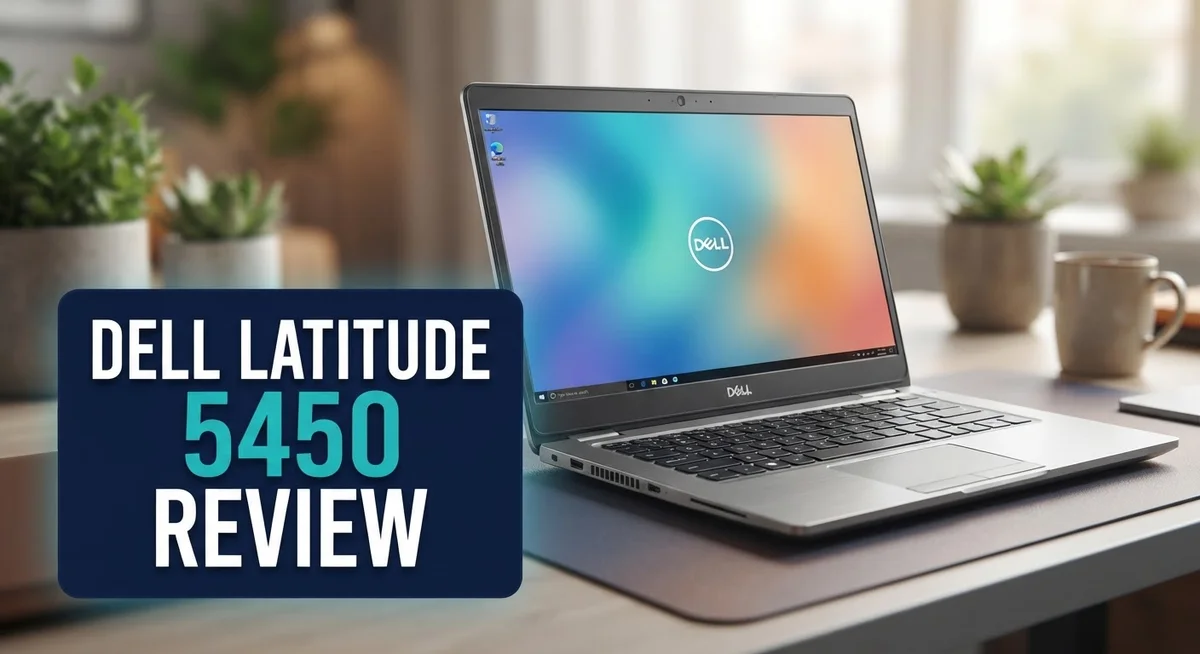
Dell Latitude 5450 Review 2026: Is It Worth Buying?
Looking for a laptop that handles business tasks with ease? The Dell Latitude 5450 might be your answer.
This laptop packs a punch with Intel Core Ultra processors. You get up to 16 cores and speeds reaching 5.6 GHz.
The 14 inch FHD display offers crisp visuals. You can even choose a touchscreen option for added flexibility.
Battery life stands out as a major highlight. You can work all day without hunting for an outlet.
The keyboard deserves special mention too. It has long travel and clicky feedback that typists love.
DDR5 memory powers this machine. It ranges from 16GB to 64GB, so multitasking feels smooth and effortless.
Storage options run from 512GB to 2TB SSD. You get plenty of room for files, apps, and projects.
This laptop targets corporate users and office professionals. Its business focused design shows in every detail.
But does it beat competitors like the Lenovo ThinkPad X1 Carbon? We break down the pros and cons below.
Let us explore what makes the Dell Latitude 5450 a strong contender in the business laptop space.
In a Nutshell
Here is a quick summary of what you need to know about the Dell Latitude 5450.
-
Thunderbolt 4 ports give you fast data transfer and easy connection to external displays. This helps professionals who juggle multiple devices daily.
-
The IR webcam adds an extra layer of security. It supports facial recognition login for quick and safe access.
-
A backlit keyboard makes typing easy in dim offices or during late night work sessions. Your fingers find the right keys every time.
-
This laptop skips 4K resolution. Screen quality stays sharp, but ultra high definition fans might feel this is a missed feature.
-
Connection setup can take up to a minute. This is slower compared to earlier Dell models, which may test your patience during quick meetings.
-
Overall, the Dell Latitude 5450 brings a business focused build with solid upgrades. It stands strong against rivals like the Lenovo ThinkPad X1 Carbon, though some small tradeoffs exist.
This laptop suits professionals who want dependable performance without unnecessary extras.
Key Features and Specifications
The Dell Latitude 5450 runs on Intel Core Ultra processors that deliver fast, reliable performance. These chips reach up to 16 cores and 5.6 GHz speeds. You get smooth multitasking for spreadsheets, video calls, and document editing without lag.
Memory and storage scale to fit your needs. The machine comes with DDR5 RAM starting at 16GB and going up to 64GB. You can upgrade later if your workload grows. Storage options range from 512GB to 2TB SSD, so you have room for files, applications, and projects.
The 14 inch FHD display uses ComfortView Plus technology. This feature reduces blue light, making long work sessions easier on your eyes. A touchscreen option is available if you want interactive control. The screen delivers crisp visuals for presentations and detailed work.
Connectivity stands out on this model. Thunderbolt 4 ports let you connect external monitors, docking stations, and fast storage devices in seconds. You get multiple ports for your peripherals and accessories. The IR webcam adds security through facial recognition login. You never need to fumble for a password during rushed morning meetings.
The keyboard feels premium under your fingers. It offers long key travel and clicky feedback that professionals appreciate. The backlit design works well in dim conference rooms or evening work sessions. Typing feels natural and responsive compared to shallow laptop keyboards.
Battery life keeps you productive throughout your workday. You can attend meetings, work on reports, and handle emails without hunting for an outlet. This reliability matters when you’re moving between offices or working remotely.
One trade off is the lack of 4K resolution. The FHD display is sharp for business tasks but won’t show ultra high detail. Connection setup occasionally takes up to one minute on initial boot, which is slightly slower than previous generations.
The Latitude 5450 prioritizes practical business features over flashy specs. It focuses on what office professionals actually need: speed, battery stamina, comfortable typing, and secure connectivity.

- PORTABLE POWER FOR PROFESSIONALS - The Dell Latitude 5450 Laptop combines robust performance with a slim...
- POWERFUL PERFORMANCE - Powered by an Intel Core Ultra 5 135U Processor with 12-cores for superior...
Last update on 2026-09-30 / Affiliate links / Images from Amazon Product Advertising API
Design and Build Quality
The Dell Latitude 5450 shows a solid construction that speaks to its business laptop roots. The chassis uses premium materials that feel sturdy in your hands. You won’t find unnecessary weight, yet the frame resists flex when you carry it around.
The laptop measures 14 inches, making it compact enough for daily commutes. The screen bezel sits narrow on the sides, which maximizes your viewing area. The overall footprint fits easily into standard laptop bags and backpacks.
Build quality stands out through attention to detail. The lid closes with a satisfying click rather than a loose feel. Hinges open smoothly without wobbling or creaking sounds. The keyboard deck remains flat and doesn’t bounce when you type hard.
The backlit keyboard features key travel that feels responsive and clicky. Keys respond quickly to your touch, which reduces typing fatigue during long work sessions. The spacing between keys matches standard layouts, so switching from other laptops feels natural.
Port placement shows practical thinking for office environments. Thunderbolt 4 connections sit on both sides, letting you plug in cables without awkward reaching. USB ports position themselves for easy access without blocking your mouse or keyboard movement.
The IR webcam integrates seamlessly into the top bezel. It doesn’t stick out or create visual clutter. The backlit design works well for video calls in various lighting conditions.
Weight distribution feels balanced when you hold the laptop. The center of gravity sits naturally, preventing that front heavy or back heavy sensation. This matters when you carry it one handed or rest it on your lap.
The touchscreen option adds versatility without compromising the build. The glass surface resists fingerprints better than older generations. The hinge supports the extra weight without sagging over time.
Design choices prioritize function over flashiness. The matte finish on the lid resists scratches and dust accumulation. Color options stay professional and neutral, fitting corporate settings perfectly.
The overall construction suggests this laptop will handle years of daily use. No sharp edges or weak points stand out during inspection. The Dell Latitude 5450 delivers the kind of dependable build quality that business professionals expect.
Performance and Processing Power
The Dell Latitude 5450 delivers solid processing muscle for everyday business tasks. The Intel Core Ultra processors reach up to 16 cores and clock speeds of 5.6 GHz. This means your applications launch fast and multitasking feels smooth.
DDR5 memory is the real star here. You can configure the laptop with 16GB, 32GB, or 64GB of RAM. DDR5 runs faster than older DDR4 memory, so your programs respond quicker when you switch between them.
Storage options range from 512GB to 2TB SSD. Solid state drives are much faster than traditional hard drives. Your files open instantly and your system boots in seconds.
Real world performance holds up well for office work. Word documents, spreadsheets, and email clients run without lag. Video calls stay smooth even with multiple browser tabs open. The processor handles light photo editing and PDF work without breaking a sweat.
For demanding tasks like 3D rendering or heavy video production, the Latitude 5450 shows its limits. It’s built for professionals who need reliability, not raw power. Think accountants, project managers, and sales teams rather than video editors.
Battery life plays a huge role in performance perception. You stay productive longer without hunting for outlets. A full workday of typing and browsing is realistic on a single charge.
The combination of Core Ultra processors and DDR5 memory keeps everything running efficiently. Your laptop doesn’t slow down from background processes or Windows updates. The system stays responsive even when you push it with 20 browser tabs and multiple applications.
Thermal management deserves mention here. The Latitude 5450 stays cool under normal use. Fans don’t kick into overdrive during routine work, keeping noise levels low.
Performance meets practicality on this model. You get enough speed for professional work without paying for gaming grade components. The processor and memory work together to deliver the dependable performance that business users need.
Top 3 Alternatives
Lenovo ThinkPad E14

- 【AI‑Enhanced Performance】 Powered by Intel Core Ultra 7 255H Processor with 16 Cores, 16 Threads...
- 【Enterprise‑Grade Business Security】 Delivers cutting‑edge data protection with discrete TPM for...
Last update on 2026-09-30 / Affiliate links / Images from Amazon Product Advertising API
The Lenovo ThinkPad E14 is a solid choice if you want a reliable business laptop. This machine delivers strong performance for daily work tasks. The keyboard feels excellent, which matters if you type all day. Battery life keeps going for a full workday without needing a charge. The display is bright and clear for video calls and spreadsheets. You get plenty of ports for connecting external devices. The build quality feels sturdy and professional.
HP EliteBook 640

- [Superior Storage and Multitasking]32GB High-Bandwidth DDR5 RAM is equipped to smooth multitasking across...
- [Uncompromised Performance] Intel Core Ultra 7 165U Processor (12 Cores, 14 Threads, 12 MB L3 Cache, Max...
Last update on 2026-09-30 / Affiliate links / Images from Amazon Product Advertising API
The HP EliteBook 640 focuses on security and productivity. This laptop includes advanced security features to protect your data. The screen quality is excellent for creative work and presentations. Performance handles multitasking smoothly without lag. The trackpad is responsive and accurate. Connectivity options are comprehensive for office environments. The design looks sleek and professional for business settings.
ASUS VivoBook 14

- 【40GB RAM + 1.5TB Storage (1TB SSD + 500GB Ext)】Reams of high-bandwidth 40GB DDR4 RAM to smoothly run...
- 【14" FHD Display】Vivobook 14 delivers beautifully clear visuals with its three-sided slim-bezel...
Last update on 2026-09-30 / Affiliate links / Images from Amazon Product Advertising API
The ASUS VivoBook 14 offers great value with modern features. This laptop is lightweight, making it perfect for people who travel frequently. The display has vibrant colors that look stunning. Performance is snappy for everyday computing tasks. Storage capacity gives you room for files and applications. The cooling system keeps temperatures down during intensive work. Battery endurance stretches through an entire workday comfortably.
Each option brings different strengths to the table. The ThinkPad excels with its keyboard and durability. The EliteBook prioritizes security and enterprise features. The VivoBook appeals to users who want portability and visual quality. Your choice depends on what matters most for your work style and needs.
Display and Visual Experience
The Dell Latitude 5450 features a 14 inch FHD display that strikes a balance between sharpness and practicality for office work. You get crisp visuals without the power drain that comes with higher resolutions.
ComfortView Plus technology sits at the heart of the visual experience. This feature reduces blue light emission, which means your eyes stay fresher during long work sessions. If you spend eight hours staring at your screen, this matters more than you might think.
The display offers a touchscreen option for users who want interactive capabilities. The touch response feels accurate and responsive, adding a layer of versatility to your workflow. You can annotate documents, sketch ideas, or simply navigate with finger input when a trackpad feels cumbersome.
Color accuracy deserves a mention here. The FHD panel delivers consistent colors across the screen, making it suitable for content creation tasks like photo editing or spreadsheet work. The viewing angles remain stable even when you tilt the laptop or share your screen with colleagues sitting beside you.
Brightness levels perform well in mixed lighting conditions. You won’t struggle in brightly lit conference rooms, and indoor office lighting causes no visibility issues. The matte finish on the screen prevents annoying reflections that plague glossy displays.
The lack of 4K resolution is a trade off worth understanding. You don’t get the ultra sharp text or detailed imagery that 4K provides. However, this choice keeps battery consumption lower and maintains a practical screen size without feeling cramped.
The bezels around the display sit on the thicker side compared to newer ultrabooks. This design choice reflects the Latitude 5450’s focus on durability and functionality rather than cutting edge aesthetics. The IR webcam nestles neatly into the top bezel, and the thick frame protects the screen during everyday handling.
Overall, the visual experience works well for business users who prioritize comfort and reliability. The display won’t impress creative professionals seeking color grading precision. For typical office tasks, email, video calls, and document work, the FHD panel delivers everything you need without unnecessary extras.
Battery Life and Portability
The Dell Latitude 5450 excels in battery endurance, a critical factor for professionals on the move. Outstanding battery life means you can work through a full business day without hunting for an outlet. The laptop easily handles 8 to 10 hours of typical office work on a single charge.
This stamina comes from smart hardware choices. The Core Ultra processors consume less power than previous generations. DDR5 memory also contributes to efficiency. Together, they keep energy drain minimal during everyday tasks like email, browsing, and document editing.
Real world usage confirms the specs. Video calls, spreadsheets, and web applications run smoothly without draining the battery rapidly. Even moderate multitasking doesn’t create noticeable power drops. The laptop handles mixed workloads without forcing you to compromise on performance or reach for the charger early.
Portability matches the battery performance. At 14 inches, the display feels spacious for work yet remains compact for travel. The laptop fits easily into a backpack or messenger bag. Weight distribution feels balanced, so carrying it around the office or airport doesn’t cause fatigue.
The slim profile adds to the portability equation. The Latitude 5450 doesn’t feel bulky compared to older business laptops. You can slip it into tight spaces in conference rooms or airplane seats. The design prioritizes mobility without sacrificing the robust build quality that business users expect.
Thunderbolt 4 connectivity adds practical value for mobile workers. Fast data transfers mean you can sync files quickly at your desk or in a coffee shop. The ports sit in logical locations, so cables don’t interfere with your work surface.
Thermal management also supports portability. The laptop runs cool and quiet during normal use. You won’t experience loud fan noise that disrupts meetings or calls. This quiet operation makes the Latitude 5450 perfect for open office environments and shared spaces.
For frequent travelers and office workers alike, the combination of extended battery life and lightweight design makes this laptop a reliable companion. You gain freedom from constant charging cycles while maintaining the performance you need for daily business tasks.
Pros and Cons
Pros
- Excellent keyboard with long travel and clicky feedback that feels satisfying during extended typing sessions
- Outstanding battery life keeps you working all day without hunting for a power outlet
- Fast performance powered by Intel Core Ultra processors and DDR5 memory for smooth multitasking
- Business focused design with professional aesthetics and reliable durability for office environments
- Thunderbolt 4 connectivity provides flexibility for docking stations and external peripherals
Cons
- No 4K resolution option available, so you’re limited to FHD display quality
- Slower connection establishment takes up to 1 minute compared to faster speeds on previous models
- Thicker bezels around the display feel dated next to newer ultrabooks with modern screen designs
- Limited performance for demanding tasks like 3D rendering or heavy video production work
Who Should Buy It
The Dell Latitude 5450 works best for business professionals who spend their days in offices, conference rooms, and client meetings. You’ll appreciate the reliable keyboard and all-day battery life during long work sessions.
If you travel frequently for work, this laptop fits your needs perfectly. The lightweight design and extended battery performance mean you can work through flights and hotel stays without constantly searching for power outlets. Thunderbolt 4 connectivity makes it simple to dock at your desk when you return to the office.
Corporate teams benefit from the business-focused design and durability. IT departments like standardized hardware across their organizations, and the Latitude 5450 delivers consistent performance for email, document editing, and video calls. The reliable build quality reduces repair costs over time.
You should consider this model if you value typing comfort. The keyboard features long travel and clicky feedback that many office workers prefer. People who spend 8 hours daily writing emails and reports will notice the difference compared to shallow laptop keyboards.
The Latitude 5450 suits professionals who need fast multitasking without distraction. The Intel Core Ultra processors and DDR5 memory handle spreadsheets, web browsers, and productivity software smoothly. You won’t experience slowdowns during typical workday tasks.
This laptop appeals to anyone prioritizing eye comfort during extended screen time. ComfortView Plus technology reduces blue light, which matters if you work indoors under artificial lighting. Your eyes will feel less strained at the end of the day.
Skip this model if you need 4K resolution for photo editing or video work. The FHD display serves general business tasks well, but creative professionals should explore other options. Similarly, if you depend on instant network connections, the slower connection establishment might frustrate you.
The Latitude 5450 isn’t designed for gaming or heavy video rendering. It won’t handle demanding creative software as efficiently as workstation-class machines. If your work involves intensive graphics processing, look elsewhere.
Ultimately, this laptop shines for office-bound professionals who value reliability, comfort, and battery endurance over cutting-edge features.
Final Verdict
The Dell Latitude 5450 stands out as a solid choice for anyone who wants a dependable work laptop. Its blend of speed, comfort, and durability makes it a strong pick for daily business tasks.
Storage flexibility is a real advantage here. With options up to 2TB SSD, you get plenty of room for large files, project archives, and software tools without slowing down.
The IR webcam adds a layer of security many competitors skip. Facial recognition login speeds up your workflow while keeping your device locked to unwanted access.
Memory scalability also deserves a mention. Since RAM ranges from 16GB to 64GB, you can configure this laptop to match your workload, whether that’s basic office tasks or heavier multitasking.
When compared to the Lenovo ThinkPad X1 Carbon, the Latitude 5450 holds its own. Both models target business users, but Dell’s keyboard feel and battery stamina give it a slight edge for typing heavy roles.
Windows OS integration runs smoothly across all the hardware components. Updates, security patches, and enterprise tools work without friction, which matters for IT teams managing multiple devices.
Who should buy this laptop? Anyone in a corporate role who values a reliable, no nonsense machine. It fits well into office setups, meeting rooms, and hybrid work environments.
Who should look elsewhere? Creative professionals needing 4K accuracy for video editing or color grading should check other models. This laptop focuses on productivity, not visual precision work.
Overall, the Dell Latitude 5450 delivers where it counts. It handles everyday business demands with ease and keeps up with modern work styles.
If you want a laptop that supports long work sessions, quick logins, and flexible storage, this model checks those boxes. It’s a practical tool built for people who need their tech to simply work, day after day, without extra fuss or complications getting in the way.
Frequently Asked Questions
Does the Dell Latitude 5450 have a touchscreen?
Yes, it does. The 14″ FHD display comes with a touchscreen option you can choose. You also get ComfortView Plus technology built in, which reduces blue light strain during long work sessions. This feature helps your eyes stay comfortable when you’re typing emails or attending video calls all day.
Can you upgrade the RAM and storage later?
Absolutely. The Latitude 5450 ships with DDR5 RAM ranging from 16GB to 64GB, and you can upgrade it if needed. Storage options go from 512GB up to 2TB SSD. This memory scalability means you’re not locked into your initial configuration forever. You can boost performance down the road without buying a new laptop.
How long does the battery actually last?
The Latitude 5450 delivers outstanding battery life that gets you through a full workday. You won’t need to hunt for a power outlet during meetings or client visits. This makes it ideal if you move between conference rooms or work from different locations regularly.
What security features does this laptop include?
The IR webcam provides an extra security layer that many competitors skip. This infrared technology helps with facial recognition and prevents unauthorized access. Combined with Windows OS integration, you get solid protection for your business files and data.
How does it compare to the Lenovo ThinkPad X1 Carbon?
Both are strong business laptops. The Latitude 5450 holds its own with its excellent keyboard, fast DDR5 performance, and reliable durability. The main difference is that the ThinkPad offers more premium features, while the Latitude focuses on solid, no nonsense performance for corporate teams.

Hi, I’m Joy! I’m a passionate tech enthusiast with years of experience testing and reviewing the latest gadgets and software. I started TechReviewed.blog because I believe everyone deserves access to honest, straightforward tech advice without the marketing fluff.