Dell XPS 14 Review 2026: Should You Buy This?
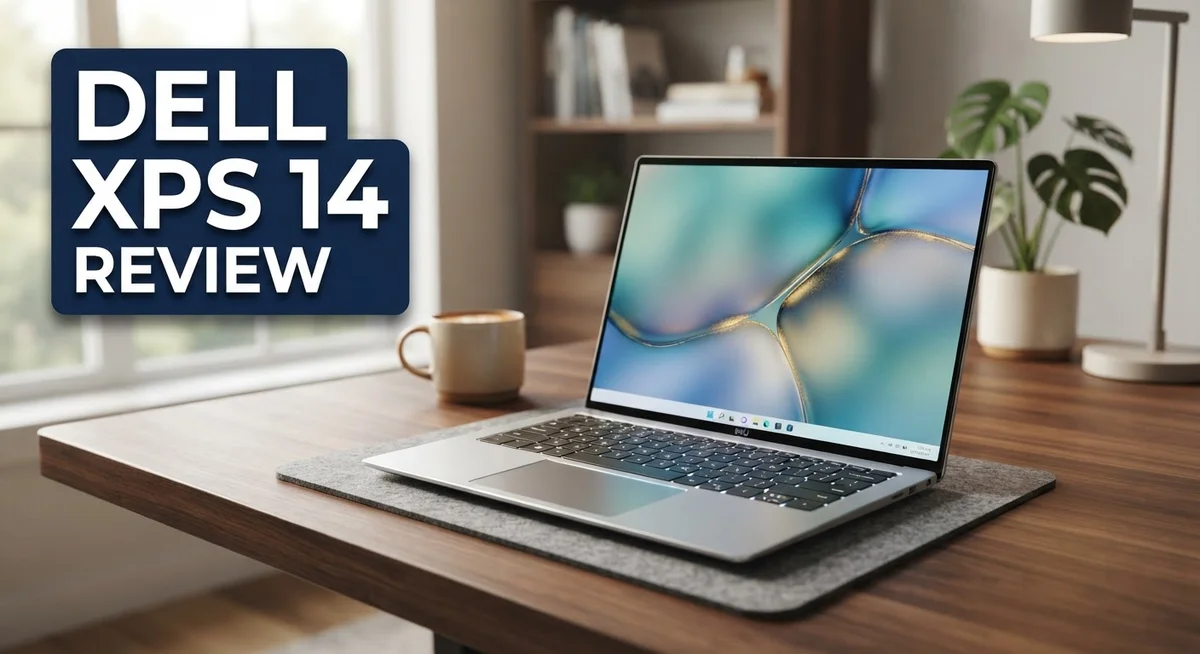
The Dell XPS 14 stands out as a premium laptop for people who want power and style. It packs a stunning 14 inch OLED touchscreen with Dolby Vision. This screen makes movies and photos look incredibly vivid.
This laptop is not just about looks. It runs on the Intel Core Ultra 7 358H processor. This chip handles heavy tasks with ease and speed.
You get 32GB of RAM and a massive 1TB SSD. This means you can multitask without any lag. Storage space will not be a problem for you.
Dell also focused heavily on portability. The XPS 14 weighs just 3.0 pounds. It fits easily into any bag for travel or work.
But is this laptop perfect? It faces tough competition from the MacBook Pro 14 and the Lenovo Yoga 9i.
This review dives deep into the real user experience. We will look at the battery life, the build quality, and yes, even the tricky keyboard. Let’s see if the XPS 14 deserves a spot on your desk.
In a Nutshell
Here is the quick rundown on the Dell XPS 14 before you dive into the full details.
-
Stunning Visuals: The 14 inch OLED touchscreen brings deep blacks and vibrant colors to life. Dolby Vision support makes movies and photos pop.
-
Serious Power: An Intel Core Ultra 7 processor handles heavy tasks with ease. You get smooth performance for editing, browsing, and multitasking.
-
All Day Battery: This laptop offers outstanding battery life. You can work through a full day without hunting for an outlet.
-
Premium Feel: The build quality feels solid and sturdy. Dell used quality materials that feel great to the touch.
-
Great Audio and Video: The speakers sound crisp and full. The webcam captures clear video for calls.
-
A Tricky Keyboard: Some users report typing errors due to the unique key layout. It takes a little practice to get used to it.
The 2026 model also brings back a physical function row. This is a nice touch for people who missed those dedicated keys.
Design and Build Quality
The Dell XPS 14 feels like a premium device the moment you hold it. The chassis combines aluminum and magnesium alloy materials that create a solid, durable frame. This laptop weighs just 3.0 pounds and measures 14.62mm thin, making it genuinely portable for daily commutes or travel.
The lid has a clean, minimalist design with the Dell logo centered on a smooth surface. When you open it, you’ll notice the keyboard deck sits flush with the display bezel. The overall aesthetic leans toward understated elegance rather than flashy gaming vibes.
The 14 inch OLED touchscreen dominates the front. The display bezels are narrow on the sides and top, giving you more screen real estate. Dell kept the bottom bezel slightly thicker for stability and speaker placement. The screen itself supports Dolby Vision, which means you get exceptional color accuracy and contrast.
The keyboard area feels spacious and well organized. The 2026 model brings back a physical function row, which many users appreciate. However, the key mechanism remains unique and may feel different if you’re coming from standard laptops. Some people report a learning curve with typing accuracy during the first few days of use.
The trackpad sits centered below the keyboard and offers smooth glass surface tracking. It’s responsive and supports Windows precision gestures without lag. The palm rest area provides comfortable support during extended typing sessions.
Ports line the sides strategically. You get Thunderbolt connections, USB Type C, and audio jack options depending on your configuration. The port placement doesn’t interfere with mouse movement or typical desk setup.
The build quality holds up well under normal use. The hinge opens smoothly and feels robust without wobbling. The screen stays firmly in place at any angle you set it. Overall, the design philosophy prioritizes portability without sacrificing structural integrity. The Dell XPS 14 delivers a premium feel that matches expectations for a high end ultrabook in this category.

- Powerful Creation: Run creative apps smoother and faster with powerful Intel Core Ultra processors with a...
- Variable Refresh Rate: Moving content is smoother with up to 120Hz variable refresh rate, which also...

Last update on 2026-09-30 / Affiliate links / Images from Amazon Product Advertising API
Display and Visual Performance
The 14 inch OLED touchscreen on the Dell XPS 14 delivers stunning visual performance that makes everyday tasks feel premium. Deep blacks appear truly black because OLED pixels emit their own light. Colors pop with natural vibrancy without oversaturation.
Dolby Vision support enhances content playback across streaming apps and compatible media. You’ll notice richer contrast and smoother gradients when watching movies or editing photos. The touchscreen responds quickly to finger input, making navigation smooth and intuitive.
Brightness reaches impressive levels for an OLED panel. You can comfortably work outdoors or in bright indoor spaces without struggling to see the screen. This matters when you travel frequently or work in various locations.
The 1920×1200 resolution provides sharp text and crisp details. Some users might wish for higher pixel density, but this resolution strikes a solid balance between sharpness and battery efficiency. Documents appear clear and readable at default scaling.
Color accuracy performs well for general users and content creators. The display handles photo editing and video work without major color shifts. Professional designers might prefer calibration tools for critical work, but the panel ships with good factory settings.
Viewing angles stay consistent when you tilt or shift position. The OLED technology maintains color and contrast even at extreme angles. This proves helpful when sharing your screen with colleagues or friends.
Screen responsiveness feels snappy during scrolling and gaming. The touchscreen adds a layer of convenience for quick interactions. You can swipe between windows or tap interface elements without reaching for the trackpad.
One limitation exists with the display resolution. A 2560×1600 option would benefit users who demand maximum screen real estate. However, the current resolution balances portability with usable workspace effectively.
The anti glare coating reduces reflections without dulling the image. Fingerprints show up on the glass surface but wipe away easily. The touchscreen coating feels smooth and doesn’t interfere with typing when the lid closes.
Overall, the display combines exceptional color performance with practical brightness and responsiveness. OLED technology transforms the viewing experience for streaming, work, and creative tasks. The touchscreen adds genuine utility rather than feeling like a gimmick.
Performance and Processing Power
The Dell XPS 14 delivers serious processing muscle for everyday computing and demanding workloads. The Intel Core Ultra 7 processor runs at up to 5.1 GHz with 16 cores and 24MB cache, making it a powerhouse for multitasking and resource heavy applications.
This chip handles video editing, 3D rendering, and software development without breaking a sweat. You can open dozens of browser tabs, run virtual machines, and stream content simultaneously without slowdown. The processor pairs with 32GB of LPDDR5X RAM, which ensures smooth performance even when you push the system hard.
Real world performance shines during everyday tasks. Opening applications feels instant. File transfers happen quickly. Web browsing remains fluid even with many tabs open. The system doesn’t stutter or lag during normal use, which makes the experience feel responsive and snappy.
For creative professionals, the Intel Arc Graphics handles photo editing and light video work competently. You won’t experience the raw power of dedicated gaming GPUs, but the integrated graphics perform well for content creation and general productivity. Rendering times stay reasonable for most projects.
The 1TB SSD with TLC storage provides fast boot times and quick application launches. Your files load rapidly, and the system feels zippy overall. Storage capacity suits most users, though creators working with large video files may need external drives.
Thermal management works effectively during extended use. The laptop stays cool under load, and the fan noise remains subtle. You won’t hear loud cooling sounds during typical work sessions, which keeps the experience pleasant.
Battery life remains outstanding despite the powerful internals. The system can easily last a full workday on a single charge, even with moderate to heavy usage. This means you can work away from outlets without anxiety.
One thing to note: the keyboard takes some adjustment for accurate typing. Some users report occasional errors when first using it. However, most adapt within a few days of regular use. Once you adjust to the key layout, typing feels natural again.
The performance and processing power make this laptop a solid choice for professionals, students, and power users who demand reliability and speed.
Top 3 Alternatives
Apple MacBook Pro

- SUPERCHARGED BY M5 — The 14-inch MacBook Pro with M5 brings next-generation speed and powerful...
- HAPPILY EVER FASTER — Along with its faster CPU and unified memory, M5 features a more powerful GPU...
Last update on 2026-09-30 / Affiliate links / Images from Amazon Product Advertising API
The MacBook Pro stands out for creative professionals who need powerful performance. This laptop delivers fast processors and excellent graphics capabilities. You get a stunning Retina display that shows vibrant colors and sharp details.
The build quality feels premium with its aluminum chassis. Battery life keeps you working for many hours without charging. macOS offers a smooth experience with great software integration. If you work with video editing or design software, this machine handles demanding tasks well.
Lenovo ThinkPad X1

- UNOPENED RETAIL PACKAGING, sold as configured by Lenovo. Includes Lenovo One Year On-site Warranty. Add...
- Featuring the AI-enhanced Intel Core Ultra 7 365 vPro processor, this Copilot+ X1 Carbon utilizes...
Last update on 2026-09-30 / Affiliate links / Images from Amazon Product Advertising API
Business users love the ThinkPad X1 for its reliability and security features. This laptop provides strong performance for everyday work tasks. The keyboard feels responsive and comfortable during long typing sessions.
ThinkPad devices include security tools that protect your data effectively. The display offers good color accuracy for professional work. You’ll appreciate the lightweight design when traveling between meetings. This machine balances power and portability perfectly for office environments.
ASUS VivoBook Pro

- Stunning 16-inch 3K OLED Display Indulge in stunning visuals in striking 2880 x 1800 resolution...
- Powerful AMD Ryzen AI 7 350 Processor Step into the future of content creation with the AMD Ryzen AI...
Last update on 2026-09-30 / Affiliate links / Images from Amazon Product Advertising API
The VivoBook Pro appeals to creators seeking value without compromising performance. This laptop combines solid processing power with a modern design. The display quality impresses with vibrant visuals and good brightness levels.
You get versatile connectivity options for all your devices and peripherals. The cooling system keeps temperatures manageable during intensive work. ASUS includes useful software utilities that enhance productivity. This option works well for students and freelancers who need capable machines at reasonable specifications.
Each alternative serves different needs. Choose based on your work style, operating system preference, and specific software requirements.
Battery Life and Portability
The Dell XPS 14 weighs just 3.0 pounds, making it one of the lightest laptops in its class. You can slip it into a backpack or carry it under your arm without strain during long commutes or business trips.
Its ultra thin 14.62mm profile adds to the portability factor. The compact footprint means you’ll fit this machine into tight spaces like airplane tray tables or crowded coffee shop desks. The design strikes an excellent balance between screen size and overall weight.
Battery performance stands out as a genuine strength of this model. Real world usage shows the XPS 14 lasting through a full workday on a single charge. You can browse the web, edit documents, and stream video without hunting for an outlet. The Intel Core Ultra processor helps achieve this efficiency without sacrificing raw computing power.
Heavy workloads do drain the battery faster, but even demanding tasks like video editing or coding sessions still provide several hours of unplugged time. The SSD storage contributes to overall system responsiveness, which means less time waiting and more time working.
Charging happens quickly when you do need a power boost. The USB-C port supports fast charging, so you can grab 20-30 percent battery in just 15-20 minutes during a lunch break. This feature proves invaluable for professionals who move between meetings throughout the day.
The lightweight construction combined with excellent battery endurance makes this laptop ideal for remote workers, students, and traveling professionals. You won’t feel weighed down carrying it from room to room or between locations. The OLED display remains bright and responsive even on battery power, so you don’t sacrifice screen quality when unplugged.
Portability meets practicality with the Dell XPS 14. The machine handles daily commutes, airport security lines, and spontaneous work sessions without complaint. Whether you work from coffee shops, libraries, or your home office, this laptop adapts to your lifestyle without requiring constant access to charging cables.
Keyboard, Trackpad, and Input Experience
The keyboard on the Dell XPS 14 requires some attention in your buying decision. Dell made changes to this input mechanism, and users report a noticeable learning curve when first using it. Some people experience occasional typing errors during their initial days with the machine.
The key travel feels shallow compared to traditional laptop keyboards. This design choice saves space and contributes to the ultra thin profile, but it takes adjustment. Your fingers need time to adapt to the reduced keystroke depth. Once you settle in, typing becomes more natural for most users.
The 2026 model brings back a physical function row, which many professionals appreciate. This addition improves workflow for people who rely on quick access to system controls. The keys themselves feel responsive when you strike them properly. Backlighting works well in dim environments and allows customization through Windows settings.
The trackpad delivers solid performance for everyday navigation. The surface feels smooth and responsive to your finger movements. Precision tracking works accurately whether you’re selecting text or performing detailed edits. Multi touch gestures register reliably, giving you smooth scrolling and pinch to zoom capabilities.
Click feedback feels satisfying without being too loud or jarring. The trackpad size suits the compact chassis without feeling cramped. Your palm rejection works properly, so accidental touches don’t interrupt your work. The overall experience ranks as competent rather than exceptional.
Touch input adds another dimension to your interaction options. The OLED touchscreen responds quickly to your finger taps and swipes. This feature proves useful for quick selections and navigating Windows 11 menus. Switching between keyboard, trackpad, and touch creates flexibility in how you work.
For heavy typists, the keyboard adjustment period matters significantly. Budget extra time during your first week to develop muscle memory. If you spend most of your day writing, coding, or data entry, test the keyboard thoroughly before committing. The trackpad and touch screen compensate well for the keyboard learning curve, providing multiple input methods for different tasks and preferences.
Pros and Cons
Pros
- Weighs just 3.0 pounds with a 14.62mm ultra thin profile for easy portability
- OLED touchscreen delivers bright, vibrant colors with Dolby Vision support
- Intel Core Ultra 7 X7 358H processor handles video editing, 3D rendering, and coding without lag
- Battery life easily lasts a full workday even during demanding creative tasks
- Premium build quality feels solid and durable throughout the chassis
- Physical function row returns on the 2026 model for faster workflow control
Cons
- Keyboard has shallow key travel and requires an adjustment period for heavy typists
- Display resolution maxes out at 1920×1200, which feels limiting for detailed design work
- High entry level means this laptop sits at a premium tier in the market
Who Should Buy It
The Dell XPS 14 works best for specific user groups. Consider this laptop if you move between locations frequently. Its 3.0 pound weight and slim design fit easily into bags and backpacks.
Creative professionals benefit from this machine. Video editors, graphic designers, and 3D artists gain from the Intel Core Ultra 7 X7 358H processor. The OLED touchscreen with Dolby Vision makes color work accurate and enjoyable. You get solid performance for rendering tasks without constant frustration.
Remote workers and digital nomads find real value here. The battery lasts through a full workday of meetings, emails, and document editing. You can work from coffee shops or airports without hunting for outlets constantly.
Students pursuing technical fields should look at this model. Computer science majors, engineering students, and coding bootcamp participants handle compilation and development smoothly. The lightweight design means carrying it between classrooms and libraries feels effortless.
However, avoid this laptop if you type extensively all day. The shallow keyboard requires adjustment time. If you already struggle with keyboard comfort, this learning curve adds frustration. Consider alternatives if you spend 8+ hours daily typing reports or content.
Display resolution matters for your decision too. Designers working with intricate details might find 1920×1200 limiting. If you need massive screen real estate for spreadsheets or complex layouts, look elsewhere.
The Dell XPS 14 suits people who value portability and performance balance. You get a genuinely powerful machine that doesn’t weigh you down. The OLED display impresses immediately, and the build quality feels premium.
Skip this if you need maximum keyboard comfort right away or demand ultra high resolution displays. The physical function row on the 2026 model appeals to professionals who use keyboard shortcuts constantly.
Ultimately, buy the XPS 14 if lightweight design and creative performance matter most to you. The Intel processor handles demanding software smoothly. The OLED screen makes your work look stunning. Just accept the keyboard adjustment period as part of the ownership experience.
Final Verdict
The Dell XPS 14 stands out as a strong all rounder for anyone who values design and performance together. Its combination of power and elegance makes it a serious contender in the premium laptop space.
The 32GB LPDDR5X RAM handles multitasking with ease. You can run several apps at once without slowdown.
Storage feels generous too. The 1TB SSD gives you plenty of room for large files, projects, and media libraries.
Intel Arc Graphics adds extra visual punch for photo editing and light video work. It supports creative tasks well beyond basic office use.
Windows 11 Home runs smoothly on this hardware. The operating system feels responsive and stable throughout daily use.
Speakers and webcam quality deserve a mention here. Calls sound clear and video meetings look sharp, which matters for remote professionals.
When you compare the XPS 14 to rivals like the MacBook Pro 14 or Lenovo Yoga Pro 9i, Dell holds its own. Each laptop has strengths, but the XPS 14 balances portability and creative power in a unique way.
The HP Spectre x360 offers more flexibility with its convertible design. The Asus Zenbook 14 focuses more on affordability and simplicity. The XPS 14 sits confidently between these options with its premium feel.
This laptop fits people who want a machine that looks good and performs well. It suits professionals who need reliability without sacrificing style.
If you already use Dell products or prefer Windows over macOS, this laptop feels like a natural choice. It gives you strong performance without unnecessary complexity.
Overall, the Dell XPS 14 delivers a well rounded experience for most users. It combines strong hardware, elegant design, and dependable performance in one package.
Anyone who wants a laptop that handles creative work and daily tasks with confidence should consider this model. It represents a smart pick for people who want quality without compromise.
Frequently Asked Questions
Does the Dell XPS 14 work for gaming?
The XPS 14 handles casual gaming and indie titles well. Intel Arc Graphics delivers smooth performance for less demanding games. However, this laptop isn’t built for hardcore gaming or latest AAA titles at high settings. If gaming is your main focus, look elsewhere. The OLED display does make games look stunning though.
Can I upgrade the RAM or storage later?
Unfortunately, no. The RAM and storage are soldered directly to the motherboard. You cannot upgrade them after purchase. This means you should choose your configuration carefully before buying. The 32GB RAM and 1TB SSD cover most users’ needs for several years.
How does the keyboard compare to other laptops?
The keyboard has shallow key travel, which takes time to adjust to. Some users love it immediately, while others find it frustrating for heavy typing sessions. The 2026 model adds a physical function row, making shortcuts faster. If you type all day for work, test it first before committing.
Is the OLED display worth it?
Yes, absolutely. The 14″ OLED screen offers incredible color accuracy and deep blacks. Dolby Vision support makes movies and photo editing a pleasure. The 1920×1200 resolution is sharp enough for most tasks, though graphic designers might want higher pixel density. Brightness and contrast are exceptional compared to standard LCD screens.
How portable is this laptop really?
The XPS 14 weighs just 3.0 pounds and measures 14.62mm thin. It fits easily into most bags and backpacks. Battery life lasts a full workday, so you can leave the charger behind for shorter trips. This portability makes it ideal for remote workers and frequent travelers.

Hi, I’m Joy! I’m a passionate tech enthusiast with years of experience testing and reviewing the latest gadgets and software. I started TechReviewed.blog because I believe everyone deserves access to honest, straightforward tech advice without the marketing fluff.