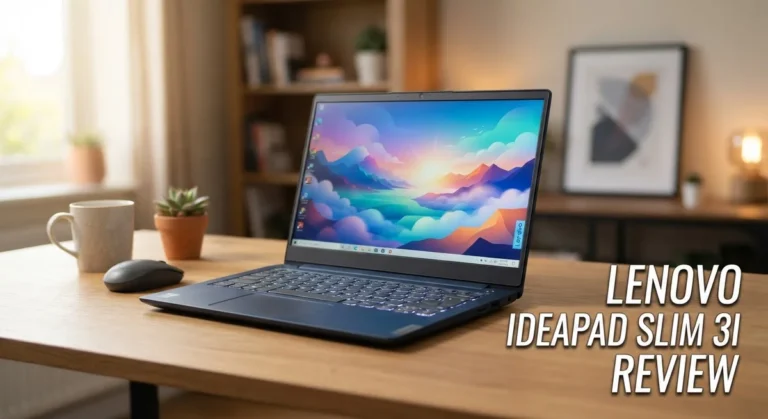
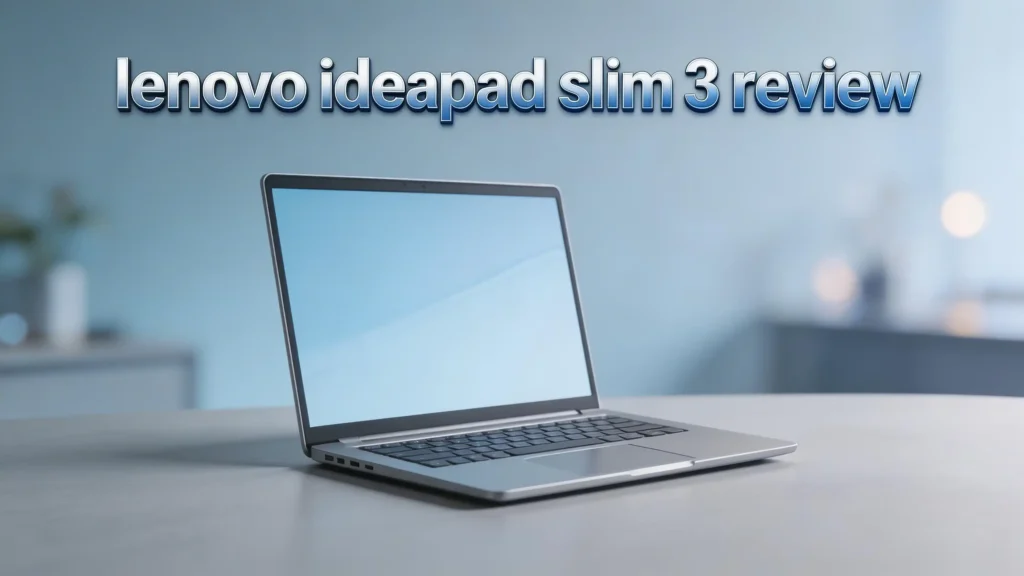
Lenovo IdeaPad Slim 3 Review 2026: Worth Your Money?
Are you looking for a budget laptop that handles daily tasks without emptying your wallet? The Lenovo IdeaPad Slim 3 has been one of the most popular affordable laptops for years.
The 2026 edition brings a familiar formula with a 15.6-inch FHD touchscreen display, Intel or AMD processors, and a lightweight build. But does it deliver real value, or does it cut too many corners?
This review covers every detail you need, from performance and battery life to display quality and build materials.
By the end of this post, you will know if the IdeaPad Slim 3 fits your needs or if you should look elsewhere.
Key Takeaways
- The Lenovo IdeaPad Slim 3 is a budget laptop priced between $430 and $670, depending on configuration. It targets students, home users, and casual workers who need a basic machine for everyday tasks.
- Display quality is decent but not impressive. The 15.6-inch Full HD IPS touchscreen delivers clear visuals for web browsing and streaming. However, brightness levels sit around 250 to 300 nits, which can feel dim in bright rooms.
- Performance handles light tasks only. Intel Core and AMD Ryzen processors power this laptop. Models with 16GB RAM and 512GB SSD run smoothly for basic use. Lower-end configurations with 8GB RAM may struggle with heavy multitasking.
- Battery life is a weak point. Real-world usage delivers around 4 to 5 hours on a single charge. This falls short of many competitors in the same price range.
- Build quality uses plastic materials that feel lightweight but lack the premium feel of metal-bodied laptops. The keyboard deck flexes under pressure, and the touchpad can feel inconsistent.
- Connectivity includes Wi-Fi 6, Bluetooth 5.2, USB-A, USB-C, HDMI, and an SD card reader. The port selection is solid for a budget device, though USB-C speeds are limited to 5 Gbps.
Lenovo IdeaPad Slim 3 2026: Overview and First Impressions


Last update on 2026-09-30 / Affiliate links / Images from Amazon Product Advertising API
The Lenovo IdeaPad Slim 3 arrives as a no-frills budget laptop aimed at everyday users. It ships in a Cosmic Blue or Arctic Grey finish. The box includes the laptop, a 65-watt power adapter with a barrel connector, and basic documentation.
First impressions reveal a clean, modern design that looks more expensive than it costs. The slim profile measures roughly 0.74 inches thick. The laptop weighs about 3.59 pounds, making it portable enough for short trips between rooms.
You notice the plastic body immediately. It does not feel cheap at first glance, but it lacks the sturdiness of aluminum alternatives. The lid flexes slightly under pressure. Opening the laptop reveals a spacious 15.6-inch display with thin bezels on three sides.
Design and Build Quality
The IdeaPad Slim 3 uses a full plastic chassis that keeps the weight low. Lenovo chose function over flash here. The build feels adequate for a budget device, but it does not inspire confidence.
The body can rattle slightly during typing or when tapping the touchpad. This is a common issue with laptops in this price range. The hinge feels firm enough to hold the screen at your preferred angle. It also allows the display to fold almost flat, which is useful for sharing content with someone sitting across from you.
Dimensions sit at roughly 13.5 x 9.4 x 0.74 inches. The laptop does not feel bulky on a desk. Most users will keep this at home on a table or desk rather than carry it in a backpack daily. The finish resists fingerprints well, which keeps the laptop looking clean with minimal maintenance.
Display Performance and Visual Quality
The Lenovo IdeaPad Slim 3 features a 15.6-inch Full HD (1920 x 1080) IPS touchscreen display. Higher-end models upgrade to a 15.3-inch Full HD+ (1920 x 1200) panel with a 16:10 aspect ratio. Both panels offer anti-glare coating.
Brightness hovers around 250 to 300 nits. This works fine in dim or indoor environments. However, it struggles near windows or in well-lit rooms. Colors appear natural but not vibrant. The 45% NTSC color gamut means this display is not suitable for photo editing or color-sensitive work.
The 60Hz refresh rate is standard for budget laptops. Scrolling feels smooth enough for web pages and documents. Touch response is accurate and responsive. You can scroll, pinch-to-zoom, and tap through Windows 11 without issues. The bezels around the screen are thin, giving the display a clean and modern appearance.
Top 3 Alternatives for Lenovo IdeaPad Slim 3
1. Acer Aspire 3 (15.6-inch)

Last update on 2026-09-30 / Affiliate links / Images from Amazon Product Advertising API
2. HP Laptop 15 (2025/2026 Edition)

- 【Powerful Performance】Equipped with an Intel Core i3 N305 processor, featuring up to 4.4 GHz...
- 【Expansive Display】The 15.6" Full HD display offers clear and vibrant visuals, 300 nits brightness...
Last update on 2026-09-30 / Affiliate links / Images from Amazon Product Advertising API
3. ASUS VivoBook 15 (2025)

- Display and Graphics:Experience visual brilliance and vivid clarity on this 15.6" LED-backlit IPS...
- Memory and Storage:Elevate your performance with 40GB of lightning-fast DDR4 SDRAM operating at 3200MHz...
Last update on 2026-09-30 / Affiliate links / Images from Amazon Product Advertising API
Processor and Everyday Performance
The Lenovo IdeaPad Slim 3 ships with Intel Core or AMD Ryzen processors, depending on your chosen configuration. Common options include the Intel Core 5 210H, AMD Ryzen 5 7530U, and AMD Ryzen 7 5825U.
The Intel Core 5 210H uses the older Raptor Lake architecture. It handles web browsing, document editing, and video streaming without major issues. However, it lacks an NPU (Neural Processing Unit) for AI tasks. Performance slows down noticeably with multiple browser tabs and applications open at the same time.
AMD Ryzen models offer competitive performance with better integrated graphics from AMD Radeon. The Ryzen 7 5825U with 16GB RAM and 512GB SSD delivers smoother multitasking than the base Intel models. For the best experience, skip the 8GB RAM models and go directly to 16GB. This upgrade makes a significant difference in daily use.
RAM, Storage, and Upgrade Options
Most configurations of the IdeaPad Slim 3 offer 8GB or 16GB of DDR4 or DDR5 RAM. The 16GB models deliver a much better experience for multitasking. The 8GB models can feel sluggish with several browser tabs open alongside other applications.
Storage options range from 256GB to 1TB SSD. All models use PCIe NVMe drives for fast boot times and quick file transfers. A 512GB SSD is the sweet spot for most users. It provides enough room for the operating system, essential software, documents, photos, and a few games.
The back cover comes off with six Torx screws and a plastic pry tool. Inside, you can access the M.2 SSD slot, RAM module, and Wi-Fi card. This means you can upgrade storage or RAM later if your needs change. This is a genuine advantage over many sealed budget laptops from competitors.
Keyboard and Touchpad Experience
The IdeaPad Slim 3 includes a full-sized island-style keyboard with a numeric keypad. It offers two-level backlighting, which helps in dim rooms. The key travel feels adequate, and the soft-touch keycaps are pleasant under the fingers.
However, there are drawbacks. Heavy typists will notice keyboard flex in the center of the deck. Press hard, and the entire area sinks slightly. The numeric keypad also shifts the main typing area to the left, which can cause positioning discomfort over long sessions.
The touchpad is large and supports Windows Precision drivers. Basic gestures like scrolling and tapping work well. Three-finger gestures can feel inconsistent, sometimes triggering unwanted Task View switches during two-finger scrolls. The click mechanism is loud and has a plastic feel. For extended typing or precise touchpad work, an external mouse and keyboard are recommended.
Battery Life and Charging
Battery life is one of the weakest areas of the Lenovo IdeaPad Slim 3. The laptop packs a 47 to 60 Wh lithium polymer battery, depending on the model. Lenovo advertises up to 8 hours of battery life. Real-world tests paint a different picture.
Expect around 4 to 5 hours of mixed use, including web browsing, document work, and light streaming. This drops further with touchscreen use, brightness above 50%, or resource-heavy tasks. Some users report even shorter battery life on Intel Core 5 configurations.
The included 65-watt charger uses a proprietary barrel connector. You can also charge through the USB-C port with a compatible charger, which adds flexibility. A full charge from empty takes about 2 hours. If you need all-day battery life away from a power outlet, this laptop will not meet that requirement.
Connectivity and Port Selection
The Lenovo IdeaPad Slim 3 offers Wi-Fi 6 and Bluetooth 5.2 for wireless connectivity. Wi-Fi 6 delivers solid speeds for streaming, downloading, and video calls in most home environments. Some reviewers noted occasional slow Wi-Fi performance compared to premium devices.
The port selection is generous for a budget laptop. The left side includes a USB 3.2 Gen 1 Type-A port (5 Gbps), an HDMI 1.4 video-out port, a USB 3.2 Gen 1 Type-C port (5 Gbps), a combo audio jack, and the power connector. The right side adds another USB 3.2 Gen 1 Type-A port and an SD card reader.
This gives you plenty of options to connect external displays, USB drives, headphones, and cameras. The main weakness is the lack of high-speed USB ports (10 Gbps or 20 Gbps). The single USB-C port is also limited. A second USB-C port on the opposite side would improve daily usability.
Webcam, Audio, and Video Calling
The IdeaPad Slim 3 comes with a Full HD (1080p) webcam positioned above the display. It performs well in good lighting conditions. Colors appear accurate, and the image is sharp enough for video calls on Zoom, Teams, or Google Meet.
In low light, image quality drops noticeably with visible grain and noise. The dual-array microphones pick up voice clearly at close range. However, they can distort when speaking loudly or when background noise is present.
The upward-firing stereo speakers sit above the keyboard with a pin-hole grill design. Lenovo includes Dolby Atmos support, which adds minor audio enhancements. Sound quality is thin and lacks bass. It works fine for casual YouTube viewing or short video calls. For music, movies, or extended listening, external speakers or headphones are strongly recommended. A manual webcam privacy shutter adds a basic layer of physical security.
Software and Windows 11 Experience
The Lenovo IdeaPad Slim 3 runs Windows 11 Home out of the box. Lenovo keeps the software additions relatively light compared to some competitors. You get Lenovo Vantage for system management and updates, Dolby Access for audio tuning, and Intel Graphics Command Center for display settings.
McAfee antivirus comes pre-installed, which many users prefer to remove in favor of Windows Defender. Lenovo Vantage is useful for driver updates and battery management. However, it does send occasional upsell notifications that can feel intrusive.
Overall, the Windows 11 experience is smooth on models with 16GB RAM and SSD storage. Boot times are fast. App launches feel responsive for basic programs like Microsoft Office, web browsers, and streaming apps. Lower-end 8GB configurations may experience slight delays during Windows updates or when switching between multiple apps.
Who Should Buy the Lenovo IdeaPad Slim 3?
This laptop is best for students, home users, and casual workers with light computing needs. If you spend most of your time browsing the web, writing documents, checking email, and streaming videos, the IdeaPad Slim 3 handles these tasks without issue.
It also works well as a secondary or family laptop. Keep it on the kitchen table or in a home office for quick tasks. The touchscreen is handy for casual browsing and scrolling through recipes or social media.
This laptop is not ideal for graphic design, video editing, gaming, programming, or heavy multitasking. If you run multiple heavy applications at the same time, you will experience slowdowns. Users who need all-day battery life or a premium build should consider spending more on a mid-range option. The IdeaPad Slim 3 fills a specific role well. It is an affordable, functional machine for basic daily use.
Pricing and Value for Money
The Lenovo IdeaPad Slim 3 starts at around $430 for the base configuration on Lenovo’s website. This base model includes 8GB RAM and 256GB SSD, which feels limited. Mid-range configurations with 16GB RAM and 512GB SSD cost between $500 and $670, depending on the retailer.
At the $500 price point, the IdeaPad Slim 3 offers reasonable value. You get a touchscreen display, adequate performance, and upgradeable internals. At $670, the value proposition weakens because competitors offer better displays, longer battery life, and faster processors.
Watch for sales on Amazon, Costco, and Lenovo’s own store. This laptop frequently drops in price during seasonal sales events. A price closer to $450 to $500 for a 16GB/512GB configuration makes it a strong budget pick. Above that range, you should compare it directly to the Acer Aspire 3, HP Laptop 15, and ASUS VivoBook 15 before making your decision.
Pros and Cons Summary
Last update on 2026-09-30 / Affiliate links / Images from Amazon Product Advertising API
The IdeaPad Slim 3 delivers a solid set of positives. The large 15.6-inch touchscreen makes content easy to view and interact with.
The upgradeable RAM and SSD give it longer usable life. Wi-Fi 6 and a good port selection cover most connectivity needs. The price is genuinely affordable for what you get.
On the negative side, battery life disappoints at 4 to 5 hours. The plastic build feels fragile under pressure. Display brightness is average. Performance on lower-end configurations is slow. The speakers lack depth and bass. The keyboard flexes, and the touchpad can be unreliable with multi-finger gestures.
If you accept these trade-offs and match the laptop to light daily tasks, it delivers functional performance at a low price. Go in with realistic expectations, and the IdeaPad Slim 3 serves its purpose. Push it beyond basic use, and you will feel its limits quickly.
Final Verdict: Should You Buy the Lenovo IdeaPad Slim 3 in 2026?
The Lenovo IdeaPad Slim 3 is a functional and affordable budget laptop that checks the basic boxes. It offers a good touchscreen, enough ports, and upgradeable storage and RAM.
For students, casual home users, and anyone who needs a simple machine for web browsing and document work, it gets the job done.
However, it does not excel in any single area. Battery life is short. The display could be brighter. Performance bottlenecks appear under moderate load. If you can find it on sale for around $450 to $500 with 16GB RAM, it represents solid value. At higher prices, competitors offer more.
My recommendation: buy the IdeaPad Slim 3 if your needs are simple and your budget is tight. Upgrade to a mid-range laptop if you need longer battery life, better performance, or a premium feel. This laptop is a tool for basic tasks, and it fills that role honestly.
Frequently Asked Questions
Is the Lenovo IdeaPad Slim 3 good for college students?
Yes, the IdeaPad Slim 3 works well for college students who need a laptop for note-taking, web research, writing papers, and watching lectures. The 15.6-inch touchscreen and lightweight design make it easy to carry between classes. However, students in engineering, design, or video production programs should choose a more powerful laptop. The short battery life also means you should carry the charger to campus.
Can you play games on the Lenovo IdeaPad Slim 3?
The IdeaPad Slim 3 uses integrated graphics from Intel or AMD. This means it can handle very light games like Minecraft, Stardew Valley, or older titles at low settings. It is not a gaming laptop. Modern AAA games will not run on this machine. If gaming is important to you, look at budget gaming laptops with dedicated GPUs instead.
How long does the Lenovo IdeaPad Slim 3 battery last?
Real-world battery life ranges from 4 to 5 hours with mixed use including web browsing, document editing, and light streaming. Heavy use or high screen brightness can reduce this further. Lenovo advertises higher numbers, but those are based on optimized test conditions. Always keep the charger nearby for extended sessions.
Is the Lenovo IdeaPad Slim 3 upgradeable?
Yes. The back panel removes with six Torx screws. You can upgrade the M.2 NVMe SSD, RAM, and Wi-Fi module. This is a strong advantage for a budget laptop. You can start with a base model and add more storage or RAM later as your needs grow.
What is the main downside of the Lenovo IdeaPad Slim 3?
The biggest weakness is battery life. At 4 to 5 hours, it falls behind many competitors in the same price range. The plastic build quality and average display brightness are also common complaints. Performance can feel slow on models with only 8GB RAM. Choosing a 16GB configuration helps reduce performance issues.

Hi, I’m Joy! I’m a passionate tech enthusiast with years of experience testing and reviewing the latest gadgets and software. I started TechReviewed.blog because I believe everyone deserves access to honest, straightforward tech advice without the marketing fluff.