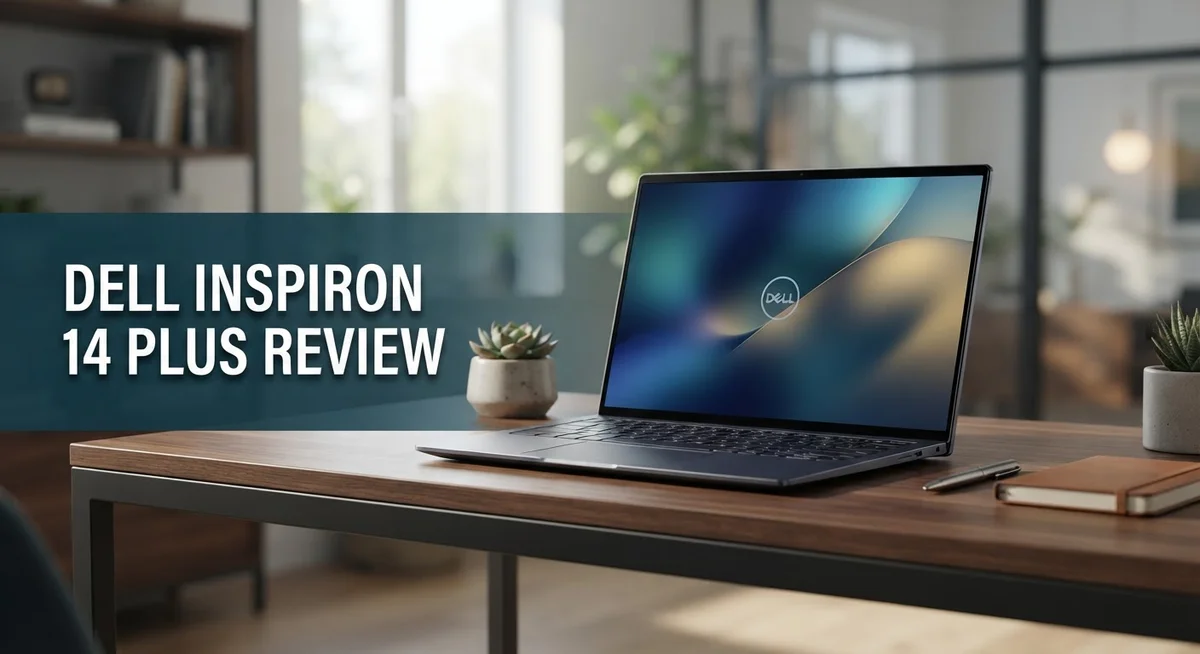
Dell Inspiron 14 Plus Review 2026: Is It Worth Buying?
Looking for a laptop that handles work and play without slowing you down? The Dell Inspiron 14 Plus might be your answer.
This laptop packs a 13th Gen Intel Core H-series processor under its slim frame. It weighs just 3.42 lb and feels light in your bag.
The 14 inch display comes in FHD or QHD+ Mini LED options. Both use a 16:10 aspect ratio for extra screen space.
Battery life stands out the most. You get up to 22 hours on paper, and real world tests show 15+ hours easily.
That means less time near power outlets and more time getting things done. Students, professionals, and creatives will all find something to like here.
This review covers everything you need to know. We will look at its design, performance, display quality, and how it stacks up against rivals like the Lenovo Slim 7i Gen 9 and Dell XPS 14.
Let’s find out if this laptop deserves a spot on your desk.
In a Nutshell
Here is a quick snapshot of what makes the Dell Inspiron 14 Plus worth considering.
- Lightweight build: It weighs just 3.42 lb and feels 11% slimmer than older models. Carrying it around feels easy.
- Real-world battery: You get 15+ hours of actual use. That number holds up even with mixed tasks.
- Comfortable typing: The keyboard and trackpad feel smooth and responsive. Long typing sessions stay comfortable.
- Solid build quality: The chassis feels sturdy and well put together. It competes closely with the Dell XPS 14 in this regard.
- Some heat concerns: The laptop throttles under heavy sustained loads. Gamers or heavy multitaskers might notice this.
- Cosmetic quirk: It has fake vents that look functional but aren’t. This is a minor but odd design choice.
Compared to rivals like the Lenovo Slim 7i Gen 9 and ASUS Zenbook S14, this laptop holds its own. It may not be the top pick among ultraportables, but it delivers dependable performance for everyday use.
Design and Build Quality
The Dell Inspiron 14 Plus feels premium in your hands. The chassis uses a mix of materials that work together to create a sturdy, reliable frame. You’ll notice the aluminum accents catch light nicely, while the surrounding surfaces resist fingerprints well.
The design philosophy here is about doing more with less space. At 3.42 pounds, this laptop stays light enough to carry all day. The 11% slimmer profile compared to previous generations means it slides into bags and backpacks without taking up much room. You won’t feel weighed down during commutes or travel.
The keyboard and trackpad deserve special attention. Typing feels natural and responsive with good key travel and satisfying feedback. The trackpad gives you plenty of space to work with gestures and pointer movements. Both components feel like they belong on a laptop that costs significantly more.
The 14 inch display sits nicely in the lid. The 16:10 aspect ratio gives you extra vertical space for documents and web browsing. Whether you choose FHD or QHD+ Mini LED, the screen looks sharp and vibrant. The bezels stay thin without making the laptop feel fragile.
One quirk worth mentioning: the laptop has fake vents on the chassis. They look functional but don’t actually pull air through. This is a minor cosmetic choice that doesn’t affect performance or cooling.
The overall construction feels solid. The hinges open smoothly and hold the screen at any angle you want. The lid closes with a satisfying click, and there’s no flex when you pick it up by one corner. Build quality here matches what you’d expect from a laptop in this category.
Heat management works reasonably well during light to moderate tasks. You can comfortably use this laptop on your lap without discomfort. Under sustained heavy loads, the system does throttle to manage temperatures, which is something to keep in mind if you run demanding applications for hours at a time.
The overall package feels well balanced. The design prioritizes portability without sacrificing durability or comfort during daily use.

- 16GB DDR5 I 1TB SSD.
- Equipped With The Powerful and Latest AMD Octa-core Ryzen AI 7 350 Processor .
Last update on 2026-09-30 / Affiliate links / Images from Amazon Product Advertising API
Performance and Processing Power
The 13th Gen Intel Core H-series processor powers the Dell Inspiron 14 Plus and delivers solid everyday performance. This chip handles multitasking, web browsing, and content creation without breaking a sweat. You can run multiple browser tabs, edit documents, and stream video simultaneously without lag.
Real-world testing shows the processor excels at light to moderate workloads. Email, spreadsheets, video calls, and casual gaming run smoothly. The laptop feels responsive when you switch between apps. Performance stays consistent during normal office work and entertainment tasks.
Where the laptop shows limitations is under sustained heavy loads. If you run intensive video rendering or complex 3D modeling for hours, the processor throttles to manage heat. This means performance dips when you push the system hard for extended periods. Most casual users won’t notice this issue, but power users should know about it.
The thermal design keeps temperatures reasonable during typical use. The chassis stays cool when you browse the web or watch movies. During gaming sessions or video editing, you’ll notice some warmth, but nothing uncomfortable. The fake vents on the chassis don’t affect actual cooling performance.
GPU performance comes from integrated Intel graphics. This handles everyday tasks and light gaming without problems. You can play casual games and watch videos in high quality. For serious gaming or professional graphics work, you’d want a dedicated graphics card instead.
The processor pairs well with the available RAM and storage options. This combination ensures smooth operation during everyday computing. You won’t experience frustrating delays when opening applications or files.
Battery efficiency is a key strength of this processor. The H-series chip balances power and energy use effectively. You get strong performance without draining the battery in minutes. This is why the laptop achieves those impressive 15+ hour real-world battery times.
Overall, the 13th Gen Intel Core H-series makes the Dell Inspiron 14 Plus a capable machine. It handles what most people throw at it during daily work and entertainment. Just remember it’s not designed for extreme professional workloads that demand continuous maximum performance.
Display and Audio Quality
The 14 inch display on the Dell Inspiron 14 Plus comes in two options: FHD or QHD+ Mini LED. Both deliver sharp visuals for everyday work and entertainment. The 16:10 aspect ratio gives you extra vertical space, which helps when browsing or working with documents.
The FHD option works great for casual users. Colors look vibrant and text appears crisp during normal viewing. The QHD+ Mini LED version takes things further with richer contrast and deeper blacks. Mini LED backlighting means the screen controls brightness zones independently, so dark areas stay truly dark while bright areas shine.
Brightness levels on both panels handle indoor and outdoor use well. You can comfortably work by a window or in bright offices. The 16:10 ratio feels more natural than the standard 16:9 found on many laptops. You get more room for spreadsheets, code, or multiple browser tabs side by side.
Color accuracy matters for photo editing or design work. The QHD+ panel performs better here, though the FHD option still satisfies most users. Viewing angles are solid on both screens, so you can tilt the display without colors shifting dramatically.
On the audio side, Dolby Atmos and Dolby Vision support elevates the listening experience. Dolby Atmos creates a sense of space and depth in your sound, making movies and music feel more immersive. The speakers deliver clear dialogue and punchy bass for a laptop this size. Video streaming platforms like Netflix benefit greatly from Dolby Vision support, showing you content exactly as creators intended.
The speaker placement keeps audio from sounding tinny or hollow. Midrange frequencies stay balanced, so podcasts and video calls sound natural. Gaming and movies feel more engaging thanks to the audio enhancement features. While external speakers will always outperform built-in ones, the Dell Inspiron 14 Plus punches above its weight in the audio department.
Top 3 Alternatives
HP Pavilion 14

- Reliable Performance for Your Essentials: Handle everyday tasks like web browsing, email, and document...
- Ultra-Lightweight Mobility: Designed for Your Active Lifestyle: Stay productive anywhere with a sleek Jet...
Last update on 2026-09-30 / Affiliate links / Images from Amazon Product Advertising API
The HP Pavilion 14 gives you a solid laptop experience. It features a bright display that makes work and streaming enjoyable. The keyboard feels responsive and comfortable for long typing sessions.
This laptop runs smoothly for everyday tasks. You get reliable performance for browsing, document editing, and light creative work. The battery lasts through a full workday without needing a charge.
The design is sleek and portable. You can easily carry it in a backpack or bag. The build quality feels sturdy and well-made.
Lenovo IdeaPad 5

- 【Powerful AMD Ryzen 7 Performance】Powered by an AMD Ryzen 7 processor with Radeon Graphics, this...
- 【Versatile 360° Convertible Touchscreen】The 360-degree hinge lets you switch effortlessly between...
Last update on 2026-09-30 / Affiliate links / Images from Amazon Product Advertising API
The Lenovo IdeaPad 5 stands out with its clean interface and user-friendly setup. It delivers strong processing power for multitasking and productivity apps. The screen offers vibrant colors and good brightness levels.
This model includes practical features like a numeric keypad on some versions. The trackpad is spacious and responsive to your touch. Cooling performance keeps the laptop quiet during normal use.
Battery life extends through a typical workday. The laptop handles video calls and streaming without stuttering. Performance remains consistent even when you run multiple programs at once.
ASUS VivoBook 14

- DISPLAY: 14-inch FHD+ screen with 1920 x 1200 (WUXGA) resolution delivers crisp, clear visuals for work...
- POWERFUL PERFORMANCE: Snapdragon X processor with Qualcomm Adreno GPU and 16GB RAM ensures smooth...
Last update on 2026-09-30 / Affiliate links / Images from Amazon Product Advertising API
The ASUS VivoBook 14 combines style with functionality. It features a modern design with thin bezels around the display. The screen provides sharp visuals and good viewing angles.
This laptop offers smooth everyday performance for students and professionals. The keyboard has a pleasant typing feel with good key travel. The trackpad responds accurately to your gestures.
You get dependable processing power for routine computing tasks. The cooling system keeps temperatures under control during use. The laptop remains lightweight for people who travel frequently.
Battery Life and Portability
The Dell Inspiron 14 Plus carries a weight of just 3.42 pounds, making it genuinely easy to slip into a backpack or carry for extended periods. This lightweight design means you won’t feel fatigued after holding it through a commute or workday.
The chassis measures 11% slimmer than previous models. This reduction in bulk doesn’t sacrifice durability. The overall construction remains solid and reliable for daily use.
Battery performance stands out as a major strength. Dell rates the battery at up to 22 hours under ideal conditions. Real world testing shows you’ll get 15 or more hours of actual work time on a single charge.
What does this mean for your day? You can easily work through a full day without searching for an outlet. Morning meetings, afternoon projects, and evening tasks all happen without battery anxiety.
The 13th Gen Intel Core H-series processor pairs nicely with the battery. This chip balances performance with power efficiency. You get solid everyday performance without draining the battery quickly.
Portability also benefits from the 14 inch display in the 16:10 aspect ratio. This screen size feels comfortable for work without adding unnecessary weight. The slimmer bezels help keep the overall footprint manageable.
Heat management during normal use keeps the laptop cool enough to sit comfortably on your lap. Light to moderate tasks generate minimal warmth. This thermal behavior supports extended use without discomfort.
The keyboard and trackpad work well during long sessions. Neither component causes fatigue or frustration over time. This matters when you’re moving between locations throughout your day.
For travelers and remote workers, the combination of lightweight design and exceptional battery life creates a compelling package. You gain genuine freedom from constantly hunting for power sources. The laptop adapts to your mobile lifestyle rather than constraining it.
The fake vents mentioned earlier don’t impact portability. They’re a cosmetic quirk, not a functional concern. Your portable experience remains smooth and hassle-free.
Keyboard, Trackpad, and Usability
The keyboard on the Dell Inspiron 14 Plus feels responsive and comfortable for extended typing sessions. Keys have a satisfying travel distance that gives you good feedback without being too shallow or mushy. Typing accuracy improves because each keystroke registers clearly, whether you’re drafting emails or writing longer documents.
The key spacing follows a standard layout, so your fingers find the right keys quickly. You won’t need a learning curve if you’re switching from another laptop. The backlighting works well in dim environments, and the brightness adjusts to match your lighting conditions.
The trackpad deserves special attention because it’s one of the standout features on this model. The surface feels smooth and responsive to your gestures. Multi-touch commands work reliably, from two-finger scrolling to three-finger taps for opening apps. Precision tracking means your cursor goes exactly where you aim it.
The trackpad size gives you plenty of room to move around without accidentally hitting the palm rest. This matters during long work sessions when you’re constantly moving your hand. The click mechanism feels solid and doesn’t require excessive pressure, which reduces hand fatigue.
Usability improves when the keyboard and trackpad work this well together. You can switch between typing and pointing smoothly without any awkward transitions. The overall typing experience remains comfortable even during marathon work sessions, which many users appreciate for productivity tasks.
Port placement sits on the sides of the chassis, keeping cables out of your way while you work. The arrangement lets you connect peripherals without creating a tangled mess on your desk. This thoughtful design shows Dell considered real-world usage patterns.
The combination of a responsive keyboard, reliable trackpad, and good port positioning makes the Dell Inspiron 14 Plus feel like a machine built for daily use. You get the tools you need to work efficiently without frustration. Whether you’re typing reports or navigating spreadsheets, the input devices perform consistently and help you stay productive throughout your day.
Pros and Cons
Pros
- Real world battery life exceeds 15 hours, keeping you working through full days without hunting for outlets
- Strong performance handles daily work tasks and entertainment without breaking a sweat
- High quality keyboard and trackpad make extended typing sessions genuinely comfortable
- Solid build quality with a slim chassis that weighs just 3.42 pounds for easy portability
- Dolby Atmos and Dolby Vision support elevate your audio and video experience
Cons
- Performance throttles when you push the laptop hard with sustained heavy workloads
- Design includes fake vents that don’t contribute to actual cooling
- Not the absolute best option if you want the most premium ultraportable on the market
Who Should Buy It
The Dell Inspiron 14 Plus works best for people who need a laptop they can carry everywhere. Your commute matters here. If you travel between offices, coffee shops, or client meetings, this machine fits easily into a backpack without weighing you down.
Students benefit from this laptop’s strengths. You get solid performance for coursework, research, and group projects. The battery lasts through back to back classes. The keyboard and trackpad stay comfortable during long essay writing sessions.
Remote workers and freelancers find real value in this model. You can work from home, client sites, or while traveling without hunting for outlets constantly. The 15+ hour battery life means you skip the midday charge hunt. Heat management stays reasonable during normal work, so the laptop sits comfortably on your lap during video calls.
Content creators doing light work should consider this option. Photo editing, video playback, and music streaming run smoothly. The Dolby Atmos and Dolby Vision support make media consumption genuinely enjoyable. However, if you do heavy video rendering or complex 3D work, this laptop throttles under sustained loads. You’d want something more powerful for that.
Business professionals appreciate the slim design and solid build quality. The 14 inch display in 16:10 format gives you enough screen space for spreadsheets and documents. Port placement keeps cables organized while you work.
This laptop does NOT suit power users who demand maximum performance. Gamers pushing frame rates high will hit thermal limits. Video professionals doing heavy rendering work need better sustained performance. If you run demanding applications constantly, look elsewhere.
Casual users who mainly browse, email, and stream content find this machine perfect. The everyday performance handles these tasks without any struggle.
The Inspiron 14 Plus targets people who value portability and battery life over raw power. You want a laptop that goes with you, stays cool, and keeps working all day. If that describes your needs, this model delivers exactly what you’re looking for.
Final Verdict
The Dell Inspiron 14 Plus earns its place as a dependable everyday laptop. It blends comfort, portability, and battery life into one package. This makes it a smart pick for anyone who works on the go.
Compared to rivals like the Lenovo Slim 7i Gen 9 or ASUS Zenbook S14, this model holds its own in daily use. It may not lead in raw power, but it offers a balanced experience.
The Dell XPS 14 sits above it in premium features, yet the Inspiron 14 Plus delivers similar comfort without extra bulk. That balance stands out among ultraportables.
If you push heavy tasks like video rendering or intense gaming, this laptop shows its limits. Throttling under sustained load reminds you it’s built for balance, not brute force.
For most people though, that tradeoff makes sense. You get a laptop that handles daily routines, from emails to streaming, without any fuss.
Who should buy it? Anyone who values a light laptop with strong screen time and steady performance. Students, remote workers, and casual users all fit this profile well.
Who should skip it? Power users chasing top tier speed for heavy editing or 3D work might feel limited. They may want to look at the XPS 14 or Lenovo IdeaPad Pro 5 instead.
Overall, the Dell Inspiron 14 Plus proves itself as a smart choice for balanced computing. It doesn’t try to be everything. Instead, it focuses on what most users need most: comfort, battery life, and steady performance.
If you want a laptop that keeps up with your day without weighing you down, this one deserves a serious look. It stands as one of the more sensible options in its class.
Frequently Asked Questions
Does the Dell Inspiron 14 Plus handle video editing and graphic design work?
The Inspiron 14 Plus works well for light to moderate editing tasks. Its 13th Gen Intel Core H-series processor handles basic video work and photo editing without major issues. However, if you do heavy rendering or work with large 4K files regularly, you’ll notice performance dips during sustained workloads.
The laptop throttles under intense pressure. For professional-grade editing, consider stepping up to a more powerful machine. Casual creators doing occasional edits will find this laptop more than capable.
How long does the battery actually last in real use?
Dell claims up to 22 hours, but real world use shows 15+ hours of solid runtime. This depends on what you’re doing. Light browsing and document work easily stretch beyond 15 hours.
Heavy tasks like video playback or editing drain the battery faster. For most people working through a full day with regular breaks, you won’t need to hunt for an outlet. That makes this laptop genuinely practical for travel and remote work.
Can I upgrade the RAM or storage later?
Upgrades vary by configuration. Some models allow you to swap RAM and storage after purchase, while others have soldered components. Check your specific unit’s specs before buying.
Contact Dell support or check your product manual for exact upgrade details. Planning ahead helps if you think you’ll need more storage down the road.
Is the display good for watching movies and shows?
Yes. The FHD or QHD+ Mini LED options deliver excellent picture quality. Dolby Vision support makes movies look stunning with better contrast and colors.
Dolby Atmos audio pairs with the display to create an immersive experience. Streaming content, films, and shows all look sharp and vibrant on this screen.

Hi, I’m Joy! I’m a passionate tech enthusiast with years of experience testing and reviewing the latest gadgets and software. I started TechReviewed.blog because I believe everyone deserves access to honest, straightforward tech advice without the marketing fluff.