HP EliteBook 840 G11 Review: Should You Try This?
Looking for a business laptop that keeps up with your workday? The HP EliteBook 840 G11 brings serious power to your desk. It packs an Intel Core Ultra 7 processor with up to 5.0 GHz speed.
This laptop targets professionals who need speed and reliability. It runs on Windows 11 Pro and offers 16GB RAM with a 512GB SSD. Multitasking feels smooth and fast.
The 14 inch display gives you a clear view for daily tasks. You also get Wi-Fi 6E for quick, stable connections. Security stays tight with built in TPM 2.0.
Battery life stands out as a major strength. You can work longer without searching for an outlet. The keyboard feels spacious and comfortable for long typing sessions.
Like any laptop, this model has some quirks. A few users report warmth under the chassis. Others notice bloatware during setup.
This review covers every detail you need. We will explore performance, design, battery life, and more. By the end, you will know if this laptop fits your work style.
In a Nutshell
Here’s a quick summary of what makes this laptop tick.
-
Powerful engine inside. The Intel Core Ultra 7 chip handles multitasking with ease. It reaches speeds up to 5.0 GHz for smooth performance.
-
Ports for every need. You get a wide range of connections. This makes it easy to plug in monitors, drives, and accessories.
-
Keyboard built for typing comfort. The spacious layout feels natural during long work sessions. Your hands stay relaxed even after hours of typing.
-
Some cooling quirks exist. A few users report loud fan noise under heavy load. Others notice the chassis gets warm underneath.
-
Storage has limits. The laptop uses a single M.2 slot. This means less room to expand storage later.
-
Software comes preloaded. The system ships with noticeable bloatware. You may want to clean it up before daily use.
-
Memory runs busy at idle. RAM usage sits high even without heavy apps open. This could affect performance for multitaskers.
This laptop offers strong hardware with a few trade offs. It suits professionals who value speed and portability.
Key Features and Specifications
The HP EliteBook 840 G11 packs impressive hardware under its aluminum chassis. You get an Intel Core Ultra 7 processor with either the 155H or 165H variant. This chip delivers up to 5.0 GHz performance with 16 cores and 22 threads for smooth multitasking.
Your display measures 14 inches, making it portable yet spacious enough for spreadsheets and documents. The screen offers good clarity for daily office work without straining your eyes.
Memory and storage come standard with 16GB RAM and 512GB SSD. The single M.2 slot means you cannot easily upgrade storage later, so choose your configuration carefully upfront. That 16GB of RAM handles most business applications, though idle usage runs surprisingly high at around 12GB.
Graphics rely on Intel ARC Graphics 7, which handles video calls, presentations, and light creative work without dedicated GPU costs. This approach keeps the laptop thinner and lighter than workstation alternatives.
Connectivity shines with Wi-Fi 6E support for fast wireless speeds. You also get a versatile port selection that covers USB, HDMI, and other standard connections. This means fewer adapters cluttering your desk.
Security features include TPM 2.0 for encryption and data protection. Windows 11 Pro comes preinstalled, giving you enterprise features right out of the box.
One notable quirk involves thermal management. The chassis gets warm underneath during intensive tasks, and some users report extremely loud fan noise under load. Others experience quieter operation, so results vary by unit.
Battery life remains a genuine strength of this model. You can typically work through a full day without hunting for a power outlet, which matters for frequent travelers.
The system ships with significant bloatware pre installed. Plan to spend time removing unnecessary software after unboxing. This is common on business laptops but worth knowing upfront.
Released in June 2024, this laptop represents current generation performance. It sits between HP’s ultralight Dragonfly series and the heavier EliteBook 1000 line, offering a balanced approach for professionals who need portability and power.

- 【AI‑Boosted Business Performance】 Powered by Intel Core Ultra 7 165H Processor featuring 16 cores...
- 【Copilot‑Enabled AI Experience】 Equipped with a dedicated Microsoft Copilot key, leveraging Windows...
Last update on 2026-09-30 / Affiliate links / Images from Amazon Product Advertising API
Design and Build Quality
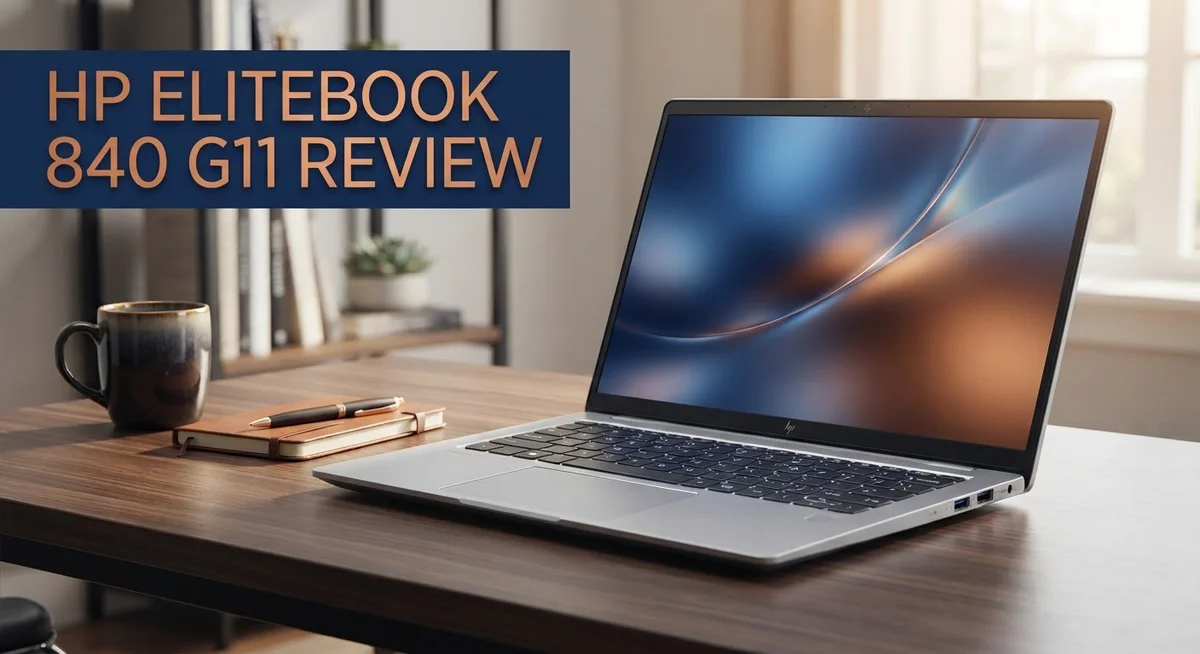
The HP EliteBook 840 G11 features a premium aluminum chassis that feels solid in your hands. The build quality reflects HP’s focus on durability for business users who travel frequently.
The laptop weighs in at a reasonable size for a 14 inch machine. You can slip it into a backpack without much struggle. The aluminum frame resists dents and scratches better than plastic alternatives.
The design prioritizes functionality over flashy aesthetics. The matte finish on the lid prevents fingerprints from showing up constantly. This practical approach keeps the laptop looking professional in client meetings.
Port placement shows thoughtful engineering. You get USB Type C connections on both sides, which means you don’t always need to flip the laptop around. HDMI and USB A ports remain on the sides for traditional peripherals. The headphone jack stays in place for users who prefer wired audio.
The keyboard deck feels spacious and inviting. Keys sit at a comfortable distance from each other. Typing for long hours feels natural without hand fatigue creeping in. The trackpad responds accurately to your gestures.
However, the chassis has a notable weakness. The bottom panel gets extremely warm during intensive work. Users report that the underside becomes uncomfortable to touch on your lap. This thermal behavior affects comfort during extended sessions.
The hinge mechanism opens smoothly without wobbling. The screen stays put at any angle you choose. This stability matters when you’re working on a plane or in a crowded coffee shop.
The overall footprint remains compact for a business laptop. You won’t feel like you’re lugging around a desktop replacement. The thinness gives it a modern appearance without sacrificing ports or performance.
Build quality sits above average for this category. The aluminum construction and thoughtful port layout demonstrate attention to detail. The thermal management issue prevents this from being a perfect design. Most professionals will appreciate the sturdy feel and practical layout, though heat concerns deserve consideration before purchase.
Performance and Processing Power
The HP EliteBook 840 G11 runs on Intel Core Ultra 7 processors (155H or 165H variants). These chips deliver speeds up to 5.0 GHz with 16 cores and 22 threads. You get genuine multitasking power for demanding work.
Real world performance shines during video conferencing, document editing, and web browsing. The laptop handles these everyday tasks without any lag. You can run multiple browser tabs, email clients, and productivity apps simultaneously without slowdowns.
For creative professionals, the Intel ARC Graphics 7 provides capable graphics processing. This GPU manages video editing, photo retouching, and design work at acceptable speeds. Light 3D rendering becomes feasible, though heavy rendering tasks may take longer than dedicated graphics cards.
RAM usage presents an interesting quirk on this model. The system consumes approximately 12GB of your 16GB RAM while sitting idle. This high baseline leaves limited headroom for additional applications. Heavy multitasking can push the laptop toward its memory limits faster than competitors.
Thermal management shows inconsistency across different units. Some machines run remarkably quiet under load, while others produce extremely loud fan noise during intensive tasks. The chassis also gets noticeably warm underneath during sustained use. This thermal behavior varies depending on your specific unit and workload intensity.
Processing power remains consistently strong across all usage scenarios. The Core Ultra 7 processors excel at compiling code, running virtual machines, and handling database operations. Professionals in IT, engineering, and software development find this performance level suitable for their workflows.
Battery efficiency works well with the processor architecture. You can expect solid battery life during moderate use, though intensive computing drains the battery faster. The system balances performance and power consumption reasonably well.
Storage speed relies on the 512GB SSD, which provides quick boot times and application launches. The single M.2 slot limits future upgrade options, so your initial storage choice matters significantly.
Overall, the HP EliteBook 840 G11 delivers reliable processing power for business computing. The performance meets expectations for professional work, though thermal consistency and idle RAM usage require consideration during your evaluation.
Top 3 Alternatives
Dell Latitude 5000

- 【High Speed RAM And Enormous Space】16GB high-bandwidth RAM to smoothly run multiple applications and...
- 【Processor】12th Gen Intel Core i7-1265U Processor (10 Cores, 12 Threads, 12MB Intel Smart Cache, Base...
Last update on 2026-09-30 / Affiliate links / Images from Amazon Product Advertising API
The Dell Latitude 5000 series offers solid performance for business professionals. This line focuses on reliability and security features that protect your data. The keyboards feel responsive, and the build quality stays consistent across models.
Battery life performs well during standard work days. You get good connectivity options including USB ports and modern displays. Dell’s support network helps if you need repairs or assistance.
Lenovo ThinkPad E Series

- [Superior Storage and Fast Access] 16GB DDR5 high-bandwidth RAM to smoothly run multiple applications and...
- [Processor] Uncompromised Performance: AMD Ryzen 5 7535HS Processor (6 Cores, 12 Threads, 16MB L...
Last update on 2026-09-30 / Affiliate links / Images from Amazon Product Advertising API
Lenovo’s ThinkPad E Series delivers exceptional value for budget-conscious buyers. The trackpad works smoothly, and the keyboard remains one of the best in its class. These laptops handle multitasking without slowing down.
The chassis feels durable despite the lower price point. Thermal management keeps temperatures reasonable during heavy use. Lenovo includes useful software and quick recovery options for your system.
ASUS ExpertBook B Series

- 【AI-Powered Performance】 The ASUS ExpertBook B1 business laptop is equipped with Intel Core 7 150U...
- 【Vibrant Visual Experience】 Featuring a 15.6-inch FHD display with 1920*1080 resolution and 60Hz...

Last update on 2026-09-30 / Affiliate links / Images from Amazon Product Advertising API
ASUS ExpertBook B Series machines combine durability with modern features. The screens offer bright displays suitable for all-day work. These laptops pass military-grade durability tests, so they withstand drops and impacts better than most competitors.
Port selection includes everything you need for peripherals and external monitors. The cooling system runs quietly, making these machines ideal for quiet offices. ASUS provides straightforward warranty support and driver updates regularly.
Each alternative brings different strengths to the table. Dell emphasizes security and support networks. Lenovo focuses on keyboard quality and value pricing. ASUS prioritizes durability and bright displays. Your choice depends on which features matter most to your work style and environment.
Battery Life and Thermal Management
The HP EliteBook 840 G11 presents a mixed picture when it comes to keeping cool and staying powered throughout your day. Battery life stands as one of this laptop’s genuine strengths, delivering solid endurance for typical office work, video calls, and web browsing sessions.
Thermal management reveals inconsistency across different units. Some machines run remarkably quiet under load, maintaining composure during demanding tasks. Other users report extremely loud fan noise that becomes distracting during presentations or quiet meetings. The chassis also gets very warm underneath during intensive work, which can feel uncomfortable on your lap.
The Intel Core Ultra 7 processor (155H or 165H) manages heat generation differently depending on workload intensity. Light tasks like email and document editing produce minimal fan activity. However, sustained performance work or video processing can trigger aggressive cooling responses that vary between individual machines.
Overheating issues have been reported by some users, particularly when running multiple applications simultaneously or during video conferencing sessions. The thermal design appears to struggle with consistent heat dissipation across all usage scenarios. This inconsistency suggests potential manufacturing variations or BIOS calibration differences between units.
Battery efficiency works well with the processor architecture, extending your unplugged time considerably. You can expect a full workday of moderate use without reaching for the charger. Heavy multitasking or video editing will reduce this endurance, but basic productivity tasks deliver impressive results.
The cooling system’s unpredictability represents a notable concern for buyers who value quiet operation. If your work environment requires silent computing, you may want to test a specific unit before purchasing. Some configurations handle thermal loads gracefully, while others demand active fan cooling that becomes noticeable.
Overall, battery life performance remains reliable and practical for business users. The thermal management story proves more complicated, with results depending heavily on individual unit quality and your specific usage patterns. Consider your typical workload and noise tolerance when evaluating this aspect of the EliteBook 840 G11.
Connectivity and Port Selection
The HP EliteBook 840 G11 offers impressive connectivity options that meet the demands of modern business professionals. This laptop includes multiple USB ports, HDMI output, and audio jacks positioned strategically around the chassis for easy access.
Wi Fi 6E connectivity delivers fast wireless speeds for seamless video calls and file transfers. The technology supports the latest Wi Fi standards, ensuring you stay connected in busy office environments. Bluetooth functionality pairs smoothly with peripherals like mice, headphones, and mobile devices.
The port selection demonstrates thoughtful engineering. You get USB Type C ports that support both data transfer and charging capabilities. USB Type A ports remain available for legacy devices and accessories you may already own. This combination means you won’t struggle with adapter limitations.
The HDMI port enables quick connections to external displays or projectors during presentations. Audio jacks support both headphones and microphones, which matters when you need reliable sound for conference calls. The SD card reader accommodates media from cameras and other devices.
Expansion flexibility comes from the Thunderbolt support on certain USB Type C ports. This opens doors for external storage, high speed docking stations, and professional peripherals. The capability adds longevity to your investment as technology evolves.
Port placement shows careful consideration for real world usage. Side mounted connections prevent cable clutter on your desk. Rear positioned ports keep cables out of your way during daily work. Front facing audio jacks make headphone access convenient without reaching around the laptop.
The variety of connectivity options means you won’t feel limited by the 14 inch form factor. Business travelers appreciate having options for different environments. Home office users benefit from easy monitor and peripheral connections. The port selection balances modern standards with backward compatibility.
TPM 2.0 security features integrate with the connectivity hardware to protect your data during transfers. This adds a layer of security beyond just physical connections. The overall connectivity package positions this laptop as a capable machine for professionals who need reliable, flexible connection options in their daily workflow.
Pros and Cons
Pros
- Long battery life keeps you working through a full day without searching for power outlets
- Spacious keyboard makes typing comfortable during extended work sessions
- Fast Intel Core Ultra 7 processor handles multitasking and demanding applications smoothly
- Versatile port selection includes Thunderbolt USB Type C and HDMI for easy device connections
- Quiet cooling on many units means less fan noise during normal office work
Cons
- Overheating problems reported on some units, especially when running multiple applications at once
- Extremely loud fan noise occurs on certain machines during heavy processing tasks
- High RAM usage at idle consumes around 12GB of your 16GB memory before you start working
- Single M.2 slot limits storage expansion options if you need more space later
Who Should Buy It
The HP EliteBook 840 G11 works best for professionals who need a reliable 14-inch laptop for daily business tasks. If you spend most of your time in video calls, email, and document editing, this machine delivers solid performance without breaking a sweat.
Business travelers find real value here. The long battery life means you can work through a full flight without hunting for outlets. The lightweight design fits easily into your backpack or briefcase. Wi-Fi 6E connectivity keeps you connected in airports and hotel rooms.
This laptop suits multitaskers well. The Intel Core Ultra 7 processor with 16 cores handles jumping between applications smoothly. You can run spreadsheets, web browsers, and communication tools simultaneously without lag. The 16GB RAM supports your workflow without constant slowdowns.
Content creators working with light to moderate projects benefit from this machine. Photo editing, video calls, and basic graphic design run comfortably. The spacious keyboard makes long typing sessions pleasant for writers and researchers.
You should consider this model if you value connectivity. The Thunderbolt USB Type-C ports and HDMI output give you flexibility for external monitors, projectors, and peripherals. The port variety means fewer adapters cluttering your desk.
However, skip this laptop if you run intense applications constantly. Heavy video rendering, 3D modeling, or complex data analysis might push the thermal management to its limits. Some units experience overheating and loud fan noise under sustained heavy loads, so this isn’t ideal for power users demanding consistent quiet operation.
Students in business programs also find this laptop useful. The build quality feels professional, and the performance handles coursework and presentations easily. The quiet operation works well in libraries and study groups, though some units may run louder than others.
Security-conscious professionals appreciate the TPM 2.0 chip and Windows 11 Pro. These features protect your sensitive business data and support corporate security requirements. If your workplace demands enterprise-level security, this machine checks those boxes.
The EliteBook 840 G11 shines for office workers, business travelers, and professionals seeking a balanced 14-inch laptop. It struggles only when you push it with extreme workloads or demand whisper-quiet operation under all conditions.
Final Verdict
The HP EliteBook 840 G11 stands out as a solid choice for business professionals who need daily reliability. Its strong performance and battery life make it a dependable work companion.
Still, some drawbacks deserve attention before you decide. Bloatware comes pre installed on many units, and clearing it out takes extra setup time.
RAM usage sits high even at idle, often reaching 12GB out of 16GB. This leaves less room for heavy multitasking than you might expect.
The single M.2 slot limits future storage upgrades. If you need more space later, you cannot simply add a second drive.
Some users report the chassis gets very warm underneath during extended use. This might bother you if you often work on your lap.
When you compare this laptop to competitors, the picture becomes clearer. The HP EliteBook 845 G11 offers an AMD processor option for those who prefer that platform.
The HP EliteBook 1000 series appeals to users who want an ultralight design. Meanwhile, the HP Dragonfly series targets buyers who prioritize a premium build and lighter weight.
So, who should choose the 840 G11? Business users who value strong connectivity and steady performance will feel satisfied.
Professionals who need a dependable daily driver for office tasks, meetings, and moderate creative work get excellent value from this device.
However, if storage flexibility or minimal fan noise matters most to you, weigh those cons carefully first.
Overall, this laptop delivers dependable performance for typical business needs. It handles daily tasks smoothly and keeps you connected wherever you work.
Just remember to manage the pre installed software and monitor heat levels during longer sessions. With those small adjustments, the 840 G11 becomes a trustworthy tool for your workday.
Frequently Asked Questions
Does the HP EliteBook 840 G11 handle video editing and content creation?
Yes, it can manage light to moderate content creation projects. The Intel Core Ultra 7 processor with 16 cores gives you solid multitasking power. However, this laptop shines most for everyday business tasks rather than heavy video rendering or 3D work.
If you edit 4K footage regularly, you might hit performance limits. The Intel ARC Graphics 7 helps, but demanding creative software may cause the fan to kick in loudly on some units.
Can you upgrade the storage later?
Unfortunately, no. The single M.2 slot means you cannot add a second drive for expansion. You must choose your storage capacity carefully at purchase time.
If you think you’ll need more than 512GB, confirm your needs before buying. External drives via Thunderbolt USB Type C work as a backup solution.
How long does the battery last on a full charge?
The 840 G11 offers long battery life for all day business use. Most users report solid performance through a standard workday without needing to plug in.
Battery endurance depends on your screen brightness and which applications you run. Office work and web browsing drain the battery slower than video streaming or content creation.
Is this laptop good for travel?
Yes, business travelers find real value in this model. The 14 inch display keeps weight reasonable, and the versatile port selection means you can connect to most devices and projectors easily.
The Thunderbolt USB Type C and HDMI outputs give you flexibility at client offices and conference rooms.
Why does the fan get so loud sometimes?
Some units experience extremely loud fan noise during heavy processing tasks. This happens because the chassis gets very warm underneath during demanding work.
The overheating issues reported on certain machines suggest thermal management could be better. Quiet cooling works fine on many units during normal office tasks.

Hi, I’m Joy! I’m a passionate tech enthusiast with years of experience testing and reviewing the latest gadgets and software. I started TechReviewed.blog because I believe everyone deserves access to honest, straightforward tech advice without the marketing fluff.