Lenovo V15 G4 Laptop Review 2026: Worth Your Investment?
The Lenovo V15 G4 keeps showing up on shortlists for affordable business laptops, and there is a clear reason behind that. It blends solid build quality, modern processors, and a friendly price tag into one practical package.
Many shoppers want a 15 inch laptop that handles office work, online classes, and light home tasks without draining the wallet.
This review covers everything you need to know in 2026. We will look at the design, display, performance, battery life, and real world feel of the laptop.
Let us walk through the laptop in plain language, with honest takes from hands on use and verified specs. The goal is to help you pick with confidence.
Key Takeaways
- Affordable price tag: The V15 G4 sits in the budget friendly business segment, often priced under $600 for solid configurations, making it a strong value pick.
- Modern processors: Buyers can choose between Intel 13th Gen Core i3, i5, and i7 chips or AMD Ryzen 5 and Ryzen 7 7000 series, which handle daily office tasks with ease.
- Decent 15.6 inch FHD display: The full HD panel offers clear visuals for spreadsheets, video calls, and streaming, although color accuracy stays average.
- Practical port selection: You get USB-C, USB-A, HDMI, an SD card slot, and a headphone jack, which removes the need for extra dongles.
- Battery life around 7 to 8 hours: The 38Wh or 42Wh battery supports a full work shift with light to moderate use.
- Upgrade friendly design: The V15 G4 allows RAM and SSD upgrades, which extends its life span well into the future.
What Is the Lenovo V15 G4 Laptop

- [High Speed RAM And Enormous Space] 4GB high-bandwidth RAM to smoothly run multiple applications and...
- [Processor] Intel Core i5-13420H Processor (8 Cores, 12 Threads, 12MB Intel Smart Cache, Base at 1.5 GHz...
Last update on 2026-09-30 / Affiliate links / Images from Amazon Product Advertising API
The Lenovo V15 G4 is a 15.6 inch budget business laptop made for students, home users, and small office staff. It belongs to Lenovo’s V series, which focuses on value and reliability rather than flashy looks. The G4 stands for the fourth generation of this line, released with refreshed processors and small design updates.
You can pick from several variants, including the V15 G4 IRU with Intel chips, the V15 G4 IAH with higher Intel H series CPUs, and the V15 G4 ABP or AMN with AMD Ryzen processors. Each version targets a slightly different buyer.
The laptop ships with Windows 11 Home or Pro, depending on the model. It uses a simple plastic chassis, weighs about 1.7 kg, and feels sturdy in the hand. Lenovo built it with practical buyers in mind, so you get function over flash.
Design and Build Quality
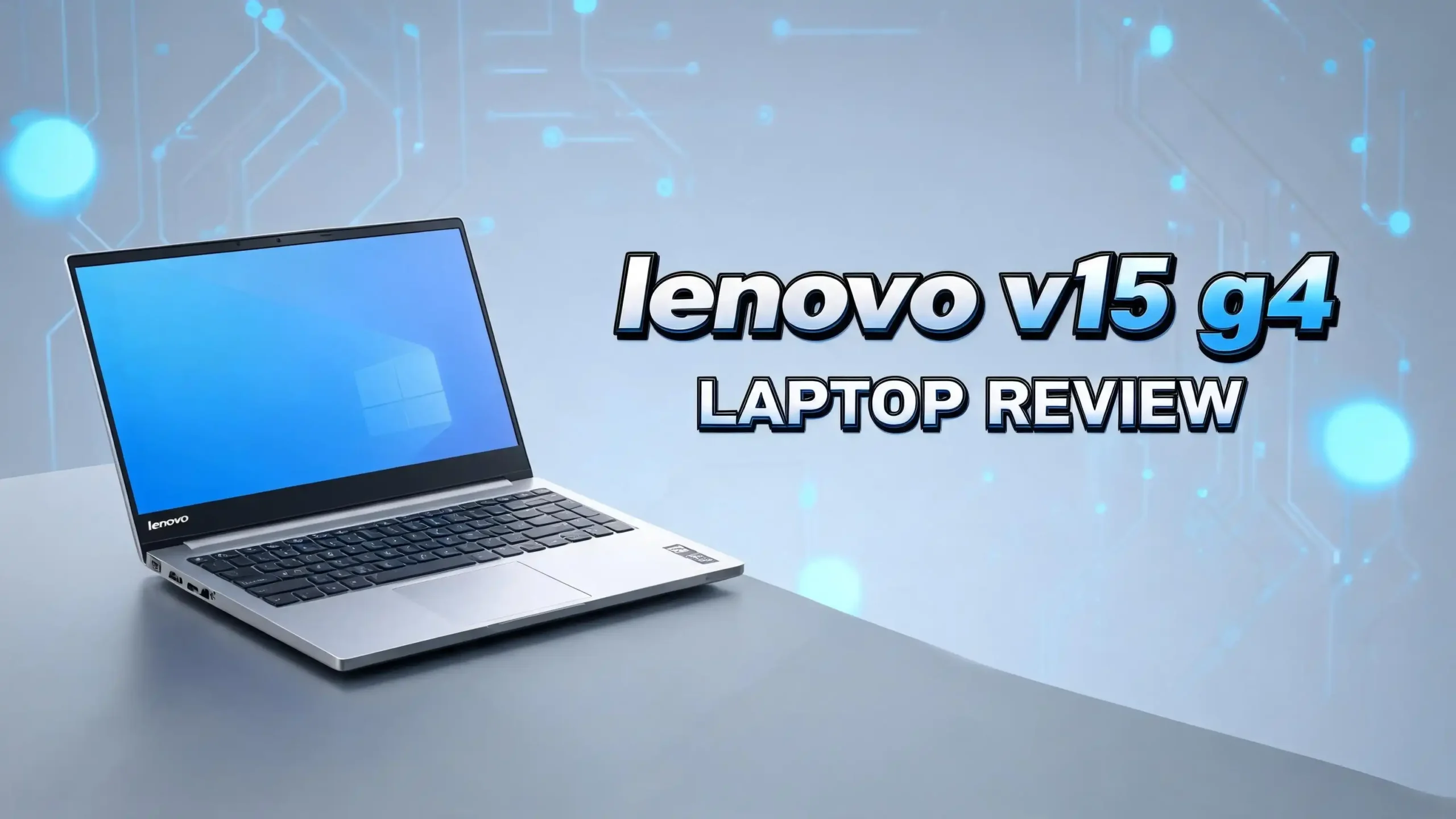
The V15 G4 keeps a clean and no nonsense look. It uses a black or iron grey plastic shell that hides smudges well. The lid stays firm when you open it with one hand, which is a nice touch in this price range.
At 1.7 kg, the laptop is not the lightest, but it stays portable for daily commutes. The hinge feels smooth and holds the screen at any angle without wobble. The bottom panel has clear screws, which makes upgrades simple.
You will notice a full size keyboard with a number pad, which helps anyone who works with data or numbers daily. The trackpad sits centered below the space bar and tracks well for a budget laptop. Overall, the build feels honest and fit for years of regular use without creaks or weak points.
Display Quality and Visual Experience
The Lenovo V15 G4 ships with a 15.6 inch Full HD (1920 x 1080) display. Most newer units use an IPS panel, which gives wider viewing angles than the older TN screens. Older base models still ship with TN panels, so always check before buying.
Brightness sits around 250 nits, which is fine indoors but a bit dim under bright sunlight. Colors look natural for office tasks, web browsing, and YouTube. The screen is not made for color critical work like photo editing or video grading.
The matte finish cuts down glare during long work sessions. Bezels stay slim on the sides, which gives the laptop a modern feel. For daily emails, Excel sheets, Zoom calls, and Netflix nights, the display does its job without fuss.
Processor and Performance Power
The Lenovo V15 G4 offers a wide CPU lineup. You can pick the Intel Core i3-1315U, the Core i5-1335U or i5-13420H, or the Core i7-1355U or i7-13620H. AMD fans can grab the Ryzen 5 7520U or the Ryzen 7 7730U, which is a strong all rounder.
For most users, the i5-13420H or Ryzen 7 7730U strikes the best balance between speed and cost. These chips handle multi tab browsing, Microsoft Office, Zoom meetings, and light Photoshop with ease.
Benchmark scores place the i5-13420H near 9,500 on Cinebench R23 multi core, which is impressive for the price. The Ryzen 7 7730U sits close behind. Heavy gaming and 3D rendering are not its strength, but everyday productivity feels smooth and snappy.
Top 3 Alternative for Lenovo V15 G4

- RELIABLE DESIGN - HP 15 laptop, stay connected to what matters most with a thin and portable, micro-edge...
Last update on 2026-09-30 / Affiliate links / Images from Amazon Product Advertising API

- [Powerful Performance with 13th Generation Intel Core i5-1335U] Powerhouse Intel Core i5-1335U 10-Core...
- [Customization] Seal is opened for Hardware/Software upgrade only to enhance performance. Upgraded to...
Last update on 2026-09-30 / Affiliate links / Images from Amazon Product Advertising API

- 【Processor】Equipped with AMD Ryzen 5 7530U (up to 4.5GHz, 6 cores, 12 threads), it offers the ideal...
- 【Display】This laptop has a 15.6-inch LED display with 1920 x 1080 (Full HD) resolution and vivid...
Last update on 2026-09-30 / Affiliate links / Images from Amazon Product Advertising API
RAM, Storage, and Upgrades
The V15 G4 ships with 8GB, 16GB, or 24GB DDR4-3200 RAM, depending on the model. Some units use one soldered 8GB chip and one SODIMM slot, while others use a single SODIMM slot. Always check the spec sheet before buying if you plan to upgrade later.
Storage starts at 256GB PCIe NVMe SSD, with options up to 1TB. The M.2 2242 slot supports faster drives, and load times feel quick during boot up and app launches.
Lenovo allows access to the RAM and SSD through the bottom panel, which is great news for long term owners. You can boost performance years down the line by adding more RAM or a bigger SSD. This upgrade path makes the V15 G4 a smart pick for buyers who want a future ready machine.
Keyboard and Trackpad Feel
The full size keyboard is one of the best parts of the V15 G4. Keys travel well, click softly, and feel firm under the finger. The number pad on the right helps accountants, data entry workers, and students with math heavy classes.
Some configurations include a backlit keyboard, which is a rare bonus at this price. Typing for long hours feels comfortable, and the layout is friendly for touch typists. There is no flex in the keyboard tray, which adds to the premium feel.
The trackpad measures around 4.1 inches wide, supports Windows precision drivers, and tracks gestures with no lag. Two finger scrolling, pinch zoom, and three finger swipes all work smoothly. For a budget laptop, this typing setup punches above its weight.
Battery Life and Charging
Lenovo equips the V15 G4 with either a 38Wh or 42Wh battery, depending on the version. Real world tests show 7 to 8 hours of mixed use, which covers a normal workday with breaks. Pure video playback can stretch closer to 9 hours at low brightness.
The included 65W barrel charger fills the battery fully in about 2 hours. Unfortunately, USB-C charging is not supported on most models, so you must carry the brick. This is one of the small trade offs at this price tier.
For commuters and students, the battery feels dependable for a full lecture day or a coffee shop session. Power users who edit videos or run virtual machines will need to plug in more often. For typical home and office tasks, the battery holds up well.
Connectivity and Ports
The V15 G4 stands out with its rich port selection. You get two USB-A 3.2 Gen 1 ports, one USB-C 3.2 Gen 1 port, one HDMI 1.4b output, an SD card reader, a 3.5mm combo audio jack, and a Kensington security slot.
This layout helps users plug in mice, external drives, monitors, and webcams without a hub. Photographers will love the SD card slot for fast photo transfers. Wireless options include Wi-Fi 6 (802.11ax) and Bluetooth 5.2, which keep the laptop ready for modern routers and accessories.
The HDMI port supports 1080p at 60Hz for an external monitor, which is fine for spreadsheets and videos. The USB-C port handles data and display output, but not charging on most variants. For a budget laptop, the port spread feels generous and useful.
Webcam, Microphone, and Audio
The V15 G4 includes a 720p HD webcam with a privacy shutter, which is now a must have feature. Image quality looks fine for Zoom and Teams calls, although it gets grainy in low light. The privacy shutter slides over the lens, giving peace of mind during off hours.
A dual microphone array picks up your voice clearly during calls. Background noise reduction works well in quiet rooms but can struggle in coffee shops. Stereo speakers sit on the bottom of the chassis and deliver clear voice audio.
Music and movies sound average, with limited bass and modest volume. Headphones or a small Bluetooth speaker lift the experience by a wide margin. For meetings, video lectures, and casual viewing, the built in audio gets the job done.
Software and Operating System
The Lenovo V15 G4 ships with Windows 11 Home or Windows 11 Pro, depending on the configuration. Pro versions add features like BitLocker, remote desktop, and group policy support, which suit small business buyers.
Lenovo includes a few preinstalled apps, such as Lenovo Vantage, which manages drivers, system updates, and battery health. Most other bloatware is light compared to other brands. You can clean it up in minutes if you prefer a fresh setup.
Windows 11 runs smoothly on the i5 and Ryzen 7 models, with no slowdowns during regular use. The TPM 2.0 chip handles security needs and supports Windows Hello if your model has a fingerprint reader. Update support is expected to last several years, which adds to the long term value.
Heat and Noise Management
The V15 G4 uses a single fan cooling setup. During light tasks like web browsing and Word editing, the laptop stays whisper quiet. The keyboard deck stays cool, which makes long typing sessions comfortable.
Under heavy loads, such as video exports or extended Zoom calls with screen sharing, the fan ramps up. Noise stays moderate but is noticeable in a quiet room. Surface temperatures rise near the top center of the keyboard, but the palm rest stays cool throughout.
CPU temperatures sit around 75 to 85 degrees Celsius under sustained load, which is normal for a thin chassis. Thermal throttling is mild, and performance drops feel small in real tasks. For a budget laptop, the cooling is well tuned for daily work.
Who Should Buy the Lenovo V15 G4
The V15 G4 fits a wide group of buyers. Students will love the price, the full keyboard, and the long enough battery life. Home office workers get a reliable machine for emails, Zoom, and light spreadsheets without breaking the bank.
Small business owners can deploy it for staff who need stable hardware with Windows 11 Pro. Senior users and beginners will find Windows 11 simple, and the larger 15.6 inch screen helps reduce eye strain.
This laptop is not built for heavy gamers, video editors, or 3D artists. Those users should look at gaming laptops or workstations with dedicated GPUs. But for the 80% of users who only need a daily driver, the V15 G4 is a smart and dependable buy in 2026.
Final Verdict on the Lenovo V15 G4
The Lenovo V15 G4 earns a strong recommendation as a budget business laptop in 2026. It mixes a clean design, modern Intel and AMD chips, an FHD display, and useful ports into a fair priced package. The full size keyboard, upgrade friendly layout, and Wi-Fi 6 add long term value.
It is not perfect. The display brightness is average, the speakers are basic, and USB-C charging is missing on most units. But none of these flaws are deal breakers for the target buyer.
If you want a laptop that handles work, school, and home tasks without fuss, the V15 G4 is a smart pick. Pair it with 16GB of RAM and a 512GB SSD for the best balance of speed and storage. For under $600, it delivers honest value and reliable daily performance.
Frequently Asked Questions
Is the Lenovo V15 G4 good for students
Yes, the V15 G4 works well for students. It runs Microsoft Office, Zoom, Google Workspace, and web research smoothly. The full HD display, number pad, and 7 to 8 hour battery life help during long study days. Pick the i5 or Ryzen 7 model with 16GB RAM for the best classroom experience.
Can the Lenovo V15 G4 run games
The V15 G4 can run light and older games like Minecraft, CS2 at low settings, and indie titles. It uses integrated Intel UHD, Iris Xe, or AMD Radeon graphics, so it is not built for modern AAA games. Casual gaming is fine, but serious gamers should look at a dedicated gaming laptop.
How much RAM can the Lenovo V15 G4 support
Most V15 G4 models support up to 24GB DDR4-3200 RAM, with one soldered chip and one SODIMM slot. Some variants allow a full 32GB upgrade through a single SODIMM slot. Always check the exact model spec sheet before buying RAM kits.
Does the Lenovo V15 G4 have a backlit keyboard
Some V15 G4 configurations include a backlit keyboard, while others do not. The backlit option is usually found on higher tier i5 and i7 models. If a backlit keyboard matters to you, confirm the feature in the listing before placing your order.
Is the Lenovo V15 G4 upgradable
Yes, the V15 G4 is upgrade friendly. You can open the bottom panel to access the SODIMM RAM slot and the M.2 SSD slot. This makes it easy to add more memory or a larger SSD later, which extends the laptop’s useful life by years.
How long does the Lenovo V15 G4 battery last
The V15 G4 battery lasts about 7 to 8 hours during mixed use, such as web browsing, Office work, and video calls. Light tasks at low brightness can stretch this closer to 9 hours. Heavy workloads and high screen brightness reduce battery time to around 4 to 5 hours.
Does the Lenovo V15 G4 support USB-C charging
Most Lenovo V15 G4 models do not support USB-C charging. They use a traditional 65W barrel charger that plugs into the dedicated power port. The USB-C port handles data transfer and display output only on most variants, so always carry the included charger when traveling.

Hi, I’m Joy! I’m a passionate tech enthusiast with years of experience testing and reviewing the latest gadgets and software. I started TechReviewed.blog because I believe everyone deserves access to honest, straightforward tech advice without the marketing fluff.