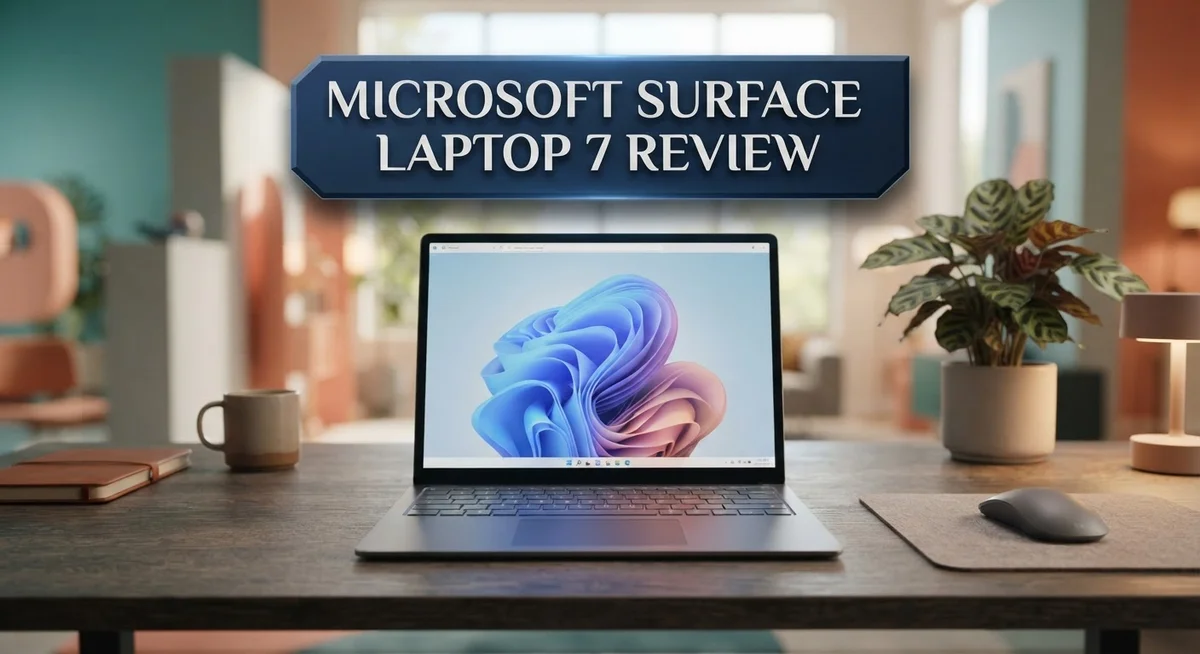
Microsoft Surface Laptop 7 Review 2026: Live Up To The Hype?
Looking for a laptop that feels fast and smooth? The Microsoft Surface Laptop 7 brings a fresh update to the Surface lineup. It packs the Snapdragon X Elite chip for quick, efficient performance.
This laptop turns on instantly. You open the lid and it wakes up right away. No waiting, no lag.
The 15-inch model gives you plenty of screen space. Its 120Hz display makes scrolling and watching videos feel silky smooth.
We tested this laptop closely. We checked its speed, battery life, and everyday usability. This review shares what we found.
The trackpad feels responsive and precise. Typing feels natural too. Microsoft clearly focused on the small details here.
Battery life is good, though not amazing. The laptop runs longer than many rivals but falls short of some bold claims.
It does weigh more than some competitors. Still, it feels solid and well built in your hands.
Curious how it stacks up against the MacBook or Lenovo ThinkPad X9? Keep reading. We break down every detail to help you decide if this laptop fits your needs.
In a Nutshell
Here is a quick summary of what makes this laptop stand out.
-
The Snapdragon X Elite chip powers this machine. It handles daily tasks with ease and keeps things running smooth.
-
You get a 120Hz display that makes scrolling and video feel silky. Colors look sharp and text stays crisp.
-
The 16GB RAM option gives you enough room to multitask. Switching between apps feels quick and painless.
-
Software reliability stands out here. Updates run smooth and apps rarely crash or freeze.
-
This laptop struggles a bit with demanding workloads. Heavy editing or gaming may push it to its limits.
-
Compared to the MacBook, Lenovo ThinkPad X9, or laptops from Asus and Acer, this Surface holds its own in daily use. It may not beat them in raw power, but it delivers a steady experience.
Overall, this laptop suits everyday users well. It shines in speed, display quality, and software stability. Just keep its limits in mind if you need serious computing muscle.
Key Features and Specifications
The Microsoft Surface Laptop 7 packs serious power under the hood with its Snapdragon X Elite chip. This processor handles everyday tasks with ease and delivers smooth performance when you switch between apps.
The 120Hz display is a game changer for your visual experience. Scrolling through web pages feels buttery smooth. Videos play without the jank you see on standard 60Hz screens. Colors pop, and the brightness stays consistent from different angles.
You get a 15-inch screen that gives you real estate for work and entertainment. The display resolution supports sharp text and detailed images. Whether you’re editing photos or writing documents, this size strikes a nice balance between portability and usable space.
Memory options include 16GB RAM, which means multitasking becomes effortless. You can run multiple browser tabs, productivity apps, and communication tools at once without slowdowns. Heavy creative work like video editing or 3D rendering may push this limit, but for standard office tasks and content consumption, it handles everything smoothly.
The trackpad deserves special mention. It responds precisely to your touch and supports gestures that Windows recognizes instantly. You won’t feel frustrated clicking or dragging. The keyboard also types comfortably for long work sessions.
Battery life sits in the solid range for a laptop this size. You get through a workday without hunting for an outlet immediately. Real world usage shows the battery lasts longer during light tasks like browsing and email compared to intensive computing.
One trade off worth noting: this laptop weighs more than some competitors in its class. You’ll feel the difference if you carry it daily in a bag. The build quality justifies some of that weight though, with a premium feel throughout.
The software integration with Windows runs reliably. Updates install smoothly, and the system rarely crashes or freezes. For demanding workloads like professional video production or complex data analysis, you may want to explore other options. But for everyday computing, creative hobbies, and professional work, this Surface delivers what most people actually need.

- IMPRESSIVE, RELIABLE POWER: Built with the latest Intel Core Ultra Processors (Series 2), enjoy powerful...
- All-DAY PRODUCTIVITY: Power through tasks with up to 22 hours of battery,[2] and recharge in a snap with...
Last update on 2026-10-22 / Affiliate links / Images from Amazon Product Advertising API
Design and Build Quality
The Microsoft Surface Laptop 7 feels solid in your hands from the moment you pick it up. The chassis combines aluminum and glass in a way that looks clean and modern. You notice the attention to detail right away with smooth edges and a premium finish throughout.
The 15-inch screen sits in a frame that balances protection with minimal bezels. This gives you more viewing space without making the laptop feel bulky around the edges. The display panel itself is recessed slightly, which protects it from accidental bumps and scratches during daily use.
The keyboard deck sits flat and stable when you type. Keys respond with a satisfying click and don’t feel mushy or loose. The spacing between keys feels natural, so your fingers land where you expect them to. The trackpad is genuinely excellent, offering a large surface that responds smoothly to gestures and clicks. You won’t feel frustrated when navigating or editing documents.
One thing to consider is the weight. This laptop is heavier than some ultraportable competitors on the market. If you carry it daily between meetings or travel frequently, you’ll notice the heft. The trade off is that the extra weight comes from solid construction and durable materials that feel built to last.
The ports sit along the sides in logical positions. You get access to charging and data transfer without awkward cable routing. The overall footprint is reasonable for a 15-inch machine, so it fits on most desks and in standard laptop bags.
The build quality reflects Microsoft’s design philosophy: function meets form without unnecessary complexity. Every surface feels intentional. The materials don’t squeak or flex when you grip the edges. Hinges open smoothly and hold the screen at any angle you choose.
The ventilation design keeps the machine quiet during normal use. Air flows through discreet vents without creating visible gaps or ugly grilles. This keeps the aesthetic clean while managing heat from the Snapdragon X Elite chip effectively.
Performance and Processing Power
The Snapdragon X Elite chip sits at the heart of this laptop’s performance story. This processor delivers instant responsiveness when you open apps, switch between windows, or launch heavy software. You won’t experience lag during everyday tasks like browsing, email, or document editing.
Multitasking becomes smooth with the 16GB RAM option. You can run multiple browser tabs, video calls, and productivity apps simultaneously without slowdowns. The system handles context switching effortlessly, so your workflow stays uninterrupted.
However, demanding workloads present a limitation worth considering. If you work with video editing, 3D rendering, or complex data analysis, this laptop may struggle to keep pace. The Snapdragon X Elite excels at general computing but doesn’t match the performance ceiling of some desktop replacements or high-end workstations.
The 120Hz display amplifies the performance feel beyond raw processing power. Scrolling through documents feels buttery smooth. Video playback looks incredibly fluid. This high refresh rate makes everyday interactions feel faster and more responsive, even if the processor speed remains constant.
Real world performance shows up in boot times and app launches. Windows loads quickly thanks to the efficient chip architecture. Applications open almost instantly, creating that snappy feel users appreciate. File transfers and system operations complete without noticeable delays.
Software reliability rounds out the performance picture. Windows runs stably on this hardware without crashes or freezes during normal use. Updates install smoothly, and the operating system integrates well with the Snapdragon X Elite architecture.
The trade off exists between performance and power consumption. This chip prioritizes efficiency over raw speed. You get excellent battery life because the processor doesn’t drain power unnecessarily. That means you sacrifice some peak performance for all day computing.
For content creators, programmers, or professionals handling resource intensive tasks, this laptop requires honest evaluation. Your specific workload determines whether the performance suffices. General users and business professionals find the power more than adequate. The balance between speed, efficiency, and reliability makes this machine shine for its intended audience.
Top 3 Alternatives
Apple MacBook Air

- BUILT FOR COLLEGE. AND BEYOND — MacBook Air with the M5 chip packs blazing speed and powerful AI...
- TEAR THROUGH TOUGH ASSIGNMENTS — With its faster CPU and unified memory, the M5 chip delivers even more...

Last update on 2026-10-22 / Affiliate links / Images from Amazon Product Advertising API
The MacBook Air offers excellent performance for everyday tasks and creative work. This laptop runs macOS, which many users find intuitive and reliable. You get a beautiful display, solid battery life, and a lightweight design that’s easy to carry around.
The keyboard feels responsive, and the trackpad is spacious. If you already use other Apple devices, this laptop integrates seamlessly with your ecosystem. The build quality is premium, making it a long-lasting investment.
Dell XPS 13

- MADE FOR COLLEGE LIFE – Weighing only 2.2 lbs, the Dell XPS 13 slips easily into a backpack for...
- SHARP 13.4" 120HZ TOUCHSCREEN – Enjoy a vivid 2.5K touchscreen with up to 120Hz refresh rate for...
Last update on 2026-10-22 / Affiliate links / Images from Amazon Product Advertising API
Dell’s XPS 13 combines power and portability in one package. The display is stunning with minimal bezels, giving you more screen space in a compact form. This laptop handles multitasking, video editing, and programming without breaking a sweat.
You get fast performance from modern processors and plenty of RAM options. The keyboard is comfortable for long typing sessions. Windows 11 provides familiar functionality for those switching from other machines. Battery life gets you through a full workday easily.
Lenovo ThinkPad X1

- UNOPENED RETAIL PACKAGING, sold as configured by Lenovo. Includes Lenovo One Year On-site Warranty. Add...
- Featuring the AI-enhanced Intel Core Ultra 7 365 vPro processor, this Copilot+ X1 Carbon utilizes...
Last update on 2026-10-22 / Affiliate links / Images from Amazon Product Advertising API
The ThinkPad X1 is built for professionals who need reliability and durability. This laptop features the iconic red trackpoint and comfortable keyboard that ThinkPad users love. The design is sleek yet practical, with excellent port selection for connecting peripherals.
Performance is strong across demanding applications. The display is crisp and bright, perfect for extended work sessions. Security features are robust, protecting your data effectively. This machine feels built to last, with quality materials throughout.
Display and Visual Experience
The display on the Microsoft Surface Laptop 7 delivers a visual experience that stands out in its category. Colors appear vibrant and accurate across the screen, making it ideal for both work and entertainment tasks.
The 120Hz refresh rate transforms how content looks on your screen. Scrolling through documents feels buttery smooth. Web pages load with a fluid motion that makes the overall experience feel more responsive than standard 60Hz displays. This higher refresh rate also benefits video playback and gaming, though the laptop isn’t marketed as a gaming device.
The 15-inch screen provides ample space for your work. You can comfortably view multiple windows side by side without squinting or excessive scrolling. The screen real estate makes spreadsheets easier to read and video editing more practical. Text appears sharp and legible at normal viewing distances.
Brightness levels remain consistent across different viewing angles. You can work comfortably in various lighting conditions, from dim offices to brightly lit coffee shops. The anti-glare coating reduces reflections without making the display look washed out or dull.
Color accuracy matters for professionals who work with images or videos. The display handles these tasks well, though demanding color work professionals might seek additional calibration tools. For general office work, content consumption, and casual creative tasks, the color performance proves more than adequate.
The bezels surrounding the screen stay relatively thin. This design choice maximizes the usable display area while keeping the overall laptop footprint reasonable. The bezel design also contributes to the professional appearance of the device.
Contrast levels on this display perform solidly. Blacks appear deep without crushing details, and whites remain bright without overwhelming the screen. This balance makes for comfortable extended viewing sessions.
The display’s performance pairs well with the overall system speed. The smooth 120Hz refresh rate complements the instant-on functionality and quick app launches. Together, these elements create a cohesive visual and operational experience that feels modern and capable for daily computing tasks.
Battery Life and Portability
The Microsoft Surface Laptop 7 strikes a balance between power and portability that matters for professionals on the move. You get a 15-inch screen in a frame that doesn’t feel oversized or bulky in everyday use.
Weight does come into play here. The laptop weighs more than some competitors you might consider. If you carry your machine between meetings or travel frequently, you’ll notice the heft. It’s not a featherweight ultrabook, but it’s not a desktop replacement either. The solid construction actually contributes to this weight, so there’s a trade-off between durability and ease of transport.
Battery life performs decently for all-day work. You won’t hit the extreme claims some manufacturers make, but realistic usage gets you through a standard workday. The Snapdragon X Elite chip and efficient design help here. Light browsing and document editing stretch your battery further than heavy video editing or gaming would.
The portability factor improves when you consider what you actually get. The 15-inch display gives you real screen space without forcing you to carry something massive. Your fingers have room to work on the keyboard, and the trackpad responds exactly where you need it. This matters when you’re working in coffee shops or airport lounges.
Real-world battery performance depends on your workflow. Video calls drain power faster than writing emails. Streaming content uses more juice than local file work. If you’re doing demanding tasks like video rendering or complex coding, expect shorter battery sessions. For standard office work, email, and browsing, the battery holds up well enough.
The ventilation design keeps the machine quiet during normal use, which means the battery isn’t wasting energy on cooling fans running constantly. This efficiency helps battery longevity throughout the day.
For frequent travelers who value screen real estate, the Surface Laptop 7 delivers. You get a substantial display without sacrificing too much portability. The weight requires honest consideration, but the build quality and performance make that trade-off worthwhile for professionals who need both power and mobility.
Pros and Cons
Pros
- Outstanding performance with instant-on functionality makes everyday tasks feel snappy
- Excellent trackpad provides smooth, responsive navigation without frustration
- High-quality 120Hz display delivers crisp visuals and smooth scrolling
- Reliable software keeps the system stable during your workday
- Good battery life supports most all-day work sessions without constant charging
Cons
- Heavier than competing laptops, which affects portability for frequent travelers
- Battery life falls short of manufacturer claims in real-world use
- Limited power for demanding workloads like video editing or complex programming tasks
- Premium positioning means this machine demands serious consideration before purchase
Who Should Buy It
The Surface Laptop 7 works best for professionals who need reliable performance without constant distractions. If you spend your day in Microsoft Office, web browsers, and video calls, this machine handles everything smoothly.
Creative professionals benefit from the 120Hz display and solid color accuracy. Designers, photographers, and content creators who work with images appreciate the visual quality. The screen’s brightness and contrast stay consistent whether you’re at your desk or working by a window.
Students and academics find value in the instant-on functionality and responsive trackpad. Taking notes during lectures becomes effortless. The reliable software means fewer crashes when you’re working on important projects or assignments.
Remote workers appreciate the all-day battery performance for typical tasks. If your day involves email, documents, and video meetings, you’ll finish work without hunting for an outlet. The quiet operation keeps your environment calm during conference calls.
However, this laptop isn’t ideal for everyone. Video editors and software developers working with demanding applications may hit performance limits. Complex rendering tasks or heavy programming environments require more power than this machine provides.
Frequent travelers should consider the weight carefully. While the 15-inch screen offers great workspace, carrying it daily adds noticeable load to your bag. Ultralight laptop users might prefer something lighter.
Gamers should look elsewhere. The Snapdragon X Elite chip doesn’t match gaming requirements. You’ll experience frustration with modern games that demand serious graphics processing.
People who work offline extensively might find limitations too. This system shines when connected to cloud services and online applications.
The Surface Laptop 7 thrives for knowledge workers who value a smooth, distraction-free experience. Your workflow involves standard applications, cloud storage, and web-based tools. You want a machine that just works without requiring constant maintenance or troubleshooting. The combination of instant-on speed, excellent trackpad, and reliable software creates a focused work environment. This laptop rewards people who appreciate quality build and consistent performance over raw power specifications.
Final Verdict
The Surface Laptop 7 earns its spot among premium Windows laptops. Its Snapdragon X Elite chip brings a fresh kind of efficiency that older Intel models struggle to match.
This chip also powers on device AI features. Copilot and other Windows AI tools run smoothly, giving you smart suggestions without lag.
App compatibility on ARM has improved a lot. Most everyday programs run natively now, though some niche software still needs emulation.
The build quality feels solid and premium. Microsoft clearly focused on making this machine feel durable, not just functional.
Compared to the Lenovo ThinkPad X9 15 Aura Edition, the Surface Laptop 7 offers a cleaner, more consumer friendly design. The ThinkPad leans more toward business grade toughness.
Against the MacBook, the experience differs mainly in ecosystem. If you rely on Microsoft 365 and Teams daily, this laptop fits your workflow better.
Asus and Acer laptops often win on raw specs for the same tier. But they rarely match the polish and consistency Microsoft delivers here.
This laptop shines when paired with Microsoft’s ecosystem. OneDrive syncing, Teams integration, and Windows Hello all work seamlessly together.
Should you buy the Surface Laptop 7? If you want a dependable, well built Windows laptop for daily productivity, yes.
It suits people who already live inside Microsoft’s software world. The tighter that integration, the more value you get from this machine.
Skip it if you need heavy duty performance for editing or coding intensive projects. The chip simply wasn’t built for that kind of strain.
For most professionals, students, and everyday users though, this laptop delivers a smooth, reliable experience. It handles daily tasks without fuss.
In the end, the Surface Laptop 7 proves that thoughtful design and smart engineering matter more than flashy specs alone.
Frequently Asked Questions
Does the Surface Laptop 7 handle video editing and programming?
The Surface Laptop 7 works well for light creative tasks. However, demanding workloads like video editing or complex programming push it beyond its comfort zone. The Snapdragon X Elite chip delivers solid everyday performance, but heavy-duty creative work may cause slowdowns.
If you edit videos regularly or build large software projects, you’ll notice limitations. The laptop handles basic coding and simple edits without frustration. For professional creative work, consider machines built specifically for those tasks.
How does battery life compare to what Microsoft claims?
Real-world battery life falls short of manufacturer promises. Microsoft advertises excellent all-day performance, yet typical users report needing a charge before evening. The battery performs well for standard office tasks and web browsing.
Remote workers handling emails, documents, and video calls experience solid battery performance. Streaming video or running multiple heavy applications drains the battery faster. Your actual battery life depends on what you do during the workday.
Is the Surface Laptop 7 good for travelers?
This laptop carries some weight that affects portability. If you travel frequently and move between meetings, you’ll notice the heft in your bag. The instant-on functionality helps you work quickly at airports and coffee shops.
The 120Hz display makes working on planes or trains feel smooth and responsive. However, heavier competitors exist, and lighter options are available. Consider your travel patterns before deciding. Daily commuters typically adapt fine. Frequent international travelers might want something lighter.
Can you run older Windows software on this ARM based laptop?
App compatibility on ARM has improved significantly. Most popular Windows applications run without issues. Microsoft’s ecosystem apps like Office and Teams work flawlessly.
Some older or specialized software may encounter problems. Test your specific applications before purchasing if you rely on niche programs. The compatibility landscape keeps improving as developers optimize for ARM chips.

Hi, I’m Joy! I’m a passionate tech enthusiast with years of experience testing and reviewing the latest gadgets and software. I started TechReviewed.blog because I believe everyone deserves access to honest, straightforward tech advice without the marketing fluff.