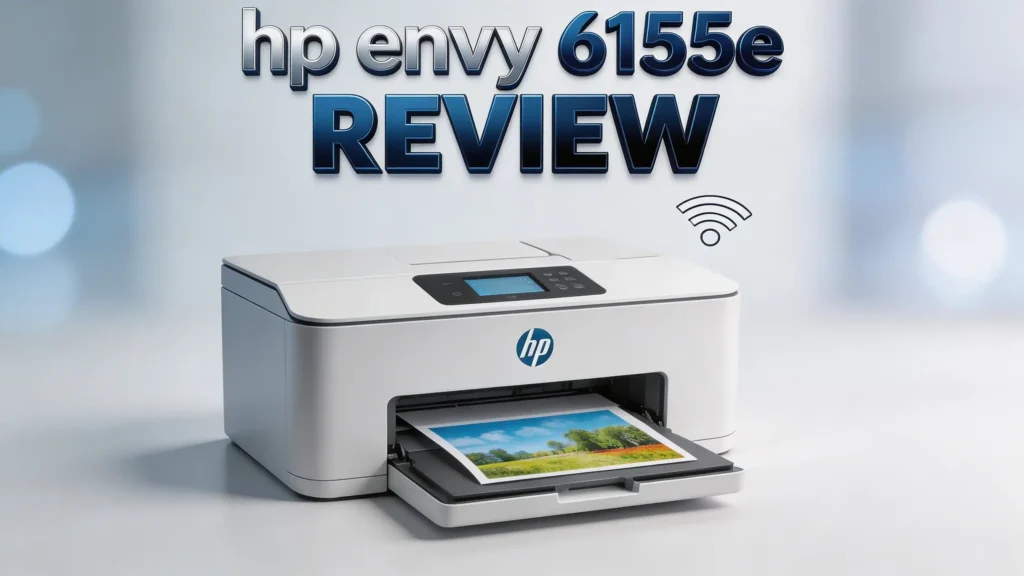
HP Envy 6155e Review 2026: Worth Your Money?
Are you searching for a reliable home printer that handles documents, photos, and everyday school projects without breaking the bank?
The HP Envy 6155e has been a popular pick among home users, and for good reason. It prints, scans, copies, and even sends mobile faxes from one compact device.
But does it still hold up in 2026? With so many printers on the market, you need to know if this one truly delivers.
In this detailed HP Envy 6155e review, we break down every feature, from print quality to wireless connectivity. We also cover ink costs, setup ease, and real user experiences.
Key Takeaways
- All-in-one functionality: The HP Envy 6155e prints, scans, copies, and supports mobile fax. It handles color documents and borderless photos up to 8.5 x 11 inches. This makes it a solid pick for families and students who need one device for multiple tasks.
- Wireless and mobile printing: This printer supports dual-band Wi-Fi with self-healing connectivity. It reconnects automatically if the signal drops. You can print from your phone, tablet, or laptop using the HP Smart App.
- Automatic duplex printing: The Envy 6155e prints on both sides of the paper without manual flipping. This saves paper and cuts costs over time. HP also offers exclusive 2-sided photo printing for personalized cards.
- HP Instant Ink compatible: The printer ships with 3 months of free HP Instant Ink through the HP+ program. This subscription service delivers ink to your door before you run out. It can lower your per-page printing costs significantly.
- Affordable price point: Priced well under $150, the HP Envy 6155e offers strong value for home users. The 100-sheet input tray and 2.4-inch color touchscreen add convenience at this budget-friendly price.
- Sustainability focus: HP built this printer with 60% recycled plastic. If eco-friendly design matters to you, this detail is worth noting.
HP Envy 6155e Overview and First Impressions

- The Envy 6155e is perfect for homes printing everyday quality color documents like homework and...
- PERFECTLY FORMATTED PRINTS WITH HP AI – Print web pages and emails with precision—no wasted pages or...
Last update on 2026-10-23 / Affiliate links / Images from Amazon Product Advertising API
The HP Envy 6155e is an all-in-one inkjet printer built for home use. It carries the product number 714L5A and belongs to HP’s Envy line, which sits between the budget DeskJet series and the premium OfficeJet Pro range.
Out of the box, the printer feels lightweight and compact. Its Portobello color finish blends well with modern home offices and living spaces. The footprint is small enough to sit on a desk, shelf, or side table.
HP positions this printer for families, students, and remote workers. It handles color documents, homework, creative projects, and borderless photo printing. The 2.4-inch color touchscreen on the front panel gives it a modern look and makes basic navigation straightforward.
First impressions are positive. The build quality feels solid for its price range. The paper tray holds 100 sheets, which is enough for light daily use. Overall, the Envy 6155e looks and feels like a well-made home printer.
Print Quality and Speed
Print quality is one of the strongest areas of the HP Envy 6155e. It uses a two-cartridge ink system with HP 68 Black and HP 68 Tri-Color cartridges. This setup produces sharp text and vivid color output for documents and photos.
Black-and-white pages print at speeds up to 10 pages per minute (ppm). Color pages come out at up to 7 ppm. These speeds are competitive for a home inkjet printer in this price range.
The printer supports HP’s true-to-screen technology. This means your printed colors closely match what you see on your monitor. For family photos, greeting cards, and school projects, the results look clean and detailed.
Borderless photo printing works on paper sizes up to 8.5 x 11 inches. Photos come out with good color accuracy and decent detail. You should not expect professional-grade photo lab results, but for casual home use, the quality impresses most users.
Text documents print with crisp, readable fonts at standard settings. Draft mode speeds things up for less important prints.
Top 3 Alternatives for HP Envy 6155e
If the HP Envy 6155e does not match your exact needs, these three printers offer strong competition in the same price category.
1. Canon PIXMA TR4720

- PVT Banydoll Print, Scan, Copy, Fax. Offered here in black, the PIXMA TR47 20 Wireless All-in-One Printer...
- Prints up to 8.8 ISO ipm in black, up to 4.4 ISO ipm in color.
Last update on 2026-10-23 / Affiliate links / Images from Amazon Product Advertising API
The Canon PIXMA TR4720 is a true 4-in-1 printer that adds a built-in fax machine. It supports auto duplex printing, wireless connectivity, and AirPrint. It is a great budget option with a compact design.
2. Epson EcoTank ET-2800

- ECOTANK TECHNOLOGY — This Epson EcoTank ET-2800 wireless all-in-one printer features cartridge-free...
- WIRELESS CONNECTIVITY — Connect seamlessly to your home network with Wi-Fi capability; Allowing you to...

Last update on 2026-10-23 / Affiliate links / Images from Amazon Product Advertising API
The Epson EcoTank ET-2800 uses a refillable ink tank system instead of cartridges. This drastically lowers ink costs over time. It includes enough ink for up to 4,500 black pages and 7,500 color pages. If you print a lot, this model saves you serious money.
3. Brother MFC-J1010DW

- FULL FUNCTIONALITY IN A COMPACT SIZE – Print, copy, scan, and fax with business-level features in a...
- FAST PRINTING WITH DUPLEX CAPABILITY – Print up to 17 ppm black and 9.5 ppm color¹ plus automatic...
Last update on 2026-10-23 / Affiliate links / Images from Amazon Product Advertising API
The Brother MFC-J1010DW offers wireless color inkjet printing with duplex support. It includes a 150-sheet paper tray and mobile printing through AirPrint and Brother Mobile Connect. It is a reliable pick for families and small home offices.
Wireless Connectivity and Mobile Printing
The HP Envy 6155e features dual-band Wi-Fi support. This means it connects on both 2.4 GHz and 5 GHz bands. The dual-band setup reduces interference and provides a more stable connection in busy home networks.
HP added a self-healing Wi-Fi feature to this model. If the printer loses its wireless connection, it automatically tries to reconnect. You do not need to restart the printer or manually re-enter network settings. This is a useful feature for homes with inconsistent Wi-Fi.
Mobile printing works through the HP Smart App, available on iOS and Android. The app lets you print, scan, and copy from your phone or tablet. You can also scan documents to email directly from the app.
The printer supports Apple AirPrint and Mopria Print Service for Android devices. This means you can print without installing extra apps on most modern smartphones. Bluetooth connectivity is also available for quick initial setup.
Overall, wireless performance is reliable. Most users report smooth connection with minimal dropouts during everyday use.
Scanning and Copying Features
The HP Envy 6155e includes a flatbed scanner that handles documents up to letter size (8.5 x 11 inches). The scanner sits under the printer lid and works well for single-page scans.
Scan resolution reaches up to 1200 dpi, which is good enough for most home scanning tasks. You can scan photos, receipts, school papers, and important documents with decent clarity.
The HP Smart App enhances the scanning experience. You can scan directly to your phone, save files as PDFs, or send them to email. The app also offers basic editing tools like crop, rotate, and brightness adjustment.
Copying is straightforward. You place your document on the flatbed, select copy on the 2.4-inch touchscreen, and hit start. The printer produces clear copies with accurate colors.
One limitation is the lack of an automatic document feeder (ADF). You must scan or copy one page at a time. If you frequently handle multi-page documents, this could slow you down. For occasional home use, the flatbed scanner works perfectly fine.
HP Smart App and Touchscreen Experience
The HP Smart App is the central hub for managing the Envy 6155e. HP calls it the easiest-to-use print app, and many users agree. The interface is clean and simple with large buttons for print, scan, copy, and fax.
You can set up the printer entirely through the app. The guided setup walks you through Wi-Fi configuration, ink cartridge installation, and paper loading. Most users complete the process in under 15 minutes.
The printer itself features a 2.4-inch color touchscreen. HP describes it as their most intuitive printer display. The screen responds quickly to taps and provides clear visual feedback. You can start copies, check ink levels, and adjust basic settings directly from the panel.
The app also manages your HP Instant Ink subscription. You can track ink usage, change plans, and view delivery status. Push notifications alert you when ink is running low.
HP’s AI-enabled features help format prints correctly. The system detects document types and adjusts settings for the best output. This reduces the number of wasted prints from poor formatting.
HP Instant Ink and Ongoing Costs
The HP Envy 6155e ships with 3 months of free HP Instant Ink when you activate HP+. This subscription service monitors your ink levels and sends new cartridges before you run out.
HP Instant Ink plans start at a free tier for 15 pages per month. Paid plans offer higher page counts at fixed monthly rates. Unused pages roll over to the next month, which adds flexibility.
Without a subscription, the HP 68 Black and HP 68 Tri-Color cartridges are the standard replacements. These cartridges are widely available at retail stores and online. Standard yield cartridges handle around 100 to 120 pages for black and slightly fewer for color.
One important note: HP+ requires you to use only Original HP Ink cartridges for the life of the printer. This printer uses dynamic security measures to block third-party or modified cartridges. This limits your options and can increase long-term costs if you prefer cheaper ink alternatives.
For light home printing of around 50 to 100 pages per month, the Instant Ink subscription keeps costs low. Heavy printers or users who prefer third-party ink should consider this restriction carefully.
Paper Handling and Tray Capacity
The HP Envy 6155e comes with a 100-sheet input tray. This tray handles standard letter-size paper, envelopes, and photo paper. For a home printer, 100 sheets is adequate for daily use.
The printer supports paper sizes including letter, legal, 4×6, 5×7, and 8×10 inches. It also handles envelopes in standard #10 size. Photo paper from HP produces the best results, though other brands work too.
Automatic duplex printing is built in. The printer flips pages on its own to print on both sides. This feature cuts paper usage in half for long documents. HP also offers exclusive 2-sided photo printing for creating personalized greeting cards and postcards.
The output tray sits at the front and holds finished prints neatly. Paper jams are infrequent based on user reports, as long as you use paper within the recommended weight range.
One downside is the lack of a rear paper feed. Specialty or thicker media feeds from the same front tray. Some users report occasional issues with heavier card stock. Standard copy paper and photo paper feed smoothly in most cases.
Design, Build Quality, and Size
The HP Envy 6155e sports a modern, compact design in a Portobello color finish. The soft, muted tone fits well in home offices, bedrooms, and living rooms. HP clearly designed this printer to blend into your space rather than stand out.
The dimensions are compact. The printer measures approximately 17.1 x 16.9 x 5 inches (W x D x H) when closed. It weighs around 11.6 pounds, making it easy to move and reposition.
Build quality is decent for a printer in this price range. The plastic shell feels solid and does not flex or creak. The touchscreen panel is responsive and feels well-integrated into the front face.
HP built this printer with 60% recycled plastic. The company continues to push sustainability across its product lines. If you value eco-friendly manufacturing, this detail matters. The packaging also uses recycled materials.
The power button and USB port placement are straightforward. The printer looks clean with cables tucked behind. A minimalist aesthetic runs through the entire design.
Setup Process: How Easy Is It?
Setting up the HP Envy 6155e is simple. HP designed the process around the HP Smart App, which guides you through every step.
First, download the HP Smart App on your phone or computer. Open the app and follow the on-screen instructions. The app detects the printer automatically via Bluetooth during initial setup.
Next, connect the printer to your Wi-Fi network. The app walks you through selecting your network and entering the password. Dual-band support means you can choose either a 2.4 GHz or 5 GHz band.
After Wi-Fi setup, the app prompts you to install the HP 68 ink cartridges. The printer ships with starter cartridges in the box. Insert them into the labeled slots, and the printer aligns them automatically.
Finally, load paper into the 100-sheet input tray and print a test page. The entire setup process takes about 10 to 15 minutes for most users. HP’s guided process eliminates guesswork.
You will also be prompted to activate HP+ during setup. This optional step unlocks the 3 months of free Instant Ink and extended warranty benefits. It does require an HP account and ongoing internet connection.
Who Should Buy the HP Envy 6155e?
The HP Envy 6155e fits a specific type of user very well. It is ideal for families with school-age children who need a reliable printer for homework, reports, and creative projects.
Remote workers with light printing needs will also appreciate this printer. It handles documents, scans, and copies without taking up much desk space. The wireless features make it easy to share across multiple devices in a household.
Photo enthusiasts who want casual borderless photo printing will enjoy the output. The print quality is good for social media prints, scrapbooks, and family albums. Professional photographers should look elsewhere.
Budget-conscious buyers benefit from the HP Instant Ink program. If you print fewer than 100 pages per month and prefer the convenience of auto-delivered ink, this printer offers real savings.
However, the Envy 6155e is not ideal for heavy office use. The 100-sheet tray fills up quickly with high-volume printing. The lack of an ADF makes multi-page scanning slow. Users who print over 300 pages per month should consider an OfficeJet Pro or a laser printer instead.
Pros and Cons of the HP Envy 6155e
Pros:
The printer delivers strong print quality for both documents and photos. Colors are vivid, and text is sharp at standard settings. Wireless connectivity is reliable with dual-band Wi-Fi and self-healing features.
The HP Smart App makes setup and daily use effortless. The 2.4-inch touchscreen adds convenience for standalone tasks. Automatic duplex printing saves paper without extra effort.
The 3 months of free Instant Ink with HP+ adds immediate value. The compact design and recycled materials make it a responsible choice for eco-conscious buyers.
Cons:
The 100-sheet paper tray is small for frequent printing. There is no automatic document feeder, which limits multi-page scanning efficiency. HP+ locks you into using only Original HP cartridges, which restricts ink choices.
Print speeds of 10 ppm black and 7 ppm color are average. Users who need fast output may find this limiting. The dynamic security feature blocks third-party ink cartridges entirely.
Final Verdict: Should You Buy the HP Envy 6155e in 2026?
- The Envy 6155e is perfect for homes printing everyday quality color documents like homework and...
- PERFECTLY FORMATTED PRINTS WITH HP AI – Print web pages and emails with precision—no wasted pages or...
Last update on 2026-10-23 / Affiliate links / Images from Amazon Product Advertising API
The HP Envy 6155e remains a solid all-in-one printer for home use in 2026. It covers the basics well with reliable printing, scanning, copying, and mobile fax. The print quality satisfies everyday needs for documents and casual photos.
Its strongest selling points are the easy setup, dual-band Wi-Fi, and HP Instant Ink compatibility. The compact design and sustainable materials add bonus appeal. For families, students, and light remote workers, it checks all the right boxes.
The main drawbacks are the small paper tray, missing ADF, and the HP+ cartridge restriction. These issues matter more for heavy users. If you print lightly and value convenience, the Envy 6155e is a smart buy at its current price.
For heavy printers or those who want ink tank savings, the Epson EcoTank ET-2800 offers lower long-term costs. But for a balanced mix of features, quality, and price, the HP Envy 6155e earns a confident recommendation.
Frequently Asked Questions
Does the HP Envy 6155e support duplex printing?
Yes. The HP Envy 6155e has built-in automatic duplex printing. It prints on both sides of the paper without manual intervention. HP also supports exclusive 2-sided photo printing for personalized cards.
What ink cartridges does the HP Envy 6155e use?
The printer uses HP 68 Black and HP 68 Tri-Color ink cartridges. These are available at most retail stores and online. With HP+ activated, you must use only Original HP cartridges.
Can I use third-party ink cartridges with the HP Envy 6155e?
No. The HP Envy 6155e uses dynamic security to block third-party and modified ink cartridges. This applies especially when HP+ is activated. Only Original HP cartridges with genuine HP electronic circuitry will work.
Does the HP Envy 6155e have an automatic document feeder?
No. The HP Envy 6155e uses a flatbed scanner only. You must place one page at a time on the scanner glass. There is no ADF for multi-page scanning or copying.
Is the HP Envy 6155e good for photo printing?
Yes, for casual and home photo printing. It supports borderless photo printing up to 8.5 x 11 inches. Colors are vibrant and details are clear. It is not a professional-grade photo printer but works well for everyday photo needs.
How do I connect the HP Envy 6155e to Wi-Fi?
Download the HP Smart App on your phone or computer. The app uses Bluetooth to detect the printer during initial setup. Follow the on-screen steps to select your Wi-Fi network. The printer supports both 2.4 GHz and 5 GHz bands.

Hi, I’m Joy! I’m a passionate tech enthusiast with years of experience testing and reviewing the latest gadgets and software. I started TechReviewed.blog because I believe everyone deserves access to honest, straightforward tech advice without the marketing fluff.