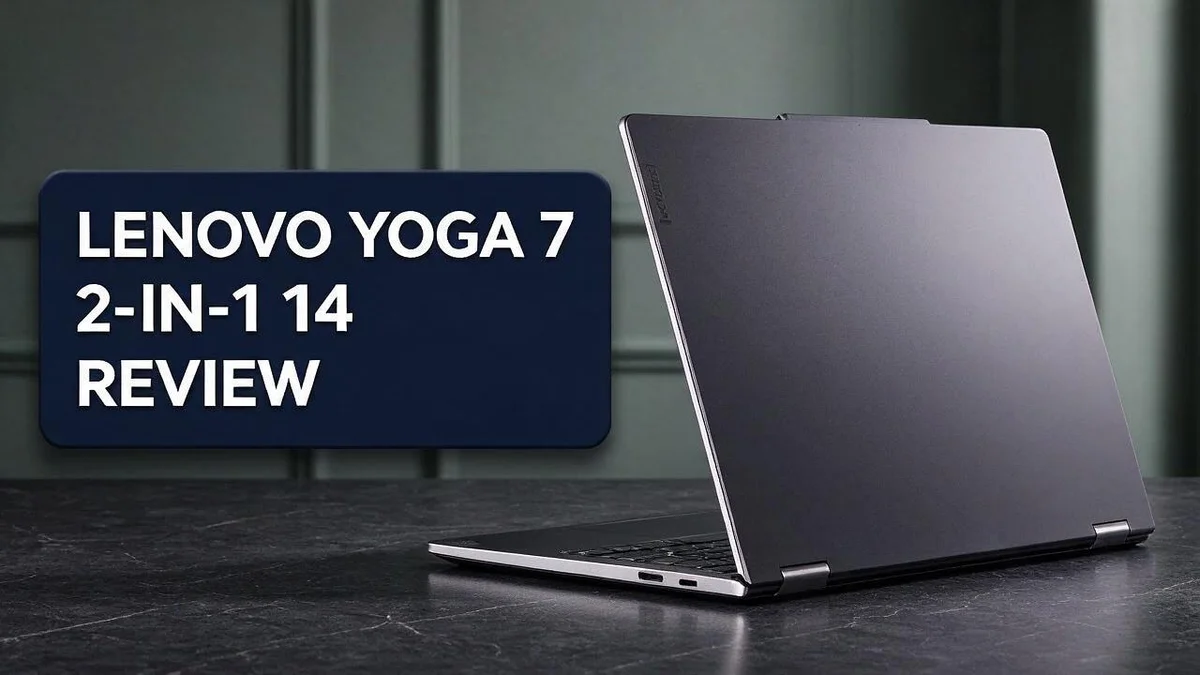
Lenovo Yoga 7 2-in-1 14 Review: Worth The Price?
Looking for a laptop that works as a tablet too? The Lenovo Yoga 7 2-in-1 14 could be the right fit. It blends a vivid screen, a sturdy body, and a flexible design.
Many people need one device for daily work and relaxed streaming. This model handles both well. Its hinge opens and folds into any position you like.
Build quality stands out right away. Most of the body feels like metal, so it feels solid in your hands. The chassis holds up whether you type, sketch, or watch a movie.
The OLED display gives you another reason to take a closer look. Colors look bright and rich. Photos, videos, and web pages really pop on screen.
Battery life also impresses. You can work for a long stretch before reaching for a charger. The keyboard feels comfortable and quiet, which helps during long writing sessions.
In this review, we break down the design, performance, display, and everyday use. You will learn whether this convertible laptop suits your routine.
In a Nutshell
-
Light enough to carry: The Yoga 7 weighs about 1.38 kg, or 3.04 lb. You can slip it into a backpack and take it almost anywhere.
-
Smooth daily performance: Reviewers tested a setup with 16 GB RAM and a 512 GB SSD. This mix keeps browser tabs, documents, and video calls running side by side without much slowdown.
-
Comfortable typing: The keyboard feels quiet and comfortable. It works well for long emails, reports, or late-night writing sessions.
-
Handy port selection: A good mix of ports keeps your mouse, drive, and monitor within easy reach. You will rarely need extra adapters at your desk.
-
Bright, colorful screen: The WUXGA OLED panel reaches up to 400 nits, so text and photos stay clear, even in a sunny room.
-
Lighter than key rivals: The ThinkBook 14 2-in-1 Gen 6 weighs 1.54 kg. The Yoga 7 is the easier choice if you walk, commute, or switch rooms often.
Design and Build Quality

- 🚀 Next-Generation AI Performance with Copilot+ PC – Powered by the AMD Ryzen AI 5 430 processor with...
- ✨ Stunning 14" OLED Touchscreen & 360° Flexibility – Enjoy vibrant visuals on the 14-inch WUXGA...
Last update on 2026-11-23 / Affiliate links / Images from Amazon Product Advertising API
The design of the Yoga 7 feels solid from the first touch. Most of the body uses metal, so the frame feels firm on your desk. Little flex appears when you lift it or open the lid.
The hinge does the heavy lifting. This laptop rotates a full 360 degree turn, so you can switch between several modes. The hinge holds its position in every orientation. Set the screen in tent mode for videos, or lay it flat to share a view with a friend.
A stable hinge matters more than most people think. A wobbly screen shakes while you type or tap. The Yoga 7 avoids that problem. Your display stays steady, which makes tablet use feel natural.
Smooth surfaces feel pleasant to touch. The lid and palm rest feel clean and modern. Metal also looks sharp on a desk or in a coffee shop. Many people enjoy that sleek look every day.
The compact frame slides into most bags with ease. You can carry it to class, the office, or a café without a bulky case. Pack a slim sleeve for extra protection on busy days.
Daily knocks are part of life. Bags get bumped, and laptops slide off couches. A sturdy frame handles those moments with less worry. The Yoga 7 gives you confidence that it can keep up.
Looks matter, but function matters more. The design balances style with real daily use. Each part feels intentional, from the edges to the hinge. You get a laptop that looks good and works hard.
Care keeps the finish fresh. Metal surfaces can show fingerprints over time. Wipe the lid with a soft microfiber cloth each week. Keep the hinge clean and avoid pulling the screen past its limit.
In short, the Yoga 7 shows smart design from top to bottom. The solid frame, sturdy hinge, and clean look work together well. Read on to see how the screen and performance hold up.
Display and Color Performance
A screen shows you the world, so color matters a lot. The Yoga 7 uses an OLED panel, and that choice changes how movies, photos, and web pages look.
OLED panels light each pixel on their own. This means dark areas look deep and rich instead of gray. Good color makes content feel alive.
Colors look vivid without looking fake. Reviewers often praise the vivid OLED colors, so photos and videos pop. The look still feels natural for everyday tasks.
Streaming becomes a real pleasure. Dark scenes in shows and movies keep their detail. Bright scenes keep their punch too. Watching on the couch or in bed feels more immersive.
Creative work also benefits from this clarity. Photo editing, sketching, and design all depend on how colors look. The WUXGA resolution keeps text and images sharp, so small details stay easy to see.
Tablet mode makes the screen easy to share. Fold the screen back and hold it like a tablet. Your favorite shows feel more personal this way.
Bright sunlight can still wash out any display. Pick a shaded spot when you can.
Small settings make a big difference. Open the display settings and match brightness to your surroundings. Tweaks like these help your screen look its best.
Color stays consistent for everyday tasks. Web pages, email, and documents look clean on the OLED panel. Text stays readable, and icons stand out clearly.
Reading feels easy on the eyes. Text sits on a clear background, so long articles stay pleasant to read. Night mode settings can also help after sunset.
Sharing screens works well in a group. Two people can watch a video from the same screen. The lively colors keep the picture fun for both.
Overall, the OLED panel makes everyday viewing feel fresh. Colors, contrast, and sharpness work together. Your screen becomes a joy to use every single day.
Performance and Battery Life
Performance shapes how this laptop feels every day. Speed matters most when you juggle many tasks at once.
The Yoga 7 handles office documents, web browsing, and video calls with ease. You can keep several windows open without the system slowing down. Reviewers often describe everyday tasks as quick and steady, which suits students, writers, and remote workers.
Video calls place extra load on the processor and camera. Close heavy browser tabs before a meeting to keep audio and video smooth. Good performance also depends on how you manage startup apps. Many programs launch when Windows starts and quietly use memory and power. Open Task Manager and disable the apps you rarely use. This simple step keeps the laptop feeling fresh for longer.
Long battery life is another reason many people like this model. A full charge can carry you through a long day of classes or meetings.
Battery life depends on how you use the laptop, though. Heavy video editing or gaming drains power much faster than writing emails or browsing. Small habits can help you stretch each charge. Lower the screen brightness, close apps you do not need, and turn on battery saver mode in Windows.
Dark themes also help on this OLED panel. Each pixel turns off completely when it shows black, so less power gets used. Dark backgrounds and dark app modes can make a real difference over a busy day.
Tip: Plug in before heavy tasks like exporting large video files. This keeps the processor running at full speed without worrying about the charge. Keep the charger in your bag for travel days. A quick top up before a meeting can save a lot of stress. Many users also find that battery life stays strong during light tasks like reading or taking notes.
Top 3 Alternatives
HP Spectre x360

- Powerful Intel Evo Ultra 7 155H 16-Core (Base Clock 2.4GHz, Up to 4.8 GHz with Intel Turbo Boost...
- [[ Customization ]] Upgraded to 16GB DDR5 SDRAM 4800 MHz | 1TB NVMe M.2 Solid State Drive | Windows...
Last update on 2026-11-23 / Affiliate links / Images from Amazon Product Advertising API
The HP Spectre x360 offers a sleek and premium design. Its screen folds all the way back, so you can use it as a tablet. Many users praise its vivid OLED display.
It also feels solid in your hands. The keyboard gives a comfortable typing experience for long work sessions.
Best for: creators who want style and power in one device.
Asus Zenbook Flip

- Aspect Ratio:16:9
- Intel Evo Platform - The perfect combination of performance, responsiveness and battery life. Enjoy...
Last update on 2026-11-23 / Affiliate links / Images from Amazon Product Advertising API
The Asus Zenbook Flip keeps things light and easy to carry. It has a slim body and a bright touchscreen that works well with a pen. Battery life is a major strength for long study or work days.
You can flip the screen into tent or stand mode for watching videos. It fits neatly into most bags.
Best for: students and remote workers who travel often.
Microsoft Surface Pro

- A PREMIUM PERFORMANCE 2-IN-1 LAPTOP & TABLET — Ready for work, school, and creativity. Built for busy...
- WITH AI BUILT IN — With a dedicated AI chip (Qualcomm Snapdragon X2 Plus), this Copilot+ PC[5] on...

Last update on 2026-11-23 / Affiliate links / Images from Amazon Product Advertising API
The Microsoft Surface Pro works more like a tablet than a laptop. You can detach the keyboard and draw or write on the screen with a stylus. It runs full Windows software, so your favorite apps still work.
It also supports touch and handwriting well. Many people use it for meetings, notes, and sketches.
Best for: people who want a flexible tablet for notes, sketches, and office tasks.
Keyboard, Comfort and Ports
Typing on the Lenovo Yoga 7 feels natural from the first key press. Your fingers settle into a relaxed rhythm. Many reviewers call the keyboard comfortable and quiet, which makes long writing sessions far more pleasant.
The quiet keys matter more than many people expect. Shared offices, libraries, and late night calls all benefit from soft typing sounds. Nobody wants to hear loud clacking during a video meeting.
Comfort goes beyond the keys. A clean palm area gives your wrists room to rest while you type. A well spaced layout helps your hands move with less effort.
The lightweight frame also helps when you use the laptop on your lap. The frame weighs 1.38 kg, or 3.04 lb, so it stays comfortable on your lap.
Ports make daily work simpler. The Yoga 7 offers a good port selection for everyday needs. You can connect an external drive, a second screen, or a mouse without hunting for adapters.
Having the right ports close at hand saves time at your desk. Plug in a monitor during a meeting and you can start presenting in seconds.
Think about the devices you use most before you choose accessories. Then check that the ports match those devices.
Keyboard and ports work well together. Comfortable typing and handy connections help you stay productive at home, school, or on the road.
Daily typing often includes shortcuts, copy and paste, and quick edits. A comfortable keyboard keeps these actions quick and easy. Students often type notes for hours during lectures. The keys handle long sessions without fuss, so focus stays on the content.
Tip: Clean the keys with a soft dry cloth to keep them looking fresh.
Ports also matter for video calls and file transfers. Quick access to USB devices keeps your workflow moving.
Weight and Portability
The Yoga 7 weighs 1.38 kg, or 3.04 lb. That is light for a 14 inch laptop with a full size screen.
Most people feel that difference in their bag. A light laptop fits beside your notebook and charger without pulling the straps down.
It also beats the ThinkBook 14 Gen 6 convertible, which weighs 1.54 kg. That gap may sound small, but it adds up on a long commute.
Weight matters even more when you walk between meetings. Carrying it through an office hallway or a crowded train feels easier.
Travel days show the benefit most. Airport security lines and cramped tray tables feel simpler when your laptop weighs less.
When you hold the laptop in tablet mode, the weight sits in your palm. A lighter body keeps your arm relaxed during long reading or note taking sessions.
The metal body adds strength without adding much bulk. You get a sturdy feel that still lifts easily from a desk.
Light weight also makes setup easy. You can move the laptop from the kitchen table to a home office in seconds. A compact footprint fits easily on a small café table, too.
Students and remote workers often switch locations during a single day. A portable machine supports that habit without extra effort.
Accessories add weight too. Your charger, a mouse, and a sleeve can push the total past what the spec sheet shows.
Pack light if you walk far. Keep only the cables and adapters you truly need each day. Your shoulders and back will thank you after a full week of commuting.
Weigh your full bag once. That quick check tells you if the Yoga 7 fits your daily routine.
Keep in mind that these numbers come from the Yoga 7 Gen 10 14 inch model. Other configurations may differ slightly, so check the listing before you decide.
Pros and Cons
Pros
- A sturdy hinge holds the screen steady in any orientation
- Vivid OLED colors make photos and videos look rich
- Solid build quality feels durable for daily use
- The tested setup includes 16 GB RAM and a 512 GB SSD
Cons
- The OLED panel peaks at 400 nits, so bright outdoor use may feel dim
- The IdeaPad 14 inch offers a higher resolution screen
- Performance varies by configuration, so check the exact specs first
- Research shows no other major drawbacks, so test it in person when you can
Who Should Buy It
Students often juggle lectures, notes, and research papers. This laptop helps them stay organized in one place. Flip the screen into tablet mode during class. You can then write notes by hand or read lecture slides with ease.
Remote workers spend hours on video calls and email. The long battery life lets them work through a full day without searching for an outlet. Writers and planners like to work in cafes or libraries. They can focus on their ideas instead of worrying about the charger. A long day away from the desk feels less stressful.
Home users need a dependable device for streaming shows, managing online bills, and video chats with family. This model handles those tasks well. Parents often want a shared laptop for homework and video calls. This model gives the whole family room to work and play.
Hobbyists who enjoy photo browsing and light editing will find it helpful for casual projects. Small business owners who handle invoices and client emails will find it reliable for daily office work.
Who should look elsewhere? Heavy gamers and professional video editors need stronger hardware. They may prefer a dedicated gaming laptop or a workstation.
If your work demands top speed for large projects, compare the exact configuration first. Otherwise, this laptop serves most everyday users very well.
Think about your daily routine before you buy. Ask yourself where you work, how long you stay away from a charger, and which apps you open most. Write down your top three tasks first.
Try the device in person if you can. Your own experience matters more than any spec sheet.
Final Verdict
The Lenovo Yoga 7 14 earns a strong final score. It suits people who want one reliable laptop for daily life. Most buyers will feel satisfied with it.
The screen flips around, so the device becomes a tablet in seconds. This flexibility lets you read, sketch notes, or watch shows in bed. One machine handles many jobs without extra gear.
Battery life is a major win. A full workday often passes without a charger nearby. That freedom helps when you work in cafes, libraries, or waiting rooms.
Performance feels smooth for school, office work, and web browsing. Multiple browser tabs and video calls run without much lag. Light multitasking rarely slows things down.
Check the exact configuration first. The tested model used 16 GB RAM and a 512 GB SSD. Some versions may ship with different parts, so confirm the specs before you decide.
Ask yourself a few simple questions. Do you need heavy gaming power? Do you edit large video files every day? If both answers are no, this laptop fits your needs well.
Look at the return policy too. A flexible return window gives you time to check the keyboard, screen, and tablet mode in real use.
Your daily routine should guide the choice. The Yoga 7 14 offers a balanced mix of strengths. It rewards people who value portability, flexibility, and strong battery life.
Final thoughts matter here. This laptop combines useful features in one package. It may not satisfy power users, but it covers most daily needs with ease.
Keep your expectations realistic. No laptop fits every task. The Yoga 7 14 shines in everyday work and entertainment, so choose it for that purpose.
Frequently Asked Questions
How heavy is the Yoga 7 14 to carry?
The laptop weighs about 1.38 kg or 3.04 lb. That makes it easy to slide into a backpack every morning. It feels lighter than the ThinkBook 14 two in one Gen 6, which weighs 1.54 kg.
Is the keyboard good for long typing sessions?
Yes, the keys feel comfortable and quiet. Your fingers can type for long stretches without much noise. This helps in shared spaces like libraries or open offices.
Does it have enough ports for daily accessories?
Yes, the port selection is solid. You can connect a mouse, an external monitor, or a USB drive without buying an extra hub. Check the exact port layout on your model because layouts can vary by configuration.
How does it compare with the IdeaPad 5 Pro?
Forum users say the IdeaPad 5 Pro has similar specs. Your choice may come down to screen preference and how the laptop feels in your hands. Try both in person if you can before you decide.

Hi, I’m Joy! I’m a passionate tech enthusiast with years of experience testing and reviewing the latest gadgets and software. I started TechReviewed.blog because I believe everyone deserves access to honest, straightforward tech advice without the marketing fluff.