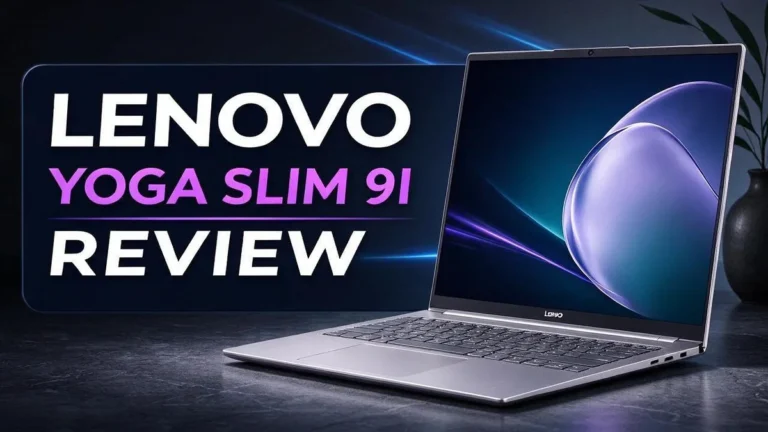
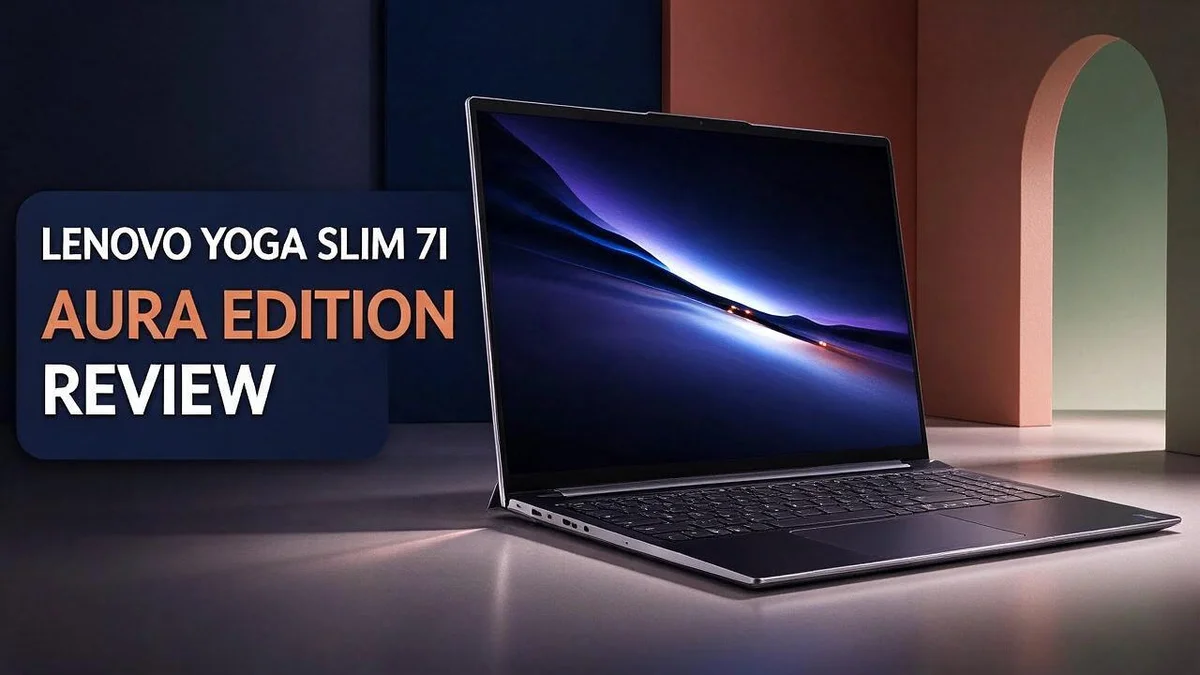
Lenovo Yoga Slim 7i Aura Edition Review: Worth The Hype?
Looking for a laptop that feels premium and still fits in your bag? The Lenovo Yoga Slim 7i Aura Edition might be the answer.
It comes in 14 inch and 15.3 inch sizes. You can pick the screen that suits your day.
Inside, you get an aluminium body and a crisp 2.8K IPS touch display.
The Intel Core Ultra 7 chip handles work tasks with ease. The battery also lasts a long time on a single charge.
The keyboard feels great to type on. Still, the webcam is weak and there is no fingerprint scanner.
In this review, we look at what works well and what falls short. This helps you decide if this laptop fits your needs.
In a Nutshell
-
Battery life stands out. Many owners say it lasts through a long day of work. That means fewer trips to the charger and more time for real tasks.
-
Speed beats a key rival. In testing, it outran the Asus ZenBook with Core Ultra 7. This makes it a strong pick for heavy multitasking and demanding apps.
-
Tough build for daily use. It carries a military standard 810H rating. This means it can handle bumps and rough travel with less worry.
-
Webcam and login need attention. Video calls may look weak. There is also no fingerprint scanner, so you type a password each time you sign in.
-
Creative work is a weak spot. The laptop is not suited to art work. Digital artists should look at a dedicated drawing machine instead.
-
Some owners report noise issues. Reports mention hinge creaking and speaker problems. These claims remain unverified, so check reviews before you buy.
Design and Build Quality

- Unopened retail packaging, sold as configured by Lenovo. One Year warranty included. Add up to 5 years of...
- It weighs just 3.22 pounds but fitted with a dazzling 15.3” Pursesight Pro display, it makes every...
Last update on 2026-11-23 / Affiliate links / Images from Amazon Product Advertising API
Build quality matters when you carry a laptop every day. The Lenovo Yoga Slim 7i Aura Edition feels well made from the first moment you pick it up.
Its slim frame slides into most backpacks with ease. You can take it to class, the office, or a café without fuss.
The body feels light yet solid in the hand. Many people prefer this balance when they move between rooms all day.
The overall look stays clean and minimal. It fits well in professional settings and casual spaces alike.
Materials play a big role in how a laptop ages. A metal body usually resists scratches and wear better than plastic. Keep this in mind when you compare models.
Small details also matter during everyday use. Hinges, edges, and lid tension all affect how the laptop feels over time.
Fingerprint login is missing. Some people expect a sensor on a premium machine. Instead, you type a password each time you sign in.
This design choice may feel like a step back. Still, the rest of the build helps balance that gap.
Hinge feel deserves a closer look. Open and close the lid several times before you decide. Check for any wobble or loose movement.
This quick test helps you judge the build for yourself. Focus on how the screen sits when you adjust the angle.
Durability matters for people who travel often. A solid body handles daily bumps better than a flimsy one.
Sturdy construction gives peace of mind on busy days. You can focus on your work rather than worrying about your device.
Overall, this laptop suits anyone who values portability and a polished look. Test the build in person, and you will know if it feels right.
Display and Visual Experience
Screen quality shapes how your day feels. You stare at your display for hours, so clarity matters. A sharp panel keeps eye strain lower during long tasks.
Text looks clean on this screen. Small fonts stay readable in documents and web pages. You spend less time zooming in and out.
Wide viewing angles help when you share work. The IPS panel keeps colours steady when someone sits beside you. Your teammate can check a chart without leaning across the desk.
The touch screen adds a second way to move around. You can tap links, scroll long pages, or swipe through a spreadsheet. Many people find this quicker than reaching for the trackpad.
Multitasking feels easier on a compact screen. Split the display between a browser and a notes app. Each window stays readable without constant resizing.
Glare can cause problems in bright rooms. Test the screen near a window before you commit. Check how the reflections look at your usual desk angle.
Long sessions need comfortable light. Many people work in cafes, trains, or sunny offices. Adjust brightness and night light settings to ease strain.
Brightness controls sit in the system settings. You can change them with a quick key or the quick settings panel. Small tweaks like these keep your eyes fresh through the afternoon.
The display suits most office and home tasks. Writing, research, and video streaming all look good here. Heavy photo editing may call for an external monitor.
Viewing the screen at different heights matters too. Lift the laptop on a stand to bring the top edge level with your eyes. Your neck will thank you after a long meeting.
Good lighting and a steady posture help even more. Your eyes stay relaxed during deep focus work. Overall, the screen supports clear and comfortable daily use.
Small gains add up fast over a full workday.
Performance and Processing Power
Processing power shapes how your day feels. The Intel Core Ultra 7 chip handles everyday tasks with ease. Opening files and switching between apps feels quick.
Many people judge a machine by how fast it starts. This model wakes up fast and gets to work without delay.
Memory matters just as much as the processor. The example setup offers 32GB of RAM, which gives plenty of room. Browser tabs, documents, and chat apps can all stay open at once.
Good memory helps you avoid slowdowns. Your work stays smooth even when your list of open windows grows long.
Storage speed also shapes the experience. The example model includes 512GB of storage. Large photo folders and project files fit with space to spare.
Lots of space means fewer decisions about deleting files. You can keep work, notes, and downloads in one place.
Spreadsheets and presentations benefit from this setup. Large spreadsheets tend to open without long pauses. You stay focused on your ideas instead of waiting.
Light video editing fits within reach. Short clips and simple cuts run well on this chip. Heavier projects may push the limits, so plan your workload carefully.
Think about your daily routine before you buy. Ask yourself which tasks take the most time. This helps you judge whether the performance matches your needs.
Performance also depends on how you use the laptop. Close unused apps and keep updates current. Small habits keep the machine responsive over time.
Tasks that run in the background also matter. Updates, syncing, and cloud backups use processing power too. A capable chip helps these jobs run quietly in the background.
Try a simple test before you decide. Open your usual apps, then switch between them. Notice how quickly each one responds.
Your own habits tell the real story. Light users may never notice limits. Heavy multitaskers should look closely at the memory setup.
Top 3 Alternatives
ASUS Zenbook 14

- 【Upgraded】Seal is opened for upgrade only, 1-Year warranty on Upgraded RAM/SSD from SnowBell, and...
- 【Intel Core Ultra 9 285H】The Intel Core Ultra 9 285H is a flagship mobile processor built on the...
Last update on 2026-11-23 / Affiliate links / Images from Amazon Product Advertising API
The ASUS Zenbook 14 is a light and stylish laptop for people on the go. Its slim body fits easily in a backpack.
Many models offer a bright OLED display with deep colors and sharp detail. Battery life is a major strength, so you can work through a full day without searching for an outlet.
HP Pavilion Aero 13

- 2K OLED DISPLAY - Experience rich colors and crisp visuals for your everyday productivity with an OLED...
- SNAPDRAGON X X1-26-100 PROCESSOR - Perfect for on-the-go productivity, this processor delivers essential...

Last update on 2026-11-23 / Affiliate links / Images from Amazon Product Advertising API
The HP Pavilion Aero 13 focuses on weight and portability. It is one of the lighter laptops in its class, so carrying it all day feels easy.
Students and remote workers often choose it for daily use. The screen is bright enough for working near a window, and the fans stay quiet during long study sessions.
Acer Swift Go 14

- Ready, Set Go!: Say hi to the all-new Swift Go—your AI ready laptop featuring the latest Intel Core...
- Indulge Your Eyes: The Swift Go 14-inch WUXGA (1920 x 1200) IPS display with 100% sRGB offers vivid color...
Last update on 2026-11-23 / Affiliate links / Images from Amazon Product Advertising API
The Acer Swift Go 14 balances performance and display quality. Its crisp screen shows vivid colors that suit photo editing and streaming.
The processor handles multitasking with ease. Good cooling keeps the laptop comfortable during heavier work, and fast storage helps apps open quickly.
Battery Life and Keyboard Experience
Battery life often decides whether a laptop fits your daily routine. You may leave home early and return late. Strong endurance means you rarely search for a power outlet.
Reviewers describe the battery life of this model as excellent. That gives you room for long meetings, document edits, and online research without constant charging. Many people appreciate this freedom when they work away from their desk.
Your habits still shape how long the charge lasts. Bright screens, heavy video, and many open tabs drain power faster. Lower the brightness and close apps you do not use to stretch each charge further.
Pack the charger anyway, because some days run longer than planned. It takes little room in a bag.
The keyboard deserves just as much attention. You type for hours each week, so comfort matters. Reviewers call the keyboard high quality, which suggests a pleasant feel under your fingers.
Good keys should feel steady and responsive. Look for keys that do not wobble when you type quickly. Your fingers should land where you expect every time.
Long emails and reports can feel tiring on a poor keyboard. A comfortable layout helps you finish tasks without sore wrists. Rest your palms lightly on the wrist area while you type.
The layout also matters for shortcuts. Keys in familiar positions help you move faster through spreadsheets and documents. Spend a few minutes learning any special function keys so they support your workflow rather than slow you down.
Quiet keys matter in shared spaces. Libraries, trains, and open offices reward softer typing. Your coworkers will thank you for a gentler sound.
Try a short typing test before you commit. Type a full page of text and notice how your hands feel. Check your accuracy and speed as well. If the keys feel natural, your daily work will flow more easily.
Webcam, Security and Audio
The webcam is a weak point on this laptop. Many people expect clear video for meetings. This model gives a basic image, so faces can look soft or grainy.
Low light makes the problem worse. Sit facing a window or a lamp so your face stays bright. Soft front light helps the camera capture more detail.
If you hold video calls every day, plan for an external webcam. A small camera that sits on top of the screen can fix the issue quickly. A simple privacy cover also helps when the laptop sits idle. It blocks the lens and gives you peace of mind during calls.
Security needs a little extra thought. This model has no fingerprint scanner. You need to rely on a strong password or PIN for daily logins.
Create a long passphrase for your account. Pair it with a password manager so you never reuse old logins. Strong login habits protect your files and emails. Turn on automatic screen locks so the laptop stays safe in shared spaces.
Audio is another area to check. Some owners report speaker problems, although these reports remain unverified. Sound quality can vary between units, so test the speakers early.
Headphones solve most of these concerns. A wired or wireless pair gives you clear sound during calls and music. Keep a pair in your bag for trips and busy cafes. Many people also use the laptop speakers for quick videos. Turn the volume down a little to avoid distortion at high levels.
Good sound also helps during long online meetings. Clear voices reduce tiredness and keep everyone focused on the discussion.
Sound and camera quality shape how others see and hear you. Make a short checklist before buying extras. List your camera needs, login preferences, and audio habits so you choose the right accessories.
Pros and Cons
Pros
- Solid build with a premium aluminium body that feels sturdy in the hand.
- The 2.8K IPS touch display helps with spreadsheets, documents, and daily productivity.
- In testing, it beats the Asus ZenBook Core Ultra 7 on benchmark performance.
- Its ultraportable frame makes it easy to carry, and the MIL-STD-810H rating adds extra durability.
Cons
- It is not suited to art work, so creative professionals may need another device.
- Some users report hinge creaking, although this remains unverified.
- The Lenovo Yoga Slim 7x offers a 3K OLED display if you want richer screen colors.
Who Should Buy It
Frequent travelers often find this laptop a good fit. Its light frame slides easily into a backpack. Long trips and busy commutes feel far less tiring.
Students can use it for everyday study work. Notes, research, and online classes run smoothly. A compact size also suits small dorm desks.
Office staff who juggle many tasks will feel at ease. Spreadsheets, emails, and browser tabs can pile up fast. A quick processor keeps the workflow steady.
Hybrid workers can build a flexible setup. Moving between home and the office takes little effort. Switching between tasks also feels smooth during a busy week. Adding an external monitor at home creates a larger workspace.
Managers who present often can use it with confidence. Slides and shared files open quickly. Presentations look clear during client meetings.
Field agents who visit many sites can carry it easily. Mobile tools matter when appointments change each day. Quick access to files keeps schedules on track.
Families may share it for light household tasks. Recipes, school forms, and online shopping suit it well. Everyone can use it without much setup.
Buyers who need heavy graphics work should compare other models. Check the specs against your own tasks first. This step helps you avoid surprises later.
Look for steady use over occasional tasks. Some people only open a laptop for a few hours each month. Those users may not need this level of speed.
Read reviews from real owners with care. Opinions vary, so check several sources. This habit helps you separate facts from personal experiences.
Think about your daily routine before you decide. Ask where you work, how far you travel, and which tasks fill your day. Your answers show whether this model fits your life.
Final Verdict
The Lenovo Yoga Slim 7i Aura Edition earns a strong place on your shortlist. It suits people who want speed, battery life, and a solid build in one package. Most buyers will feel happy with their choice.
Think of this laptop as a dependable daily partner. It keeps up with busy multitasking without fuss. The keyboard feels comfortable during long writing sessions, so typing becomes a pleasure rather than a chore.
Memory matters for lasting use. The example setup with 32GB RAM leaves plenty of room for busy workloads. That headroom helps the laptop feel fresh for years.
Check the touch screen in bright light before you decide. Good viewing angles help when you share the screen with a colleague.
Start by asking what you do most each day. If art sits at the center of your work, explore other options. Knowing your daily tasks makes this choice easy.
Our final take is simple. This laptop balances performance, portability, and battery life well. It fits students, office workers, managers, and frequent travelers alike.
Before you buy, check which generation you are viewing. Research lists a Gen 10 version of the 14 inch model.
Model details can vary, so read each listing carefully. Match the configuration to your storage needs.
Gamers should look for a machine with dedicated graphics. This model focuses on work, school, and travel. Matching the laptop to its strengths leads to the happiest owners.
Overall, the Yoga Slim 7i Aura Edition delivers more than most people expect. Its weak spots are clear, so you can prepare for them ahead of time. A little planning turns this laptop into a reliable everyday companion.
Buy with confidence if your needs match these strengths. Keep the weak points in mind and plan around them. Your daily routine will show you whether it is the right fit.
Frequently Asked Questions
Which screen size should I pick?
Choose the 14 inch model if you want the easiest carrying experience. Pick the 15.3 inch model if you need more room for side by side windows. Both sizes help you stay productive throughout the day.
Is the keyboard good for long typing sessions?
Yes, the keyboard earns high marks from many owners. Typing feels comfortable for emails, reports, and notes. Long writing sessions feel less tiring on this laptop.
Does the webcam work for video calls?
The webcam is weak, so video calls can look soft, especially in dim rooms. Try a brighter room or an external camera for important meetings.
Can I sign in without typing a password?
No, this laptop has no fingerprint scanner. Check the listing for face login or a PIN option. These sign in methods help you unlock the device quickly.

Hi, I’m Joy! I’m a passionate tech enthusiast with years of experience testing and reviewing the latest gadgets and software. I started TechReviewed.blog because I believe everyone deserves access to honest, straightforward tech advice without the marketing fluff.