Lenovo Yoga Slim 9i Review: Worth Your Money?
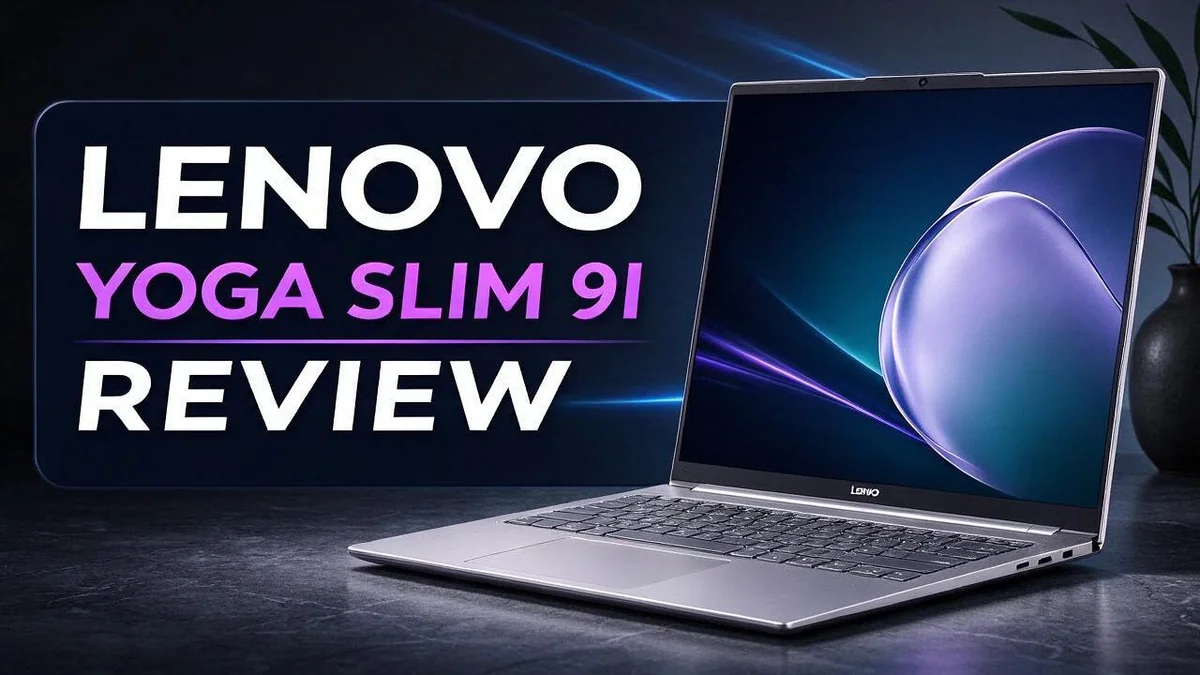
Are you looking for a laptop that looks great and works hard? The Lenovo Yoga Slim 9i might be the one. It packs a stunning 14 inch 4K OLED touchscreen into a sleek body.
The screen fills almost the entire lid with a 98% screen to body ratio. Even the camera hides under the display for a clean look.
Inside, you get an Intel Core Ultra 7 processor and 32GB of RAM. Intel Arc Graphics and plenty of storage keep tasks moving fast. This is a Copilot+ PC, so AI features are built in.
Solid metal construction feels premium in your hands. The chassis stays light, so it travels well. Many reviewers also praise the impressive battery life and call it a luxurious ultrabook.
In this review, we explore the design, performance, battery, pros, cons, and rival models.
In a Nutshell
-
Battery life stands out. Reviewers praise how long it lasts on a single charge. This helps during long workdays, trips, or classes when outlets are hard to find.
-
The lightweight frame travels well. You can carry it to class, to the office, or to a café without feeling weighed down. It fits easily into most bags.
-
Copilot+ PC features add helpful AI tools for everyday tasks. You can write, search, and organize files with less effort.
-
The under display camera keeps the top bezel clean. The screen looks smooth and modern, even during video calls and online meetings.
-
Check the model year before you buy. The 2021 version has three Thunderbolt 4 ports and one audio jack, which may feel limited for some users.
-
Rivals are worth a look. The Yoga Pro 9i offers a longer battery test result, while the HP Spectre x360 gives you a flexible 2 in 1 design for tablet use.
Design and Build

- Spectacular Visual Delights--【14" 4K OLED Touchscreen Display】A 14-inch 4K WQUXGA (3840×2400) OLED...
- Reliable CPU Performance--【Intel Core Ultra 7 258V Processor】Engineered for efficient performance and...
Last update on 2026-11-23 / Affiliate links / Images from Amazon Product Advertising API
Good design makes a laptop a joy to use every day. The Yoga Slim 9i shows care in its shape and finish. Its clean lines suit a classroom, a meeting room, or a cozy home desk.
Open the lid and the design shines. The hinge lets the screen sit at a comfortable angle. It also holds the display steady when you tap or swipe on the glass.
Lifting the laptop with one hand feels natural. The balanced weight helps you carry it between rooms without fuss. Many people will appreciate this when they move from desk to couch.
The keyboard deserves a closer look. Keys sit in a spacious layout with a comfortable feel. You can type for long stretches without your wrists feeling strained.
The touchpad sits centered below the keys. It responds well to gestures like scrolling and zooming. Pointing and clicking feel smooth, which makes daily work easier.
Think about your daily routine. If you plug in several devices, check the ports first. Older models offered fewer connection options, so the newer layout may suit you better. Choose the version that fits your setup.
Finally, pay attention to how the base handles heat. A cool, quiet surface keeps your lap comfortable during long sessions. Good airflow design protects the internal parts too.
Overall, the Yoga Slim 9i balances style and function. Its thoughtful details make it a strong pick for people who value a polished look. Give it a try in person if you can, because the feel matters just as much as the looks.
Display and Performance
The display is where this laptop really shines. The 14 inch 4K OLED panel shows sharp detail in every image. Photos, movies, and documents look crisp from almost any angle.
OLED technology lights each pixel on its own. This means blacks look deep and colors stand out. Dark scenes in a movie feel rich rather than washed out.
Touch input adds a useful layer to daily work. You can tap, swipe, and scroll right on the glass. Browsing long web pages feels quick and natural, especially when your hands are already on the keyboard.
Performance matters just as much as the picture. The Intel Core Ultra 7 chip handles demanding tasks without much fuss. Spreadsheets, photo edits, and dozens of browser tabs can run side by side.
Graphics come from Intel Arc. This setup suits photo touch-ups, video calls with filters, and casual games. Creative apps also feel responsive when you switch between projects.
Storage keeps your work close at hand. The 1TB SSD opens apps and files quickly. The docking station adds another 1TB, which gives room for large video libraries and old project folders.
Screen settings help you get the best view. Adjust brightness and color mode to match your room and your tasks. A bright setting works well for daytime work, while a softer setting feels easier on the eyes at night.
Overall, the display and performance work well together. Students can take notes, watch lectures, and complete assignments with ease. Creators can edit visuals and keep large files organized.
Battery Life
Battery life shapes how you use a laptop every day. A device that dies in the middle of a busy afternoon can derail your plans. Knowing what drains the power helps you get the most from the Yoga Slim 9i.
Your daily tasks change the results. Video calls, large spreadsheets, and many open browser tabs all pull more energy. Simple work like writing emails, reading documents, or taking notes uses far less power. Plan your heavy work for times when you can plug in.
Screen brightness makes a big difference. The 4K OLED panel looks stunning at full brightness, but it also uses more energy. Lower the brightness a little when you work indoors. Dark mode helps too, because OLED pixels that show black stay switched off.
Power modes give you control. Balanced mode suits most days and keeps performance steady. Performance mode works well when the charger is close by. Switching to a power saving setting during long trips away from an outlet can stretch your time further.
Background apps quietly drain power. Some programs keep running even when you do not use them. Close the apps you do not need. Then open the battery usage list in settings to see which programs use the most energy.
Charging habits matter as much as settings. Keep the charger in your bag when you travel. A short charge during lunch or a coffee break can add useful hours to your day. Charging overnight before a long day gives you a full start.
Good battery habits create freedom. You can work in a café, wait at an airport gate, or sit on the couch without hunting for an outlet. With a few small adjustments, the Yoga Slim 9i can keep up with a full schedule.
Top 3 Alternatives
Dell XPS 13

- INTEL CORE 5 SERIES 3 PERFORMANCE: Powered by the Intel Core 5 Series 3 320 processor with 6 cores and...
- 16GB RAM AND 512GB SSD STORAGE: Equipped with 16GB LPDDR5X memory and a 512GB PCIe solid-state drive...

Last update on 2026-11-23 / Affiliate links / Images from Amazon Product Advertising API
The Dell XPS 13 is a great pick for people who want a small laptop. It has a sharp display and a slim body. Many users like how easy it is to carry every day.
Its keyboard feels comfortable for long typing sessions. The battery lasts through a full workday for most people. You can also get strong performance for office work, school, and light editing.
Why it stands out: The screen looks bright and clear. The build feels solid in your hands.
HP Spectre x360

- Powerful Intel Evo Ultra 7 155H 16-Core (Base Clock 2.4GHz, Up to 4.8 GHz with Intel Turbo Boost...
- [[ Customization ]] Upgraded to 16GB DDR5 SDRAM 4800 MHz | 1TB NVMe M.2 Solid State Drive | Windows...
Last update on 2026-11-23 / Affiliate links / Images from Amazon Product Advertising API
The HP Spectre x360 works well if you want a laptop that also acts like a tablet. The hinge flips the screen all the way around. You can take notes with a pen or watch videos in tent mode.
The design looks premium. Many people enjoy the metal finish and smooth edges. The display is bright, and colors look rich.
Best for: Creative work, note taking, and people who switch between tasks often.
ASUS Zenbook 14

- ASUS ZENBOOK 14 INCH LAPTOP WITH 2K OLED TOUCHSCREEN.
- WINDOWS 11 PRO LAPTOP BUILT AS A COPILOT+ PC.
Last update on 2026-11-23 / Affiliate links / Images from Amazon Product Advertising API
The ASUS Zenbook 14 offers a light and portable design. It fits easily in a backpack or tote bag. The compact size makes it handy for travel and coffee shop work.
Its screen is clear for browsing and streaming. The keyboard feels smooth, and the trackpad responds well. It is a good match for students and remote workers.
Good to know: Check the port selection so you have the connections you need.
Connectivity and Ports
Ports matter more than many people think. A laptop with the right connections saves you from carrying dongles everywhere. The Yoga Slim 9i is built to keep you connected, but it helps to know what you will need before you buy.
Older models give you fewer options. The 2021 version of this laptop offered three Thunderbolt 4 ports and one audio jack. However, you may need more room for accessories if you use several devices at once.
Thunderbolt 4 ports carry data, video, and power through one cable. You can connect an external monitor, a fast drive, or a charger through the same port. This flexibility makes your desk feel tidy.
Check your model before you plan your setup. Port layouts can change between generations, so look at the spec sheet for the exact version you want.
Think about your daily routine. If you use a wired mouse, a card reader, and a projector each week, count those plugs now. A hub can fill gaps, but it adds one more item to carry.
Wireless connections fill some gaps. Modern laptops usually support WiFi and Bluetooth. You can pair a mouse, keyboard, headphones, or speaker without using a physical port.
Audio deserves a quick look too. One audio jack handles wired headphones or a headset with a microphone. If you rely on wired gear, make sure your adapter or headset fits that single jack.
Plan for video calls. A stable connection matters during meetings. Use a strong WiFi signal or a wired connection through a hub when possible. Keep your cables neat, and you will spend less time hunting for the right plug.
Good port planning makes every workday easier. Count your devices, check the port list, and add a hub if needed. With the right setup, your Yoga Slim 9i becomes a true center for your work.
Copilot+ Features and Everyday Use
Copilot+ features bring helpful AI tools right to your desk. This Lenovo laptop carries the Copilot+ PC label, so it can run many AI tools directly on the device.
A dedicated AI chip does the heavy lifting. Copilot+ PCs include a neural processing unit, often called an NPU. This chip handles AI jobs like live captions and image editing without slowing down your other apps.
Your daily writing gets a boost. Copilot can help you draft emails, summarize long documents, and rewrite messy notes. You keep control of the final words, and the tool speeds up the first draft.
Quick access sits one key away. A Copilot key on the keyboard opens the assistant with a single press. You can ask a question, check a fact, or set a reminder without hunting through menus.
Everyday tasks feel smoother with these tools. Many people switch between chat windows, notes, and browser tabs all day. Copilot pulls those threads together, so you spend less time switching and more time finishing your work.
Search becomes more natural. You can type or speak a question in plain words. The assistant then gives you clear answers, helpful links, or step by step instructions to follow.
AI tasks can run on the device itself. Many features process data locally, which means less information travels to distant servers. Still, review the privacy settings that control what gets saved, so you stay in charge of your files.
Students and office workers both gain real value here. A student can organize study notes in minutes, while a manager can prepare meeting recaps before the next call. Learning these tools takes only a short time and a little curiosity.
Tip for new users. Spend ten minutes exploring the Copilot panel after setup. Try a few real tasks from your week, and notice which ones save you the most time.
Copilot features work best when you use them often. Start small with one or two tasks each day. Over time, the habit becomes second nature, and you will wonder how you worked without it.
Pros and Cons
Pros
- Solid metal build feels premium in your hands.
- The light frame makes it easy to carry all day.
- Its luxurious look suits client meetings and coffee shop work.
- Thin edges let the display fill almost the entire front.
- The camera sits under the screen, so the top edge stays clean.
Cons
- Battery life trails the Yoga Pro 9i in one Laptop Mag test.
- The 14-inch screen can feel tight for heavy multitasking.
- Shoppers who want a flip style tablet design may prefer the HP Spectre x360.
Who Should Buy It
This laptop suits people who spend long hours in front of a screen. The 4K OLED display shows deep blacks and vivid colors. Reading, writing, and design work all look sharp on it.
Students and note takers will also find it useful. The touchscreen lets you tap, draw, and scroll with ease. Lecture slides and class notes stay clear on the bright panel.
Creative professionals can get a lot from this machine. Photo and video editors value vivid colors and fine detail. The OLED panel helps them judge their work with confidence.
Shoppers with big media libraries should look closely at the storage. The 1TB SSD paired with a 1TB docking station keeps large photo collections and video files close at hand.
Frequent travelers make a strong match too. A bright screen and steady performance help the laptop handle work on the road. Hotel desks and airport lounges suit it well.
Home office workers can pair it with an external monitor for extra space. The laptop then becomes a clean desk hub for daily tasks. Everything stays in one place.
Buyers who want a single everyday machine will feel at home here. It handles writing, web browsing, music, and light office apps with ease.
Who should look elsewhere? Gamers who want high frame rates may feel limited by the integrated graphics. Anyone who needs a much larger display for spreadsheets may prefer a bigger screen.
Before you buy, list your daily tasks. Match those tasks against the strengths above. This simple step helps you pick the right model for your needs.
Bottom line: this laptop fits busy professionals, students, and creators who value a sharp screen. Readers who need heavy gaming power or a big display should compare other models first.
Final Verdict
The Lenovo Yoga Slim 9i earns a strong spot on the shortlist. It pairs a premium build with a striking display and smart AI tools.
The 4K OLED screen steals the show. Colors look deep and rich. Text stays crisp during long reading sessions, and photos look lifelike.
Everyday performance feels quick. Browsing, writing, spreadsheets, and video calls run smoothly. The keyboard also adds comfort for long typing sessions.
Creative work feels comfortable on this display. Strong color output supports photo editing and design projects.
Configuration choices matter a lot. The Core Ultra 7 258V model with 32GB of memory handles heavy multitasking with ease.
The Core Ultra 7 256V version with 16GB suits lighter routines. Check the exact specs before you commit. Buying the right memory from the start saves future hassle.
Port count deserves a closer look. The older 2021 model offered three Thunderbolt 4 ports and one audio jack only. Confirm the port layout on the exact model you plan to buy.
The metal frame suggests strong long-term durability. Premium materials often hold up well through years of daily use.
The overall verdict leans positive. This laptop delivers a refined experience that feels special every day. It is not perfect, but its strengths stand out clearly.
Think of it as a polished daily companion. It fits people who want style, speed, and smart features in one slim package.
Every buyer should weigh the small trade-offs. Screen size, port count, and graphics limits all matter. Once those fit your needs, this laptop shines. Take time to compare the options, and a quick check of the specs will lead to a happy purchase.
Frequently Asked Questions
What does Copilot+ PC mean for daily use?
A Copilot+ PC includes built-in AI tools. These tools can help with search, writing, and everyday tasks. Check Microsoft’s latest feature list for updates.
Does the touchscreen help with everyday work?
Yes, it does. You can tap, swipe, and scroll right on the display. This makes browsing and reading feel more natural.
How does the storage setup work?
The laptop includes a 1TB SSD inside. A docking station adds another 1TB. Keep active projects on the internal SSD for quicker access.
Did reviewers praise the battery life?
Yes, a January 2025 review called the battery life impressive. Light tasks like email and web browsing can last through a long day. Heavy workloads will drain the battery faster.

Hi, I’m Joy! I’m a passionate tech enthusiast with years of experience testing and reviewing the latest gadgets and software. I started TechReviewed.blog because I believe everyone deserves access to honest, straightforward tech advice without the marketing fluff.